

Event Ticketing System Comparison: Best Platforms 2026
 Written byAshish ChandraLast updatedAugust 20, 2026
Key Takeaways: An event ticketing system comparison comes down to five things: pricing, branding, data ownership, validation, and reporting. Many platforms charge 5–10% commission on every ticket, plus processing fees that the buyer sees at checkout. Commission-free systems give organizers full control over pricing and attendee relationships. Ticket Generator uses a credit-based model, pay per ticket, not per sale. The best platform depends on whether you already have an audience or still need a discovery marketplace.
You've booked the venue. The promotion is live. Tickets are flowing in. Then the platform takes its cut. Sometimes that cut can be as big as a third of your revenue.
That moment is when most organizers start their first event ticketing system comparison, usually a year too late.
Here's the honest answer: every ticketing system makes a different trade. Eventbrite gives you discovery but takes a cut. Ticketmaster gives you scale but locks you into its branding. Splash gives you design polish but charges enterprise prices. DIY tools (forms + spreadsheets) are free but don't validate tickets at the door.
Did you know that service fees can add 20–45% to the face value of a ticket? Source: U.S. Government Accountability Office
The "best" platform isn't the cheapest, it's the one whose trade-offs match how you actually run events.
In this guide, I will break down what an event ticketing system does, the five attributes that matter in any honest comparison. I’ll also cover how major players stack up against each other, and which one fits which type of organizer, so you can decide which ones are right for you easily.
A. What is an event ticketing system?
An event ticketing system is software that handles registration, payment, ticket generation, distribution, and on-site validation for events, ideally in one workflow.
The best systems replace the patchwork of forms, spreadsheets, payment links, and email tools that most teams stitch together by hand.
A complete platform usually covers five steps:
- Create the event (page, dates, capacity, ticket categories)
- Design the ticket (branding, fields, QR code)
- Distribute (email, SMS, WhatsApp, or download)
- Validate at entry (QR scan via app or web)
- Report (attendance, conversion, revenue, drop-off)
When all five live in one system, the organizer gets a clean audit trail. When they don't, every event becomes a reconciliation project. Many teams arrive here after outgrowing standalone event registration software that doesn't handle on-site validation.
The market reflects this shift. Mordor Intelligence projects the online event ticketing industry to reach $102.79 billion by 2030, driven mostly by digital, mobile-first ticketing (Mordor Intelligence). That growth is rewarding platforms built for the full workflow and pushing organizers to choose more carefully.
B. What should you compare in an event ticketing system?
Compare event ticketing systems on pricing model, branding control, data ownership, validation method, and reporting depth. These five attributes drive almost all buyer regret when teams switch platforms after a year.
1. Pricing model
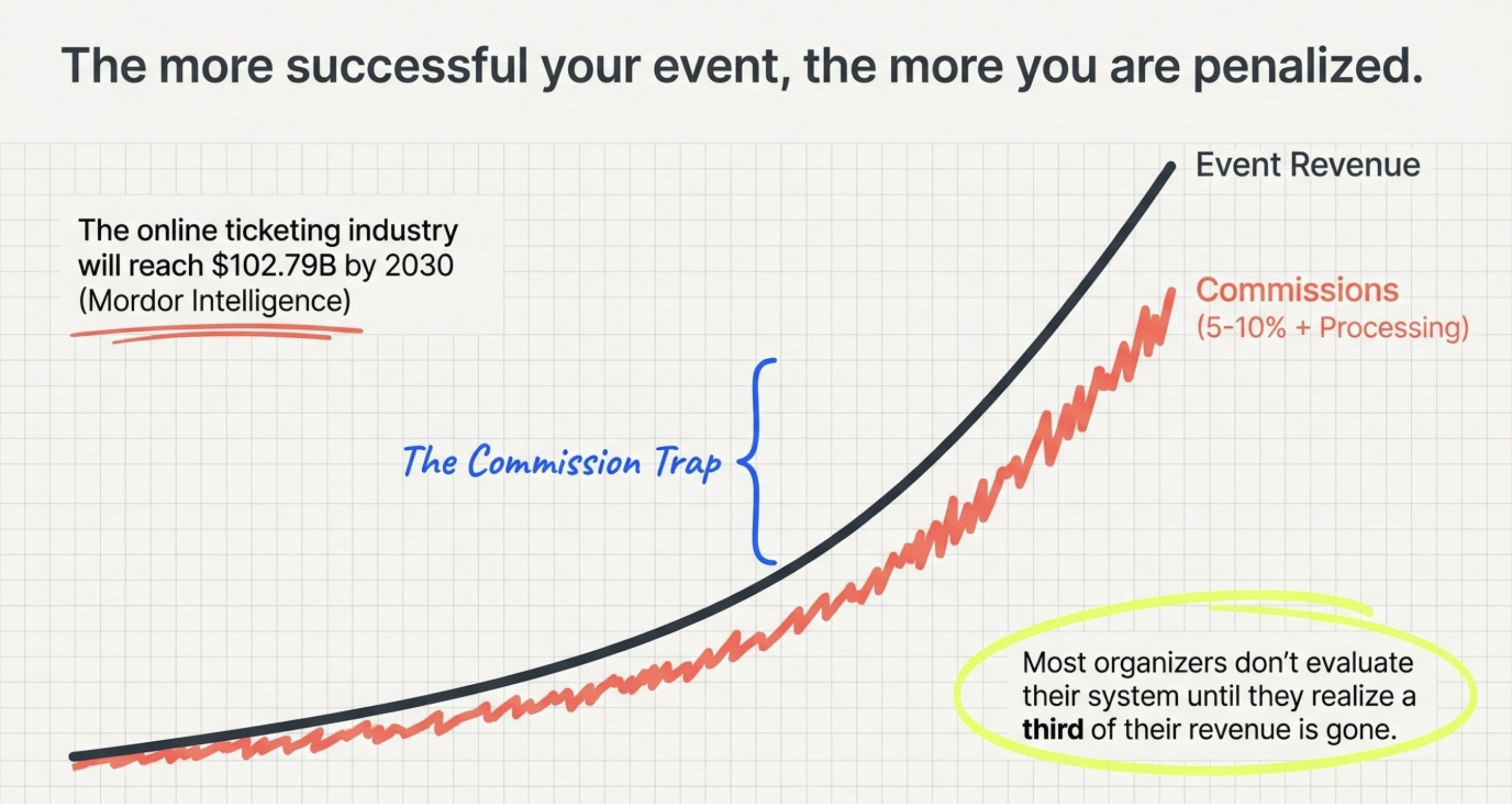
The biggest split that you should look out for is commission-based vs. usage-based vs. subscription.
Commission-based platforms (Eventbrite, Ticketmaster) take a percentage of every ticket sold, plus a payment processing fee. That percentage scales linearly with revenue, so a successful event becomes more expensive to run, not cheaper.
Usage-based platforms charge per ticket generated. This is predictable regardless of price.
Subscription platforms charge a flat monthly fee whether you run one event or fifty.
For most organizers running recurring events, the math favors usage-based or subscription.
For a single small public event, commission can make sense because there's no upfront cost. Going for a low-fee ticketing platform would be the best bet for mid-sized recurring events.
Strategies like tiered ticket pricing can help you structure your ticket prices better to further improve profits.
This is especially useful when selling event ticket ideas across multiple categories, where the right pricing structure can make a real difference to both attendance and revenue.
2. Branding control
Some platforms put their logo, colors, and "discover more events" links on every page the attendee sees. Others let you build the experience under your own domain with no platform branding visible.
If your event is your brand (corporate, agency, university, nonprofit) branded ticketing experiences raise trust and conversion.
If your event needs platform-driven discovery, marketplace branding is the price of getting in front of new audiences.
3. Attendee data ownership
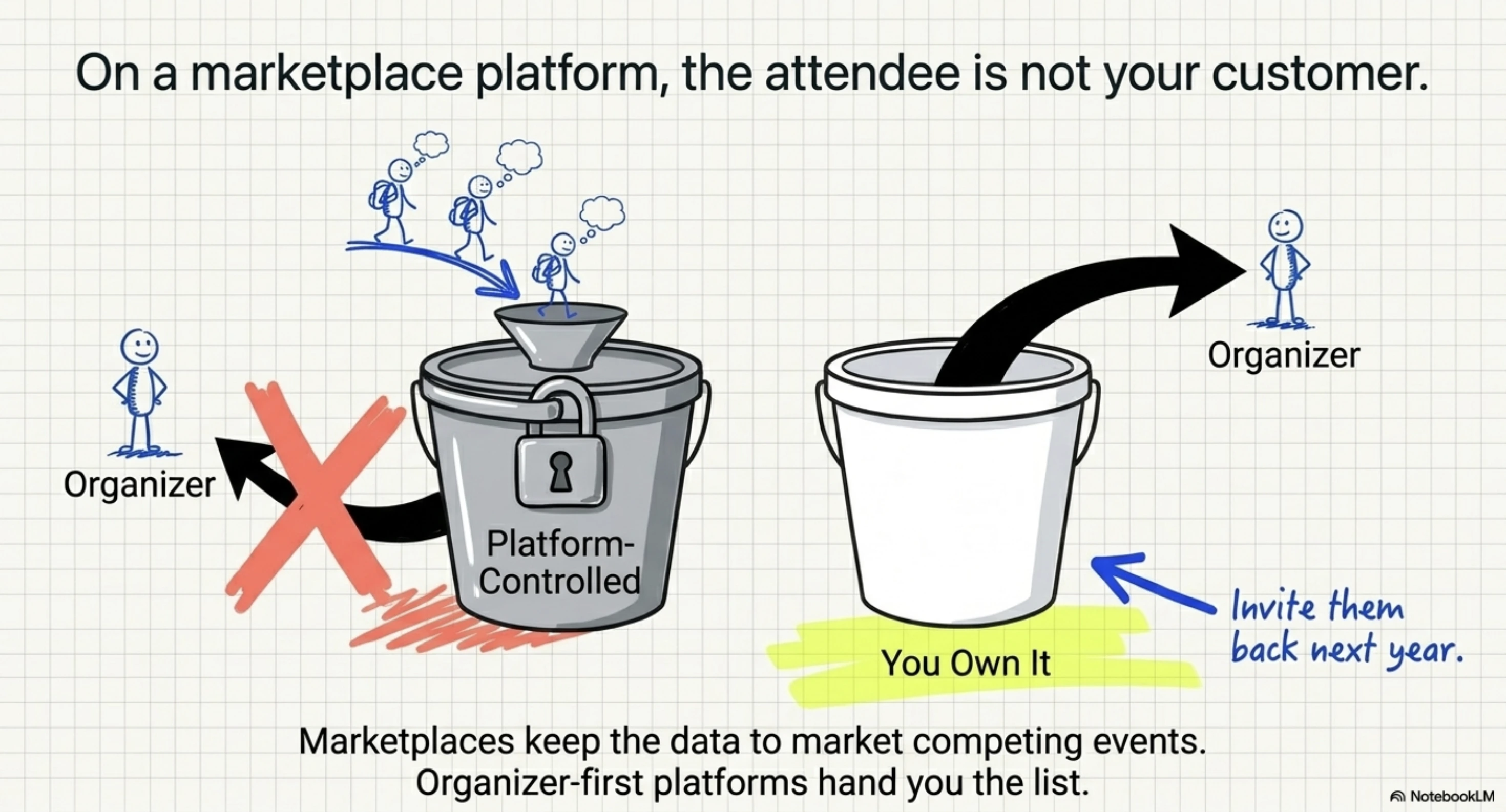
This one quietly matters most. On marketplace platforms, the attendee is technically a customer of the platform, not your organization. You may not get full email lists, you can't always re-target your buyers, and your post-event marketing depends on the platform's terms.
On organizer-first platforms, your attendees are your attendees. You own the data, the relationship, and the ability to invite them back next year.
4. Validation method
Next, consider how does the system verify a real ticket at the door? Look for QR-code-based validation, duplicate detection, and real-time multi-gate scanning.
Cheaper systems hand you a PDF and call it a day, which means anyone with a screenshot gets in. A modern event check-in app should run on any smartphone, with no special hardware required.
5. Reporting depth
Beyond "how many tickets sold," good systems show you conversion rates, page visits, approval rates, attendance rates, drop-off points, and exportable activity logs. Bad systems show you a sales total and stop.
C. How does an event ticketing system comparison usually break down?
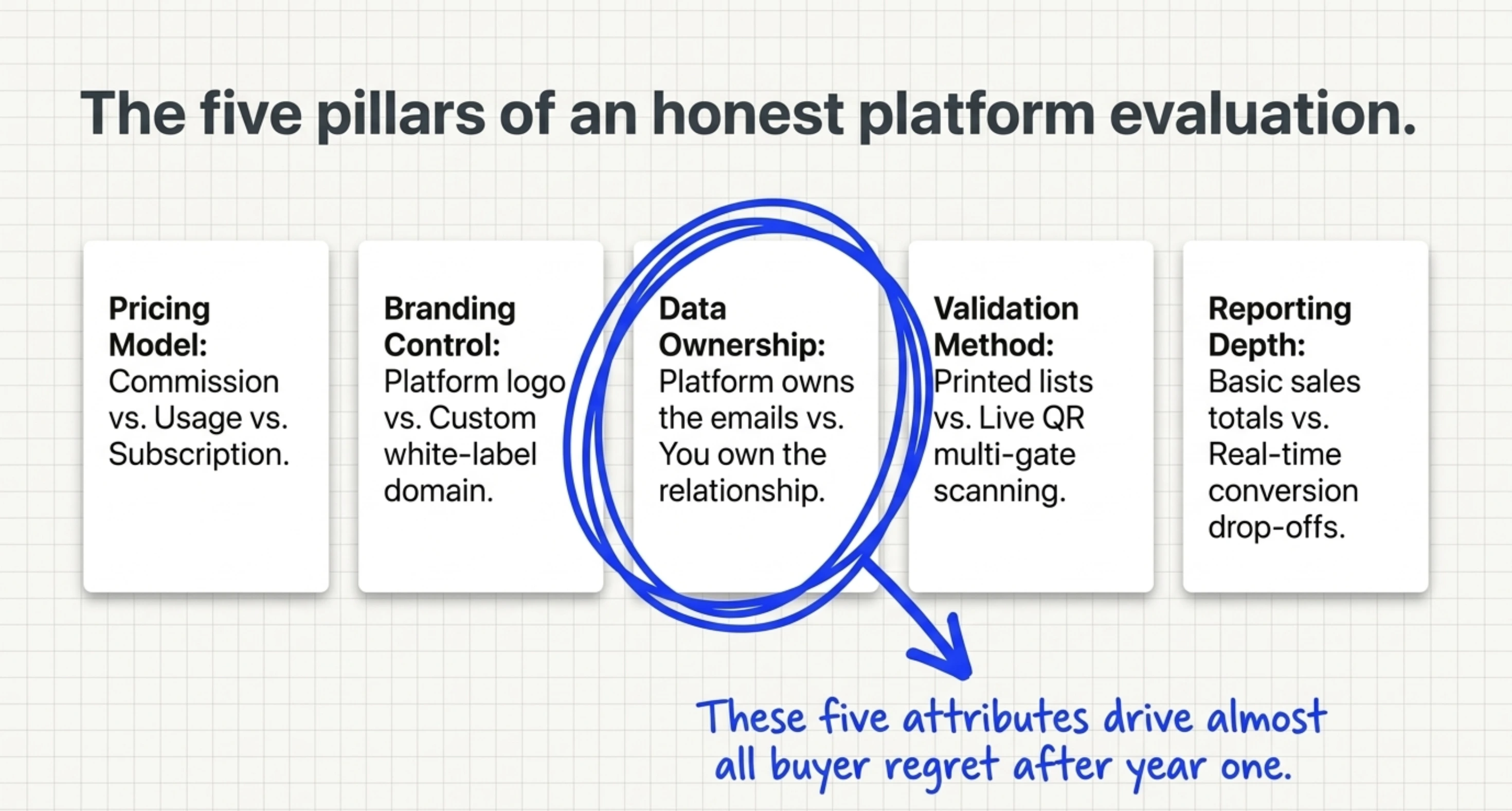
The major event ticketing systems split into four distinct categories: marketplace platforms (Eventbrite), enterprise venue platforms (Ticketmaster), marketing-led platforms (Splash), and organizer-first platforms (Ticket Generator). Each category solves a different problem.
Here's how they stack up across the five attributes that matter most:
|
Feature |
Ticket Generator |
Eventbrite |
Ticketmaster |
Splash |
DIY (Forms + Sheets) |
|---|---|---|---|---|---|
|
Pricing model |
Credit-based (pay per ticket) |
3–8% + processing fees |
5–10% service + convenience fees |
Enterprise subscription |
Free + manual hours |
|
Commission on ticket sales |
None |
Yes |
Yes |
None (Enterprise) |
None |
|
Payment gateway |
Your Stripe, PayPal, or Razorpay |
Eventbrite's gateway |
Ticketmaster's gateway |
Your gateway (Enterprise) |
Your gateway |
|
Payout timing |
Instant (your account) |
Delayed payouts |
Post-event settlement |
Varies |
Instant |
|
Branding control |
Full white-label, custom domains |
Platform-branded pages |
Limited |
Full |
Limited (unbranded forms) |
|
Attendee data ownership |
You own it |
Platform-controlled |
Platform-controlled |
You own it |
You own it |
|
QR validation |
Mobile + web app, multi-gate |
Mobile app |
Yes (proprietary) |
Limited |
Manual / none |
|
Security certifications |
ISO 27001:2022, GDPR, SOC 2 aligned |
GDPR |
Varies |
Varies |
None |
|
Best for |
10–10,000-attendee events with an existing audience |
Public discovery events |
Stadium-scale entertainment |
Marketing-led B2B brand events |
Tiny free events |
A few things stand out from this comparison:
Eventbrite's strength is discovery. If you don't already have an audience, the marketplace listing is genuinely valuable, and buyers can easily find you. The cost is the commission, the platform branding, and the data trade-off.
Ticketmaster is built for stadiums. Ten-thousand-seat venues, dynamic pricing, primary-and-resale economics. For a 200-person workshop, it's basically overkill.
Splash is a marketing platform. Beautiful landing pages, integrations with Marketo and Salesforce, big design budget are assumed. Ticketing is just an added feature, not the focus.
DIY (Google Forms + Sheets + a manual email list) is free until you discover that anyone can forward a "ticket" to a friend, your check-in is a printed list with a highlighter, and your reporting is whatever Excel formula you remember.
Ticket Generator is built for organizers who already have the audience and need predictable, branded, secure ticketing without commissions. It's the operational option, not the discovery option.
Pro Tip: When you compare event ticketing systems, work backward from the trade-off. If commission-free pricing matters more than marketplace discovery, list only platforms that don't take a cut. Ticket Generator runs on a credit-based model with payments going directly to your own gateway, so a sold-out event doesn't get more expensive; it just gets more profitable.
D. What hidden costs should you watch for in an event ticketing system?
Hidden ticketing costs usually come from three sources: per-transaction service fees, payment processing surcharges, and "convenience" fees stacked on top of face value at checkout. Together, they can quietly inflate the real cost of a ticket by up to 41% (The Guardian).
That math hurts the organizer twice. First, the revenue split shrinks. Second, and this is the part most teams miss, buyers see those fees at checkout and bail.
Did you know that 39% of online shoppers abandon their carts because of unexpected extra costs at checkout (2024)? Source: Baymard Institute
The U.S. Federal Trade Commission has been tightening the rules around this. The FTC's 2024 Junk Fees Rule requires ticket sellers to display the all-in price upfront, not surface fees only at the final step. That regulatory direction is one reason commission-free models are gaining ground.
Three hidden costs to scan for in any honest comparison of platforms:
- Per-ticket service fees added at checkout, on top of the face value (see our breakdown of no-fee ticketing options and tickets without service charge)
- Payment processing fees (typically ~2.9% + $0.30 per transaction as of 2024, per Stripe) sometimes absorbed by the platform, sometimes passed to the buyer
- Payout delays that hold your revenue 3–14 days, hurting cash flow on multi-event calendars
Read every pricing page line by line. If the platform doesn't separate "what we charge you" from "what we charge your buyer," that's the hidden cost.
Try Ticket Generator if you want to see your true ticket cost upfront: no commission, no surprise checkout fees, payments straight to your own gateway.
E. Which event ticketing system fits which type of organizer?
The right event ticketing system depends less on price and more on what kind of audience relationship you have. Use this as a decision shortcut:
Choose Eventbrite if: You're running public, one-off events and you need a discovery marketplace to find buyers. You're comfortable with platform branding and 3–8% going to the platform. Music gigs, public meetups, and first-time public conferences fit here.
Choose Ticketmaster if: You're operating at venue scale like 10,000+ seats, dynamic pricing, primary-plus-resale economics, named-act entertainment. The fee structure makes sense at that volume.
Choose Splash if: You run marketing-led B2B events where the landing page is the asset. Big brand events, sales kickoffs, multi-stop roadshows. You have a design team and a budget that supports an enterprise contract.
Choose DIY (Google Forms + Sheets) if: Your event is free, under fifty people, one-off, and you don't need real validation at the door. Internal team meetups. Family gatherings. Truly nothing more.
Choose Ticket Generator if: You already have your audience (newsletter, alumni list, customer base, community). You run repeating or recurring events. You want full branding control. Secure QR validation matters because the events are paid, exclusive, or capacity-limited. And you don't want a cut of every sale going to a marketplace that competes with you for attention.
That last category covers most corporate event ticketing teams, agencies, universities, training providers, and established nonprofit event ticketing organizers. Which is why Ticket Generator’s sweet spot is events between 10 and 10,000 attendees with a known audience.
F. How does Ticket Generator compare to other event ticketing systems?
Ticket Generator is built for organizers who want operational control over pricing, branding, attendee data, and the check-in experience, without paying a commission on every sale.
It's not trying to be a discovery marketplace. It's trying to be the platform you don't have to apologize for to your finance team or your marketing team.
Here's what that looks like in practice:
Predictable, credit-based pricing. You buy credits in packs (10 credits for $6, scaling up to 10,000 for $2,500), and one credit equals one ticket generated. Credits don't expire.
Nonprofits get a 30% discount. There is zero commission on ticket sales; payments flow directly to your own Stripe, PayPal, or Razorpay account, with instant settlement.
Full white-label branding. Custom domains for event pages. No Ticket Generator logo on tickets. Reusable ticket designs across events. Pre-built templates if you don't want to design from scratch, plus a drag-and-drop designer if you do.
Secure validation at the door. Every ticket has a unique QR code and a unique Ticket ID, even custom-designed tickets get an auto-embedded QR (see how an e-ticket generator handles this end-to-end, and how ticket validation software compares across platforms).
The Ticket Validator mobile app (iOS + Android) supports multi-device, multi-gate scanning. Duplicate scans are flagged instantly.
Plus, the platform is ISO 27001:2022 certified, GDPR-compliant, and SOC 2 aligned.
Real reporting. Real-time attendance, conversion rates, page visits, approval rates, unauthorized entry attempts, and coordinator activity logs, all exportable as Excel or PDF.
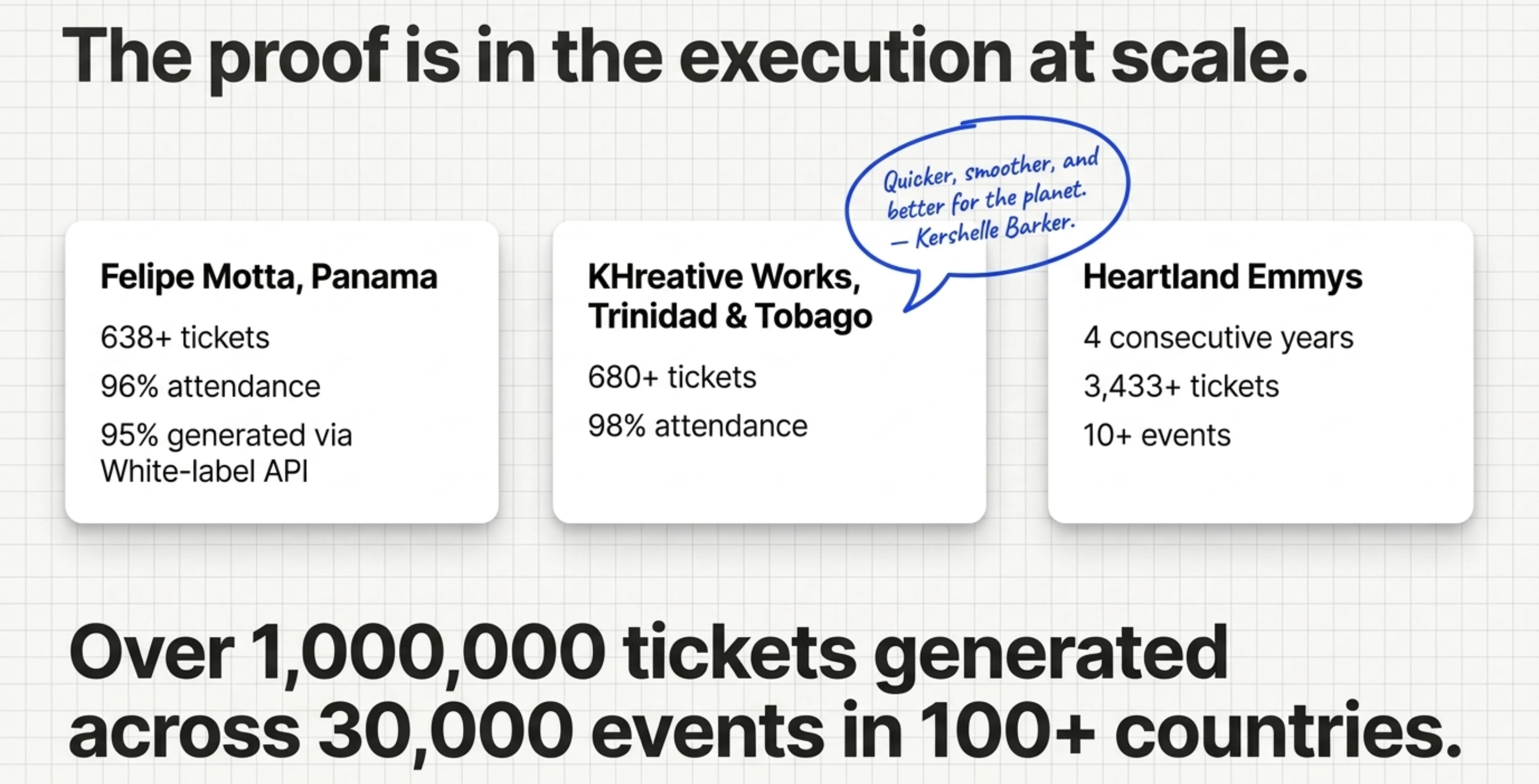
The proof is in how organizers use it at scale:
- Felipe Motta, a wine and spirits retailer in Panama, generated 638+ tickets with 96% maximum attendance across events, 95% of those tickets created via TG's API for white-label distribution.
- KHreative Works in Trinidad & Tobago issued 680+ tickets at 98% maximum attendance, with 91% delivered through batch distribution.
- Heartland Emmys has run on Ticket Generator for four consecutive years, generating 3,433+ tickets across more than 10 events.
Kershelle Barker, who runs design conferences for KHreative Works in Trinidad & Tobago, put it directly: "It has certainly helped make the registration process for the conference quicker, smoother, and better for the planet."
Across the platform, organizers have generated more than 1,000,000 tickets for over 30,000 events in 100+ countries.
In short: if your evaluation comes down to whether you keep the revenue, control the brand, and own the data, Ticket Generator is the operational answer.
G. What's the honest takeaway from this comparison?
An event ticketing system comparison isn't really a comparison of features. It's a comparison of trade-offs. Marketplace platforms, trade commission, and branding for discovery.
Enterprise platforms trade simplicity for scale. DIY trades cost for control. The right choice depends on whether you need help finding your audience or whether you already have one.
Most growing organizers eventually outgrow the marketplace model. They build their own audience, run recurring events, and start to feel the commission as a tax on their own success. That's the moment a credit-based, organizer-first platform pays for itself many times over.
Try Ticket Generator if you want predictable pricing, full branding control, and secure QR-validated tickets, without commissions, hidden fees, or platform branding on your event. Your event. Your revenue. Your rules.
FAQs: Event Ticketing System Comparison
1. What is the best event ticketing system in 2026?
The best event ticketing system depends on whether you need audience discovery or operational control. Eventbrite is strong for public events that need marketplace discovery, while Ticket Generator is built for organizers who already have their audience and want commission-free pricing with full branding control. There is no single "best”, there's a best fit for your event type.
2. How do free event ticketing systems compare to paid ones?
Free event ticketing systems usually monetize through buyer-side fees, commission on sales, or limits on features like branding, validation, and reporting.
Paid systems like Ticket Generator charge the organizer a transparent per-ticket cost and skip the commission entirely. For free events, free systems often work fine. For paid events, the math shifts quickly toward credit-based or subscription pricing.
3. Does Ticket Generator charge a commission on ticket sales?
No. Ticket Generator does not charge any commission on ticket sales. The platform uses a credit-based model (you pay per ticket generated), and ticket payments go directly to your own Stripe, PayPal, or Razorpay account with instant settlement.
4. Can I use my own payment gateway with an event ticketing system?
Some event ticketing systems require you to use their payment infrastructure, which means delayed payouts and limited control over refunds and chargebacks.
Others, like Ticket Generator, let you connect your own Stripe, PayPal, or Razorpay account so revenue flows directly to you. If cash flow and gateway control matter to your business, this should be a top-three filter in any comparison.
5. Which event ticketing system is best for recurring events?
For recurring events, the best system is one that supports event cloning, reusable ticket designs, and predictable pricing that doesn't scale with revenue.
Ticket Generator is built specifically for this pattern. Credits don't expire, designs are reusable across events, and Heartland Emmys has run on it for four consecutive years across more than 10 events.
Marketplace platforms generally penalize recurring organizers because every sold-out event costs a percentage more than the last.
6. What security should an event ticketing system offer?
At minimum, look for ISO 27001 certification, GDPR compliance, unique QR codes per ticket, duplicate detection at scan, and HTTPS-secured APIs.
Ticket Generator carries ISO 27001:2022 certification and is SOC 2 aligned, with one-time validation and instant duplicate flagging built into every ticket, including tickets uploaded with fully custom designs.
About the author
Content Marketer at Ticket Generator
Ashish Chandra has spent 5+ years writing about event technology, covering topics such as ticket design, QR check-ins, attendee management, and event marketing strategy. As the Content Lead at Ticket Generator, Ashish has analyzed hundreds of real-world event workflows and ticketing setups, helping organizers across industries use QR-based tickets, event landing pages, and smarter ticketing systems to run smoother, better-attended events. His writing is shaped by real user needs and the questions organizers ask most often: How do I sell more tickets? How do I avoid chaos at the door? How do I make my next event better than my last? When he steps away from the screen, you'll likely find him hiking a quiet trail or tending his plants- his preferred way to reset.
Latest posts
Check out our latest articles on the blog
 9 min read
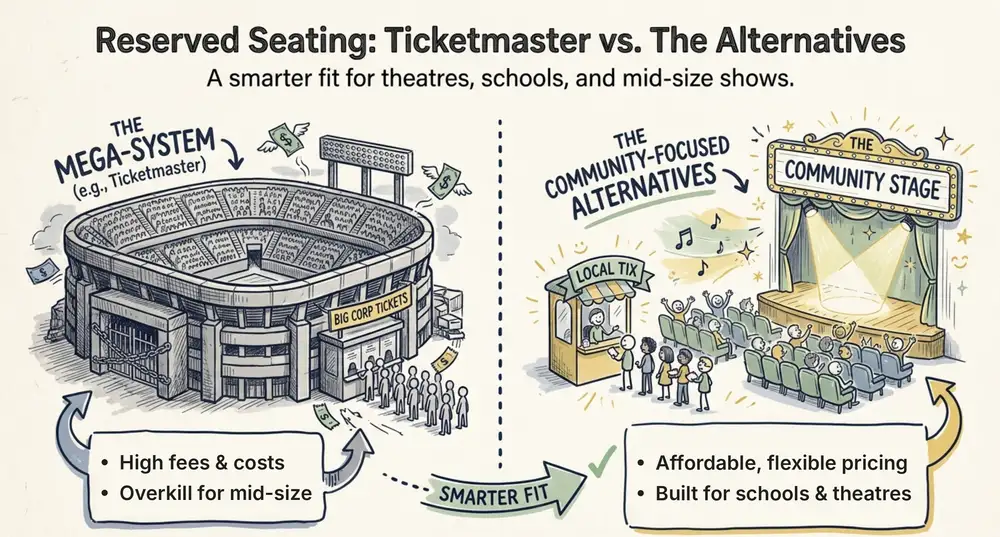
Ticketmaster Reserved Seating: How It Works and a Better Fit for Smaller Events
Ticketmaster reserved seating works well for arenas. If you run a theatre, gala, or mid-size show, see how it works, what it costs, and how to switch.
Ashish Chandra
16 Oct 2026
 9 min read
Eventbrite Reserved Seating: Setup, Limits, and a Better Option for Seated Events
Eventbrite reserved seating has strict rules and per-ticket fees. See how it works, where it falls short, and how to sell seats with no commission.
Ashish Chandra
05 Oct 2026
 12 min read
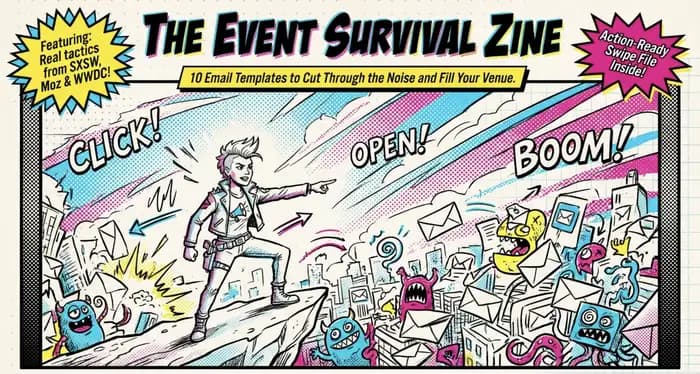
Event Email Marketing Examples: Real Emails to Learn From and Templates to Copy
A swipe file of real event emails from Webflow Conf, SXSW, Moz, Optimizely and more. See what each one does well, then copy the templates for invites, promotions, reminders and sign-up forms.
Ashish Chandra
05 Oct 2026