

Online Ticket Management Made Easy for Event Planners
 Written byPooja JenaLast updatedJuly 1, 2026
Key Takeaways (TL;DR):
- The online event ticketing market hit $85.35B in 2025.
- Manual ticketing can't keep pace or ensure attendee safety.
- Online ticket management covers six stages: event setup, ticket sales, delivery, pre-event marketing, day-of check-in, and post-event reporting.
- Fraud is real unique QR codes and real-time validation are your best defense.
- Prioritize QR-code security, mobile compatibility, instant delivery, real-time analytics, and flexible payment options.
- Ticket Generator offers secure QR-code ticketing, a pay-per-ticket model, and a near-zero learning curve, ideal for small to medium events.
Ticketing is one of the many complex aspects of event planning. Conventional ticketing techniques are prone to mistakes and often very difficult. Online ticket management, on the other hand, can save you a lot of time.
The global online event ticketing market reached $85.35 billion in 2025, and it's on track to top $105 billion by 2031. Yet many event planners still rely on spreadsheets, manual email confirmations, and paper tickets. That gap is where things go wrong. Manual ticketing leads to double bookings, missed payments, and attendees who never receive their tickets. Worse, it makes your event an easy target for fraud.
Online ticket management closes that gap. It automates your sales and secures each ticket with a unique QR code. It gives you live data to make better decisions, before, during, and after your event.
This guide covers it all. You'll learn what online ticket management is, exactly how it works step by step, what features matter most, and how to pick the right platform.
You'll also get a clear side-by-side comparison of top tools, including Ticket Generator, so you can make a confident choice.
A. What is online ticket management?
Online ticket management lets you create, sell, distribute, and validate event tickets—all from one platform. It replaces old, manual methods that are slow and full of mistakes with a smooth, automated system that manages the entire ticketing process.
It’s a top trend in event planning for a reason. It makes buying tickets easy for attendees, automates the back-end work, and tracks sales in real-time.
Think of it as your event’s control center. From the moment someone hits “Purchase” to the moment they step through the door, it handles everything.
With Ticket Generator, the entire setup (from creating your event to sending the first QR-Code ticket) takes under 15 minutes for most organizers.
B. How does online ticket management work?
Online ticket management works through a simple six-step workflow. Here’s how it all comes together:
1. Event Setup — Build your event page. Add the name, date, time, location, and ticket types like General, VIP, or Early Bird. Set prices and capacity limits.
2. Ticket Sales — Open registration. Attendees buy tickets online while the platform handles payments and sends automatic confirmation emails.
3. Ticket Delivery — Buyers get a digital ticket via email or SMS. Each ticket has a unique QR code linked only to that purchase—no duplicates.
4. Pre-Event Marketing — Send reminders, run social media promos, and track sales in real time. You can tweak pricing or ticket availability as needed.
5. Event-Day Check-In — Staff scans QR codes at the door using a mobile app. The system instantly flags duplicates, and attendance updates live.
6. Post-Event Reporting — See reports on ticket sales, revenue, attendee info, and check-ins. Use these insights to make your next event even better.
Each step flows into the next, creating a smooth experience for attendees and a hassle-free operation for organizers.
C. Why do you need only ticket management for events?
An online ticket management system can make your life easier in so many ways. Here are a few:
1. Streamlined operations
By automating ticket distribution and sales, planners are left with a lot more time. They can now concentrate on other important event-related tasks.
2. Enhanced security + fraud prevention
Ticket fraud is a growing problem. One in four event-goers has been a victim of ticket scams. Digital tickets embedded with unique QR codes are your first—and most effective line of defense. Each code is tied to a single ticket. It cannot be duplicated.
The possibility of counterfeit tickets is reduced when digital tickets are embedded with unique QR Codes.
3. Better experience for attendees
Online platforms provide benefits that offline ticketing never did. These include mobile ticketing, immediate confirmations, and simple access to event details.
4. Real-time analytics
Online ticket management gives you access to current sales data and attendee demographics. This helps you make better targeted marketing campaigns and well-informed decisions.
5. Increased reach
By integrating with email campaigns and social media, online ticketing platforms can increase promotional efforts and reach a larger audience.
6. Flexible payment options
By providing a variety of payment gateways, the purchasing process is made simpler. With this, you can also accommodate a wide range of attendee preferences.
7. Scalability
Whether your event has 10 attendees or 10,000, the right platform grows with you. You won’t need separate systems for different event sizes.
D. What should you look for in an online ticket management system?

Choosing the right online ticket management system can make or break your event experience. A seamless, efficient system not only simplifies ticket sales but also enhances attendee engagement. Here are the must-have features to consider:
1. Customizable ticket design
Your event tickets should reflect your brand. A good ticketing platform allows you to personalize ticket layouts, colors, logos, and fonts, ensuring a professional and cohesive brand identity.
2. Secure QR Codes
Security is paramount. Look for a system that generates unique, scannable QR codes or barcodes on each ticket. These codes help prevent fraud, speed up entry with quick scans, and provide real-time check-in data.
If your ticketing platform integrates custom apps or payment gateways, consider a free application vulnerability assessment to identify code, pipeline, and runtime risks that could enable fraud or data exposure.
3. Multiple payment options
Make it easy for attendees to pay by offering multiple payment methods. A reliable system should support credit/debit cards, digital wallets like Apple Pay and Google Pay, and bank transfers. The more flexible the options, the higher the chances of converting potential buyers.
4. Instant ticket delivery
Attendees appreciate instant gratification. Your system should automatically send digital tickets via email or SMS immediately after purchase, reducing manual efforts and ensuring a hassle-free experience.
5. Mobile compatibility
Mobile matters more than ever. 58.4% of all online ticket transactions in 2025 happened on mobile devices. Your platform must be mobile-optimized for both buyers and your check-in staff.
6. Event check-in management
Smooth entry management is crucial for large events. Opt for a platform that offers check-in tools or mobile apps to scan tickets efficiently, track attendance in real time, and reduce long queues at the entrance.
7. Data and analytics
A strong reporting system can provide insights into ticket sales, revenue, attendee demographics, and engagement trends. These analytics help in making informed marketing decisions and improving future events.
8. Integrations with event platforms
Your ticketing platform should connect with the tools you already use. Like your CRM systems, email marketing software, and social media platforms. This means less manual data entry and fewer errors. For example, when someone buys a ticket, their details can automatically flow into your email list for follow-up campaigns.
E. Comparing top online ticket management tools
Selecting the best ticketing platform is a key to make your event a success.
The right tool should simplify ticket sales, enhance the attendee experience, and fit your budget.
Below, we have compared three popular platforms - Ticket Generator, Eventbrite, and Eventtia. This will help you make an informed choice.
1. Ticket Generator
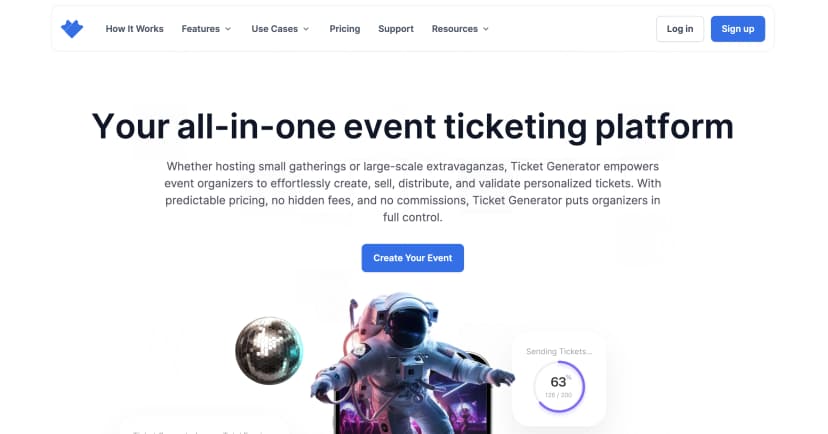
Ticket Generator is a simple, secure, and cost-effective platform designed for event planners. It’s best for those who prioritize ticket creation without needing extensive event management tools.
It focuses on QR Code-based tickets that prevent fraud and enable seamless check-ins.
Key features:
- Secure QR codes: Each ticket has a unique QR code to eliminate duplication and ensure smooth entry
- Customizable ticket designs: Modify ticket layouts to match your event branding
- Pay-per-ticket pricing: A budget-friendly model where you only pay for the tickets you generate, ideal for varying event sizes
- Instant ticket delivery: Tickets are automatically sent via email or SMS, reducing manual distribution efforts
- Send via WhatsApp: Deliver tickets through WhatsApp in addition to email and SMS, a channel most other players often miss
Pros:
- Extremely user-friendly with a minimal learning curve
- Affordable pricing, making it a great option for small to medium-sized events
- High security with built-in QR Code authentication
- 0% comission on ticket sales, you keep all the revenue you make
Cons:
- Lacks advanced event management features such as attendee engagement tools and scheduling
Best suited for: Event organizers who need a secure and budget-friendly ticketing solution without complex event management features.
2. Eventbrite
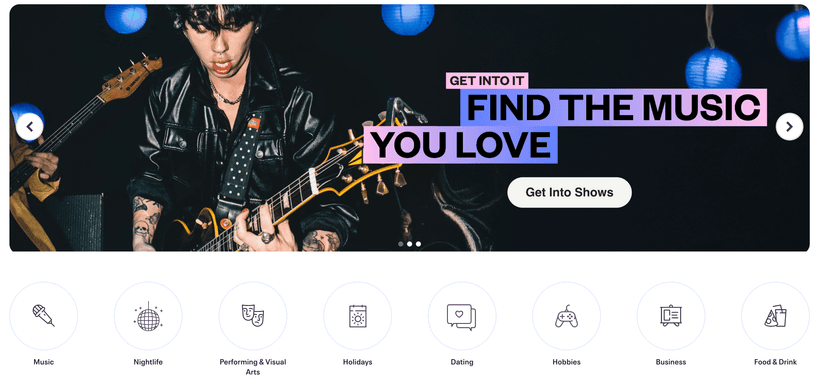
Eventbrite is one of the most well-known ticketing platforms. It offers a comprehensive suite of tools for event creation, ticket sales, and attendee management. It’s designed for everything from small workshops to large-scale conferences.
Key features:
- Event creation and promotion: Build event pages, send email invites, and promote events on social media
- Multiple ticket types: Supports early bird pricing, VIP packages, and group discounts
- Integrated payment processing: Accepts various payment methods and multiple currencies
- Analytics & reporting: Provides insights into ticket sales, revenue trends, and attendee demographics
- Mobile app: The Eventbrite Organizer app allows event management and real-time check-ins
Pros:
- Comprehensive event management features with built-in promotional tools
- Seamless integration with social media and marketing platforms
- Detailed analytics to track event performance and improve future planning
Cons:
- Higher service fees, especially for large events
- Steep learning curve due to the platform’s extensive features
Best suited for: Event planners managing medium to large-scale events that require ticketing, promotion, and in-depth analytics.
3. Eventtia
Eventtia is a feature-rich event management platform built for corporate events, conferences, and hybrid gatherings.
It goes beyond ticketing, offering networking tools, virtual event capabilities, and scheduling options.

Key features:
- Event website builder: Create professional event websites with no coding required
- Advanced registration management: Customize registration forms, categorize attendees, and send automated confirmations
- Virtual event capabilities: Host webinars, virtual booths, and networking sessions in addition to in-person events
- Agenda management: Design and manage event schedules, including multi-session programs and workshops
- Attendee networking: Enable participant interactions through AI-powered matchmaking and meeting scheduling
Pros:
- Highly customizable for corporate events and conferences
- Strong focus on attendee engagement and networking opportunities
- Supports both physical and virtual events, making it flexible for hybrid gatherings
Cons:
- Subscription-based pricing can be expensive for smaller events
- Steep learning curve due to its extensive features
Best suited for: Corporate event planners handling large-scale events. This includes conferences, trade shows, or hybrid events that need advanced attendee engagement and scheduling tools.
F. Choosing the best online ticket management tool
We know the last section was a bit complicated if you’re not used to reading long analyses.
So, here’s a simpler version that will help you choose the best online ticket management tool for your event:
|
Feature |
Ticket Generator |
Eventbrite |
Eventtia |
|---|---|---|---|
|
Ease of Use |
Very easy |
Easy |
Moderate |
|
Ticket Customization |
High (QR codes, branding) |
Medium |
High |
|
Pricing |
Affordable (pay-per-ticket model) |
Charges per ticket |
Subscription-based |
|
Payment Processing |
Supports multiple gateways |
Built-in |
Third-party integrations |
|
Event Management Features |
Basic |
Extensive (RSVPs, event pages) |
Advanced (Hybrid and Virtual events) |
|
Check-in System |
Unique QR codes, real-time validation |
Mobile app |
Mobile app |
|
Best For |
Small to medium events, cost-conscious planners |
Large-scale events |
Corporate and hybrid events |
G. Pricing Strategies to Maximize Your Ticket Sales
Choosing the right pricing strategy is just as important as choosing the right platform. Here are proven approaches to boost revenue:
1. Early Bird Pricing
Offer a discounted rate to the first buyers. This creates urgency, drives early cash flow, and gives you early confirmation of attendance numbers. Set a clear deadline so buyers act fast.
2. Tiered Pricing
Start with your lowest price. Raise it as your event fills up. Each price tier creates urgency for the next one. Example: $25 → $35 → $45 as capacity fills.
3. VIP Packages
Bundle premium benefits, reserved seating, early entry, backstage access, or merchandise—at a higher price point. VIP packages raise your average ticket value without adding many more seats.
4. Group Discounts
Offer reduced rates for groups of 5 or more. This drives volume, fills seats faster, and expands your audience through word-of-mouth.
5. Promo Codes
Create discount codes for email subscribers, partners, or influencers. They not only drive sales—they also track which marketing channels are performing.
According to Perfect Venue, only 39.3% of event platforms offer dynamic ticket pricing. Using even basic tiered pricing gives you a significant edge over most organizers.
H. How to prevent ticket fraud?
Ticket fraud isn’t rare. In 2024, Action Fraud reported 9,826 cases in the UK alone, costing £9.7 million. In the US, about 12% of concert-goers say they’ve been scammed. That’s a lot of unhappy attendees and potential damage to your reputation.
A secure online ticketing platform keeps your attendees (and your brand) safe. Here’s how:
1. Unique QR Codes per Ticket: Every ticket gets its own encrypted QR code. Once it’s scanned, the system marks it as used. A second scan triggers an instant alert. Counterfeit copies are useless.
2. Real-Time Validation at the Door: Staff scan tickets with a mobile app. Each code is checked against your attendee list immediately. No delays, no fake entries.
3. Attendee ID Linking: Some platforms let you attach tickets to a buyer’s name or ID. This makes unauthorized transfers or resales nearly impossible, stopping scalpers and fraudsters in their tracks.
4. Audit Trail for Every Transaction: Every purchase is logged with timestamps, payment info, and contact details. If a dispute arises, you have a clear record to reference.
5. Dynamic QR Codes: High-security platforms rotate QR codes every few seconds. Screenshots and copied codes are useless (perfect for VIP or high-risk events).
Ticket Generator uses encrypted, unique QR codes on every ticket. The Ticket Validator app flags duplicates the moment someone tries to scan a used code. From purchase to entry, your attendees stay protected.
I. Tips for successfully using an online ticket management tool
To make the most of your online ticket management system, follow these key strategies:
- Use early bird pricing–Offer discounted rates for early buyers to drive ticket sales by creating urgency
- Promote your event effectively—Leverage social media, email marketing, and partnerships
- Ensure a smooth check-in process–Use QR-Code scanning or contactless entry systems to reduce wait time
- Analyze post-event data–Review ticket sales, attendee demographics, and feedback to improve future events
Try out these new tips on Ticket Generator. The first ten tickets are on us!
FAQ
1. How do I prevent ticket fraud?
Ticket fraud is one of the biggest risks for event organizers. The most effective prevention combines unique QR codes, real-time validation at the door, and buying only from verified platforms. With Ticket Generator, each ticket has an encrypted, one-of-a-kind QR code. The Ticket Validator app instantly flags any duplicate scan, so counterfeit copies never get anyone through the door.
2. Is mobile ticketing better than printed tickets?
Yes. Mobile tickets offer several advantages:
- Eco-friendly — They reduce paper waste and support sustainability
- Cost-effective — No printing or manual distribution costs
- More secure — Harder to duplicate, especially with QR code authentication
- Faster check-in — Scanning a phone screen takes 2–3 seconds. Paper checks take 5–10 seconds. That gap matters at the door.
3. What is the difference between online ticketing and event registration?
Online ticketing focuses on selling access to an event. Registration captures attendee details (name, dietary needs, session preferences) often at no cost. Many platforms combine both. You can sell a ticket and collect registration data in a single purchase flow.
4. How do I choose the right ticketing platform for my event size?
For small to medium events (under 500 attendees): look for simplicity, low cost, and strong QR-code security. Ticket Generator is built for this. For large events (500+): you need multi-tier ticket types, advanced analytics, and robust payment processing. Eventbrite fits here. For corporate or hybrid events: choose a platform with networking tools and virtual capabilities. Eventtia is designed for this use case.
5. Can I use online ticket management for free events?
Yes. Most platforms support free-ticket events. Ticket Generator lets you issue free tickets and still use QR-code check-in and attendance tracking—so you keep full control over who shows up, even if there's no charge.
6. What happens if an attendee loses their digital ticket?
With most platforms, attendees can request a resend. With Ticket Generator, tickets can be re-sent via email or SMS in seconds. Your team doesn't need to handle it manually; the attendee can request a reissue from the confirmation email.
About the author
Content Marketer at Ticket Generator
Pooja Jena is a content marketer specializing in content for event planners. She heads a community of over 23,000 event planners on social media. When she's not writing content for Ticket Generator, you'll find her traveling to the most remote places in the world. She has an eye for new events and experiences.
Latest posts
Check out our latest articles on the blog
 12 min read
Email Marketing for Events and Webinars: What to Send, When to Send It, and How to Automate It
A step-by-step playbook for email marketing for events and webinars. Learn what to send, when to send it, and how to automate every email for in person and virtual events.
Ashish Chandra
18 Oct 2026
 10 min read
Halloween Masquerade Ball: How to Host a Night of Masks and Mystery
From Venetian-inspired masks to QR-coded entry, here is your complete guide to planning a Halloween masquerade ball your guests will talk about for years.
Ashish Chandra
18 Oct 2026
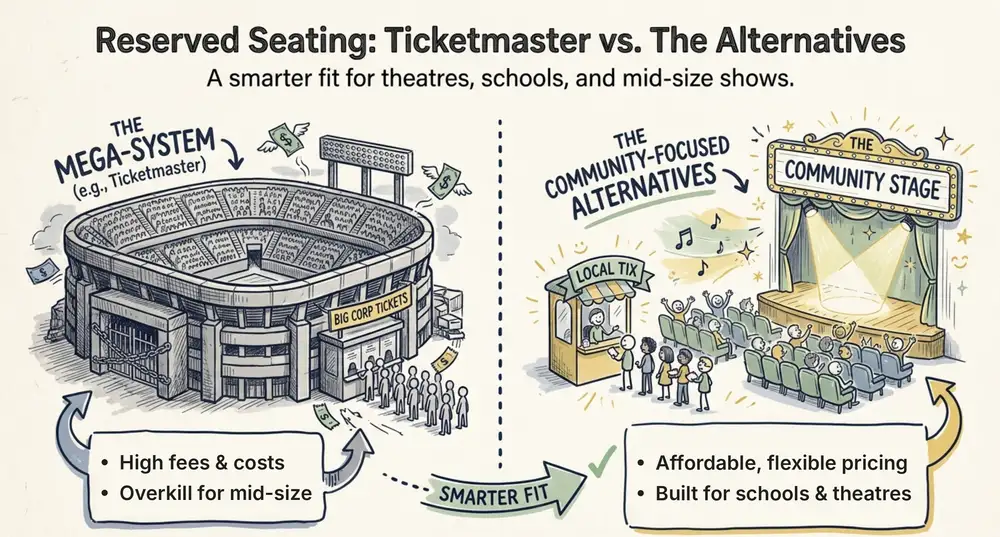 9 min read
Ticketmaster Reserved Seating: How It Works and a Better Fit for Smaller Events
Ticketmaster reserved seating works well for arenas. If you run a theatre, gala, or mid-size show, see how it works, what it costs, and how to switch.
Ashish Chandra
16 Oct 2026