

University Event Registration Software: Run Campus Events Without Spreadsheet Chaos
 Written byAshish ChandraLast updatedJuly 16, 2026
Key Takeaways: University event registration software lets campus teams collect registrations, approve attendees, issue QR-coded tickets, and track attendance from one dashboard. Google Forms and spreadsheets break down at campus scale, with no duplicate detection, no entry control, and no audit trail. Commission-free, pay-per-ticket pricing fits fixed departmental budgets better than subscriptions. Ticket Generator powers education clients like Antioch University with registration pages, approval workflows, and QR validation. Event cloning makes recurring semester events a two-minute job.
A single university runs hundreds of events a year: orientation week, guest lectures, cultural fests and college events, career fairs, sports fixtures, and graduation. Most of them are still managed with a patchwork of Google Forms, shared spreadsheets, and printed name lists.
University event registration software replaces that patchwork with one workflow. A branded registration page, automatic ticket issuance, QR code check-in, and real-time attendance reports.
Did You Know? Mobile devices account for about 58% of online event ticketing transactions, and no audience is more mobile-first than students. Source: Mordor Intelligence (2025) .
In this guide, I'll explain what this software does, why campus teams outgrow forms and spreadsheets, which features matter most for college event registration software, and how pricing models compare, so you can pick a tool that fits a departmental budget.
Let's begin.
What is a University Event Registration Software?
University event registration software is a tool that lets campus departments, student clubs, and administrators collect event registrations online, approve or limit attendees, issue tickets automatically, and check students in at the door, usually by scanning a QR code.
In practice, it covers five jobs that campus teams currently juggle across separate tools:
- A registration page where students sign up (with custom fields like student ID, department, or year)
- Approval workflows to control who gets in: auto-approve open events, manually approve restricted ones
- Automatic ticket issuance by email, SMS, or WhatsApp after registration
- QR code validation at entry, flagging duplicates and gatecrashers instantly
- Attendance reports you can export and send to a dean or club treasurer
The same tools serve two-year colleges, universities, and K-12 schools alike, the difference is scale, not workflow.
Why do universities outgrow Google Forms and Spreadsheets?
Forms and spreadsheets collect names, but they can't control entry and entry is where campus events fail. A form has no idea whether the person at the auditorium door actually registered, already entered once, or forwarded their confirmation email to three friends.
Here's where the DIY stack breaks at campus scale:
- No duplicate detection. One confirmation email can admit an entire hostel corridor.
- Manual reconciliation. Someone cross-checks a printed list against student IDs while the line grows.
- No registration limits. A 200-seat hall gets 600 sign-ups and no clean way to cut off.
- No audit trail. When a department asks how many attended, you're estimating.
- Volunteer churn. Every fest committee re-invents the process from scratch each year.
According to the Baymard Institute (2024), 48% of shoppers abandon a checkout when unexpected extra costs appear, the single biggest abandonment reason. Students are even more price-sensitive: a paid campus event that adds surprise platform fees at checkout loses registrations it can't afford to lose.
Try Ticket Generator to run your next campus event with branded registration pages, QR-coded tickets, live attendance tracking, and a free registrations mode for student events. Your event. Your campus. Your rules.
What features should college event registration software include?
The best college event registration software combines registration, ticketing, and entry control in one place, because campus problems live at the door, not just on the sign-up form. Prioritize these:
- Customizable registration pages with custom fields (student ID, department, dietary needs) and document upload for ID verification
- Approval workflows and registration limits auto-approve open lectures, manually vet restricted socials, cap sign-ups at hall capacity
- QR-coded tickets delivered automatically via email, SMS, or WhatsApp, where students actually look
- Mobile validation with duplicate detection, volunteers scan with their own phones, multiple gates scan simultaneously
- Coordinator roles so student volunteers manage only their event, not the whole account
- Event cloning for events that repeat every semester or year
- Exportable attendance analytics for post-event reporting to administration
- Built-in email campaigns to promote the event and re-engage past attendees without separate marketing software
One feature to treat as non-negotiable: entry validation that works on any smartphone. Campus events rarely have budget for scanning hardware, and volunteer teams change every semester, the tool has to work on whatever phone shows up.
How much does campus event registration software cost?
Pricing follows three models (subscription, commission, or pay-per-ticket) and the right one depends on how often your campus runs events and whether tickets are paid. For most campus teams with fixed budgets, pay-per-use beats a recurring subscription that bills through the summer break.
|
Pricing model |
How it works |
Campus budget fit |
|---|---|---|
|
Commission-based (e.g., Eventbrite) |
3–8% plus payment processing fees per paid ticket |
Costs rise with every ticket sold; fees are often passed on to students |
|
Subscription |
Fixed monthly or annual fee |
Bills year-round, including semester breaks; often requires procurement approval |
|
Credit-based (Ticket Generator) |
Pay per ticket generated; credits never expire |
Predictable, scales with your actual event calendar, and has no recurring line item |
Commission models feel free until your fest sells 2,000 tickets. Subscriptions feel predictable until you realize you paid for June, July, and August. Credits map cost directly to activity: a quiet semester costs nothing, a packed one is easy to budget in advance.
For free campus events, the majority, the calculation is simpler: you only pay for tickets generated, and payments for paid events go directly to your institution's own Stripe, PayPal, or Razorpay account with zero commission taken. Comparing vendors side by side? Our guide to the best event registration platforms breaks down the options in detail.
How does Ticket Generator support University Event Registration?
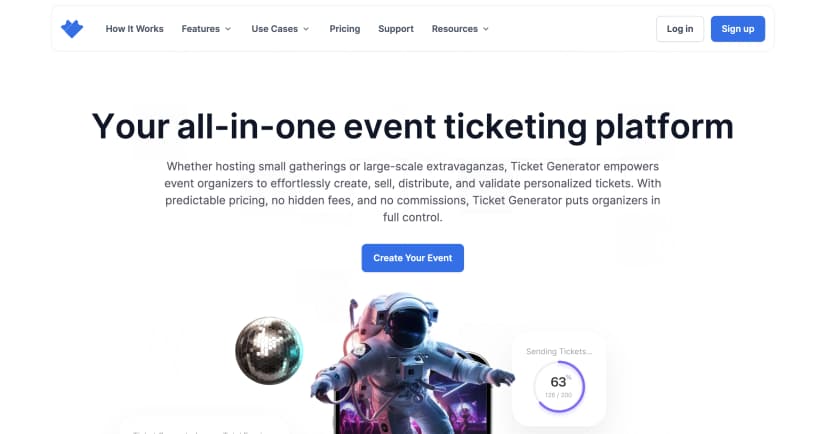
Ticket Generator is built for organizers who already have their audience and no one has a more captive audience than a university. Students aren't discovered on a ticketing marketplace; they're reached through campus email, notice boards, and WhatsApp groups. So you don't need a discovery platform taking a cut. You need clean registration, secure entry, and reports.
Here's how the pieces map to campus work:
- Free Registrations mode collects sign-ups and auto-issues QR tickets for the free events that dominate campus calendars with registration limits to match hall capacity
- Approval workflows and document upload let you verify student status before confirming a spot
- Multi-channel delivery sends tickets by email, SMS, or WhatsApp in batches of up to 1,000
- The Ticket Validator app (iOS/Android) turns volunteers' phones into scanners, flags duplicates instantly, and supports multiple gates and re-entry, see how QR code check-in works in practice
- Coordinator roles give each club or committee event-level access only
- Built-in Campaigns handle event promotion emails and subscriber lists without separate marketing software
It's a model that already works in education. Antioch University in Ohio used Ticket Generator to run three commencement-related events with over 1,700 tickets, going paperless in the process. As Elida Martinez of Antioch University put it: "The ability to check in using a QR Code... and the platform to scan tickets on the phone" is what made the difference. The University of Southampton, NYC Public Schools, and Kansas City Public Schools use the platform too, part of 30,000+ events and 1,000,000+ tickets across 100+ countries.
One more line item worth knowing: registered non-profit institutions get a 30% discount on credits, and every new account starts with 10 free credits, enough to trial a real event before spending anything.
Conclusion
Campus events don't fail at the registration form, they fail at the door, in the budget meeting, and in the post-event report. The right registration software closes all three gaps: controlled sign-ups, verified QR entry, and exportable attendance data, in one workflow a new volunteer can learn in an afternoon.
No tool erases the work of running a fest or a graduation. But the right one removes the parts that were never worth a student volunteer's weekend: cross-checking spreadsheets, chasing duplicate entries, and rebuilding the same event every semester. If your campus calendar is only getting busier, a commission-free, pay-per-use platform like Ticket Generator is the simplest place to start.
Try Ticket Generator to run your next campus event with branded registration pages, QR tickets, real-time attendance tracking, and zero commission. Your event. Your revenue. Your rules.
FAQs: Event Registration Software for Universities
1. What does event registration software for universities do?
It lets campus teams collect event registrations online, issue QR-coded tickets automatically, and validate entry by phone. It replaces the typical mix of Google Forms, spreadsheets, and printed lists with one dashboard covering registration through attendance reporting.
2. Is there free event registration software for student clubs?
Most platforms offer a free tier or trial, but watch for per-ticket fees on paid events. Ticket Generator gives new accounts 10 free credits (1 credit = 1 ticket), charges no commission on sales, and offers registered non-profits a 30% credit discount.
3. Can students check in without printed tickets?
Yes. QR-coded digital tickets delivered by email, SMS, or WhatsApp are scanned directly from the student's phone at the door. Antioch University ran its commencement events fully paperless this way, issuing 1,700+ digital tickets across three events.
4. How do universities prevent gatecrashing at campus events?
Unique QR codes on every ticket, validated once at entry. Scanning apps flag duplicates instantly — so a forwarded screenshot or reused ticket is caught at the gate, and unauthorized entry attempts appear in the event log.
5. What's the difference between college event registration software and general event software?
The workflow is the same; the fit differs. College event registration software needs approval workflows for student-only events, coordinator roles for rotating volunteer teams, event cloning for semester-repeating events, and pricing that doesn't bill through summer break.
About the author
Content Marketer at Ticket Generator
Ashish Chandra has spent 5+ years writing about event technology, covering topics such as ticket design, QR check-ins, attendee management, and event marketing strategy. As the Content Lead at Ticket Generator, Ashish has analyzed hundreds of real-world event workflows and ticketing setups, helping organizers across industries use QR-based tickets, event landing pages, and smarter ticketing systems to run smoother, better-attended events. His writing is shaped by real user needs and the questions organizers ask most often: How do I sell more tickets? How do I avoid chaos at the door? How do I make my next event better than my last? When he steps away from the screen, you'll likely find him hiking a quiet trail or tending his plants- his preferred way to reset.
Latest posts
Check out our latest articles on the blog
 12 min read
Email Marketing for Events and Webinars: What to Send, When to Send It, and How to Automate It
A step-by-step playbook for email marketing for events and webinars. Learn what to send, when to send it, and how to automate every email for in person and virtual events.
Ashish Chandra
18 Oct 2026
 10 min read
Halloween Masquerade Ball: How to Host a Night of Masks and Mystery
From Venetian-inspired masks to QR-coded entry, here is your complete guide to planning a Halloween masquerade ball your guests will talk about for years.
Ashish Chandra
18 Oct 2026
 9 min read
Ticketmaster Reserved Seating: How It Works and a Better Fit for Smaller Events
Ticketmaster reserved seating works well for arenas. If you run a theatre, gala, or mid-size show, see how it works, what it costs, and how to switch.
Ashish Chandra
16 Oct 2026