

Charity Landing Page: How to Turn Visitors Into Donors
 Written byAshish ChandraLast updatedAugust 19, 2026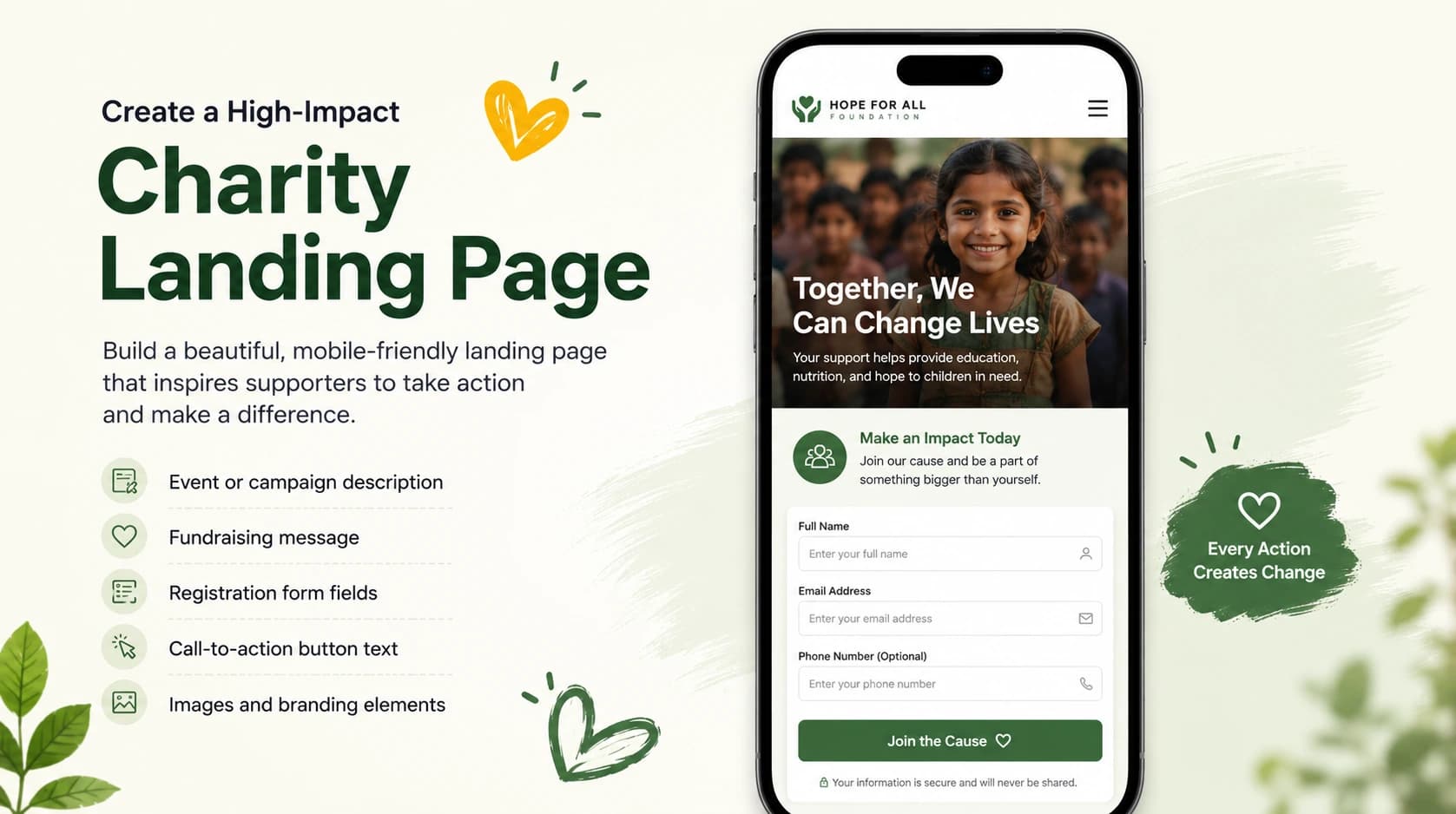
Key Takeaways: A charity landing page is a single-focus web page built around one action, such as registering, donating, or purchasing a ticket. Many nonprofits send visitors to a busy homepage where the main ask gets buried and potential supporters leave without taking action. A focused landing page with one clear story, one call-to-action, and no surprise fees consistently converts better. Ticket Generator helps nonprofits create branded, commission-free event and registration pages in minutes, resulting in more sign-ups, more funds retained, and cleaner supporter data.
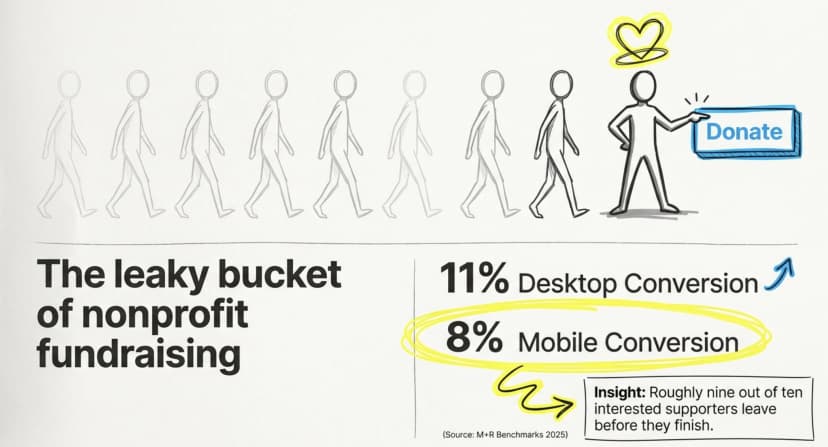
Before I get into it, here's something: Did you know that the average nonprofit donation page converts only about 11% of desktop visitors and 8% of mobile visitors? A breakdown of the M+R Benchmarks 2025 data by iDonate found that more than 87% of potential donors abandon donation pages without giving.
That means roughly nine out of ten interested supporters leave before they finish. Most of the time, the page is the problem and not the cause.
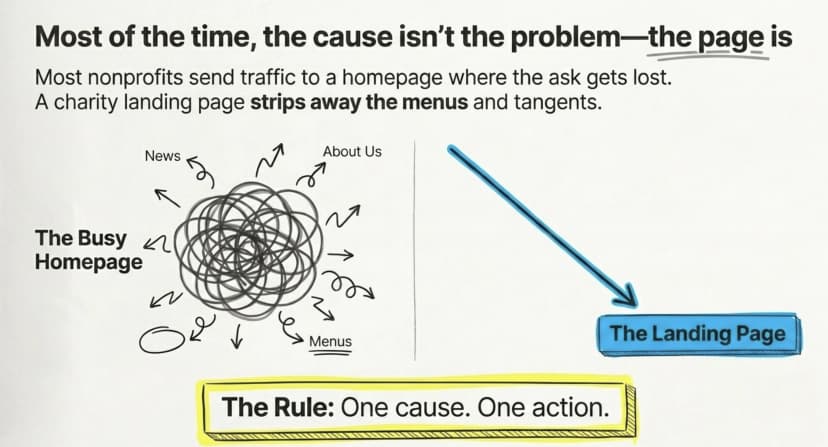
A charity landing page is a standalone web page with one job: to turn a visitor into a donor, a registrant, or a ticket buyer. It strips away the menus, the news feed, and the “about us” tangents, and points everyone toward a single action.
In this guide, I'll explain what a charity landing page is and why it beats a homepage. We break down what every high-converting page needs, walk through how to build one step by step, and show the mistakes that quietly cost charities donations.
What is a charity landing page?
A charity landing page is a focused web page that asks a visitor to take one specific action for your cause which is usually to register for a charity event, buy a fundraising ticket, or donate.
Unlike a homepage, it has no competing links or distractions. Every word, image, and button works toward the same goal. A supporter lands, understands the cause in seconds, and acts.
Think of it as the front door to one campaign. Your spring gala gets its own page. Your charity 5K gets another. Each page tells one story and makes one ask, so the visitor never has to wonder what to do next.
Why does a focused page convert better than a homepage?
It converts better because it removes choice. A homepage offers a dozen paths; a landing page offers one.
When you send donors from an email or social post to your homepage, they have to hunt for the donate button. Many give up. A dedicated page meets them where their attention already is and asks for the one thing you want.
Here is how the two compare:
|
Feature |
Charity landing page |
Charity homepage |
|---|---|---|
|
Focus |
One cause, one action |
Many sections, many links |
|
Visitor goal |
Obvious in seconds |
Buried under navigation |
|
Message |
Tailored to one campaign |
General and broad |
|
Tracking |
Clean, per-campaign data |
Mixed across the whole site |
|
Conversion |
Higher with fewer exits |
Lower with more drop-offs |
Pro Tip: Build a separate landing page for every event or fundraising appeal. Ticket Generator lets you clone an existing event page in a single click, so each new campaign starts from a proven layout instead of a blank screen.
What should a high-converting nonprofit landing page include?
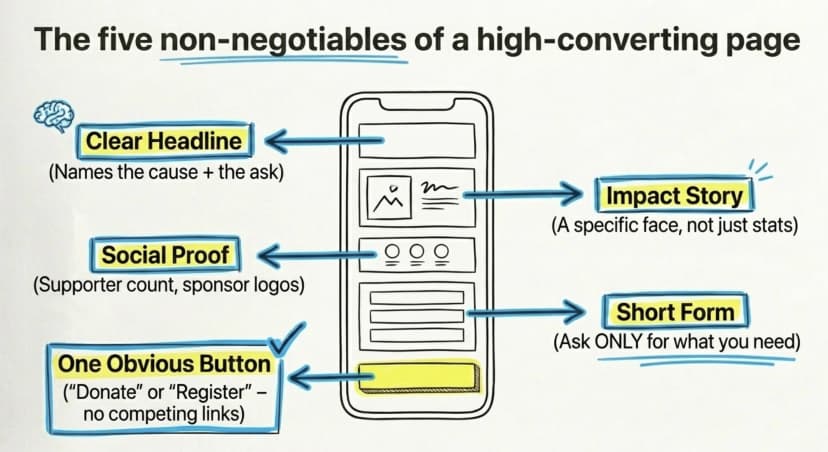
A high-converting page needs five things: a clear headline, a real impact story, social proof, a simple form, and one obvious button.
Keep the essentials tight:
- A headline that names the cause and the ask. “Sponsor a meal this winter” beats “Welcome to our foundation.”
- An impact story with a face. Show one person, family, or animal your work helps. Specifics move people; statistics alone rarely do.
- Proof you can be trusted. Add a supporter count, a past-event photo, a sponsor logo, or a short quote from someone you have helped.
- A short form. Ask only for what you need. Every extra field costs you sign-ups.
- One call to action. “Register,” “Donate,” or “Get your ticket” , repeated, never competing.
Show the full price up front, too. Hidden fees at the final step are the fastest way to lose a willing supporter.
Try Ticket Generator to build a branded fundraising page with a custom domain; no coding, no platform logos, live in minutes.
How do you create a charity landing page step by step?
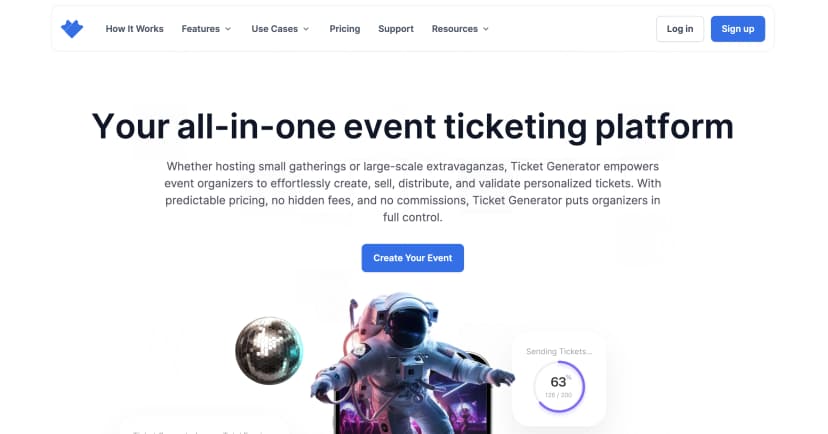
You can create a branded charity landing page in just a few minutes with Ticket Generator (no coding, web design, or technical setup required). Whether you're collecting donations, registrations, or selling tickets for a fundraiser, the process is straightforward.
Step 1: Sign up and create your charity event
Start by creating a free account on Ticket Generator and click Create New Event.
Add your basic event details:
- Event name
- Date and time
- Time zone
- Venue or event location
- Ticket activation date and time
- Event description
Keep your event description concise and impact-focused. Explain the cause, how contributions help, and what supporters can expect.
Step 2: Decide what action you want supporters to take
Before building the page, define a single primary goal.
For example:
- Register volunteers for a community initiative
- Sell tickets for a fundraising gala
- Collect registrations for a charity walk or awareness campaign
- Accept paid registrations for a fundraising event
Pages with one clear goal typically perform better because visitors know exactly what action to take.
Step 3: Set up registration or ticketing
Choose how supporters will participate:
- Free registration: Attendees sign up and receive their digital tickets instantly.
- Paid registration: Connect your preferred payment gateway and collect funds directly into your own account without platform commission fees.
This gives nonprofits complete control over fundraising proceeds.
Step 4: Design tickets that match your campaign
Create tickets that reinforce your charity's branding.
You can:
- Upload your own ticket design
- Build a design from scratch using the editor
- Choose from professionally designed templates
Add your logo, campaign colors, background images, and personalized attendee information such as names, ticket types, or seat numbers.
Step 5: Build your charity landing page
Under Delivery Methods, select Generate Form Link.
This is where you create the public-facing landing page supporters will visit.
Customize:
- Event or campaign description
- Fundraising message
- Registration form fields
- Call-to-action button text
- Images and branding elements
Keep the page focused on the cause. Explain the impact of participation or donations and make the next step obvious.
Step 6: Connect your payment gateway (for fundraising events)
If you're collecting payments, connect your preferred payment provider, such as:
- Stripe
- PayPal
- Razorpay
Funds go directly to your account, helping you maximize the amount raised for your cause.
Step 7: Configure approvals and registration settings
Choose how registrations will be handled:
- Automatic approval for instant confirmations
- Manual approval for additional review
You can also:
- Set registration limits
- Control ticket issuance
- Customize attendee communications
Once approved, tickets are automatically delivered via email, SMS, or both.
Step 8: Test and publish your landing page
Before launching:
- Use the Test Registration Link to preview the attendee experience
- Check forms, messaging, branding, and payment flow
- Verify confirmation emails and ticket delivery
Once everything looks right, copy the Live URL and start promoting your campaign through email, social media, partner networks, and community outreach.
Step 9: Track registrations and manage supporters
After launch, monitor performance from your dashboard.
You can:
- View all registrations in real time
- Track approval status
- Download attendee lists
- Manage supporter information
- Send updates and event communications
- Validate tickets using the Ticket Validator app
This gives your team a centralized way to manage registrations, fundraising events, and supporter engagement from a single platform.
Pro tip: The highest-converting charity landing pages keep the focus on one action, tell a compelling story, minimize form fields, and make it easy for supporters to contribute or register in just a few clicks.
How do you avoid the mistakes that cost charities donations?
The biggest mistake is surprising people with fees or friction at the final step. Clear pricing and a fast mobile form keep supporters from bailing.
According to the Baymard Institute, 48% of online shoppers in 2024 abandoned checkout because the extra costs, fees, surcharges, add-ons, felt too high. Donors react the same way. If your platform tacks on a service fee at the end, you lose gifts you had already won.
Watch for these common page killers:
- Surprise fees at checkout. Show one honest number from the start.
- Long forms. Cut every field you do not truly need.
- A slow or clunky mobile page. Test it on your own phone before you share it.
- Many competing buttons. One action wins; five actions confuse.
- No follow-up. Capture contact details so a first-time donor can become a repeat supporter.
If you want a deeper look at choosing the right tool, see our guide to event registration platforms built for nonprofits.
How Ticket Generator helps you build a charity landing page?
Ticket Generator is built for organizers who want full control over their page, their funds, and their data which is exactly what nonprofits need.
With Ticket Generator, you can:
- Build a branded page on your own custom domain, with no platform watermarks or logos.
- Run free or paid registrations, and route every payment straight to your own Stripe, PayPal, or Razorpay account.
- Keep 100% of your ticket revenue. Ticket Generator uses a credit-based model, you pay per ticket generated, not a commission on each sale.
- Issue secure QR tickets with a unique code and ticket ID, validated on any phone with the free QR code ticketing system.
- See real-time results: registrations, attendance, and conversion and export them to Excel or PDF.
Nonprofits also get a 30% discount on credits, and every new account starts with 10 free credits. The platform is ISO 27001:2022 certified, GDPR-compliant, and SOC 2 aligned, so supporter data stays protected.
This is not theory. The Heartland Emmys, the Heartland chapter of the National Academy of Television Arts & Sciences, has run 10+ events and issued more than 3,400 tickets with Ticket Generator across four consecutive years. Globally, organizers, including names like UNHCR, have generated over 1,000,000 tickets across 30,000+ events in 100+ countries.
Conclusion
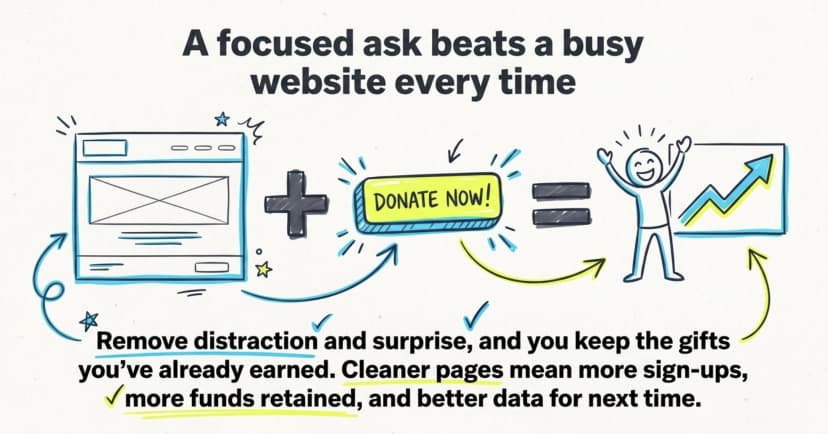
A charity landing page works because it respects one truth: a focused ask beats a busy website every time. Give supporters one clear story, one honest price, and one button, and more of them will say yes.
Costs are real, and no single page fits every campaign. But the principle holds — remove distraction and surprise, and you keep the gifts you have already earned. Cleaner pages mean more sign-ups, more funds retained, and better data for next time.
That is exactly what Ticket Generator was built to do: give your cause a professional, commission-free page that puts your mission first.
Start using Ticket Generator to build a branded fundraising page that keeps your fees low and your revenue yours. Your event. Your revenue. Your rules.
FAQs: Charity Landing Page
1. What is a charity landing page?
A charity landing page is a single web page focused on one action: registering, donating, or buying a fundraising ticket. It removes the menus and distractions of a homepage so supporters know exactly what to do. The clearer the page, the more people complete the action.
2. How is it different from a donation page?
A donation page asks only for a gift, while a landing page can also drive event registrations or ticket sales. Both share the same rule: one clear ask, one button, no surprise fees. Many nonprofits combine an event sign-up and a donation option on the same page.
3. Do I need coding skills to build one?
No. Platforms like Ticket Generator let you build a branded page with your own logo and custom domain in minutes (no coding required). You connect your payment account, publish, and share the link.
4. How do I make my page convert better?
Lead with one clear impact story, keep the form short, show the full price up front, and design for mobile first. The Baymard Institute found that surprise costs at checkout are the top reason people abandon a purchase, so transparent pricing matters most.
5. Can a charity keep all the money it raises?
Yes, with the right platform. Ticket Generator charges zero commission on sales and routes payments to your own gateway, so you keep 100% of your ticket revenue and pay only for the credits you use.
About the author
Content Marketer at Ticket Generator
Ashish Chandra has spent 5+ years writing about event technology, covering topics such as ticket design, QR check-ins, attendee management, and event marketing strategy. As the Content Lead at Ticket Generator, Ashish has analyzed hundreds of real-world event workflows and ticketing setups, helping organizers across industries use QR-based tickets, event landing pages, and smarter ticketing systems to run smoother, better-attended events. His writing is shaped by real user needs and the questions organizers ask most often: How do I sell more tickets? How do I avoid chaos at the door? How do I make my next event better than my last? When he steps away from the screen, you'll likely find him hiking a quiet trail or tending his plants- his preferred way to reset.
Latest posts
Check out our latest articles on the blog
 12 min read
Email Marketing for Events and Webinars: What to Send, When to Send It, and How to Automate It
A step-by-step playbook for email marketing for events and webinars. Learn what to send, when to send it, and how to automate every email for in person and virtual events.
Ashish Chandra
18 Oct 2026
 10 min read
Halloween Masquerade Ball: How to Host a Night of Masks and Mystery
From Venetian-inspired masks to QR-coded entry, here is your complete guide to planning a Halloween masquerade ball your guests will talk about for years.
Ashish Chandra
18 Oct 2026
 9 min read
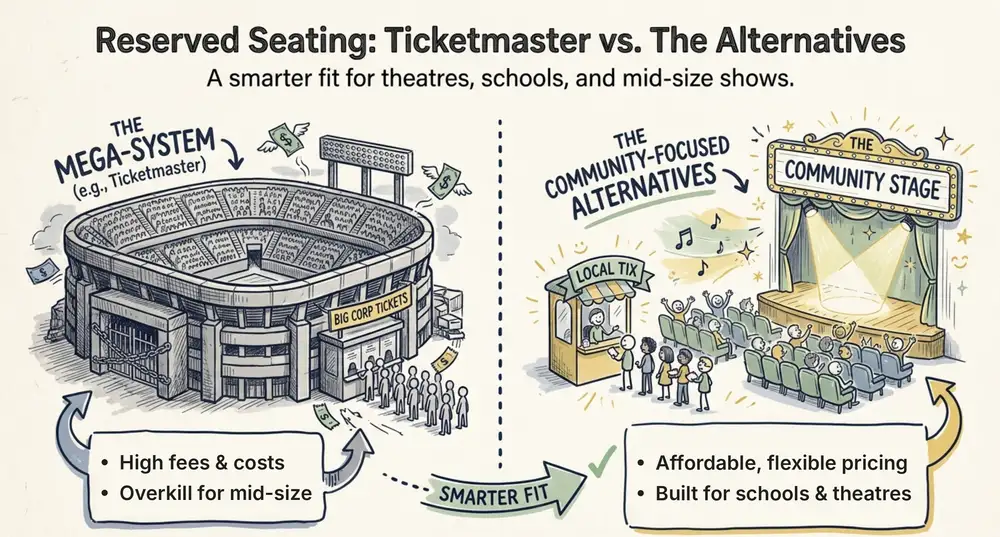
Ticketmaster Reserved Seating: How It Works and a Better Fit for Smaller Events
Ticketmaster reserved seating works well for arenas. If you run a theatre, gala, or mid-size show, see how it works, what it costs, and how to switch.
Ashish Chandra
16 Oct 2026