

QR Code Ticketing System: Faster Entry, Zero Paper, Less Fraud
 Written byAshish ChandraLast updatedJuly 1, 2026
Key Takeaways: A QR code ticketing system issues unique scannable QR Code tickets that replace paper tickets and physical wristbands. Each QR code is tied to a single ticket ID, is validated in real time, and is flagged the moment it’s scanned twice. Organizers cut printing costs, prevent fraud, and check guests in faster, often in under three seconds per scan. Modern platforms like Ticket Generator generate, distribute, and validate QR tickets in one workflow without commission fees. The setup takes minutes. No special hardware, no coding, and no app downloads for guests.
The global online event ticketing market is projected to reach $102.79 billion by 2030, growing at over 5% CAGR. Source: Mordor Intelligence (2024)
Behind that growth is a quiet revolution. Paper tickets get lost, barcoded wristbands get faked, and spreadsheet check-ins crumble at the gate. A QR code ticketing system replaces all of it with a single workflow that issues unique, fraud-proof codes in seconds, sends them to guests on email, SMS, or WhatsApp, and validates them at the door with nothing more than a smartphone.
The payoff isn't just operational. Organizers using QR Code ticketing routinely cut entry times from minutes to seconds, eliminate counterfeit losses, slash printing budgets to zero, and walk away with a real-time attendance dataset they actually own.
What used to be three different vendors and a printer is now a single platform that handles ticket sales, branding, distribution, gate control, and post-event reporting.
Whether you run a single corporate summit or 30 monthly community workshops, this system gives you control over three things at once: who gets in, how fast they get in, and what you learn along the way.
Plus, you get every advanced feature most platforms gate behind enterprise plans: tiered pricing for VIP, General, and Early Bird categories; an interactive seating chart for assigned-seat venues; a built-in free raffle ticket maker to help you run seamless raffles and boost sign-ups; and post-event email campaigns that turn one-time attendees into repeat ones.
Unlike most low-fee ticketing platforms, none of this carries a commission on ticket sales; the revenue you earn is the revenue you keep.
In this guide, I’ll explain how QR Code ticketing systems work, why organizers are switching from paper and barcode tickets, what features actually matter, and how to launch one for your next event.
Let’s begin!
What is a QR Code ticketing system?
A QR code ticketing system is event software that creates a unique Quick Response (QR) code for every ticket and uses that code to verify entry when a guest arrives. The code holds a unique ticket ID (and not just the buyer’s personal data) that the validator app cross-checks against the event’s database in real time.
Think of it as a digital handshake. The platform issues a ticket with an embedded QR. The guest receives it on email, SMS, or WhatsApp. At the gate, a staff member scans the code, the system confirms it’s valid, and the door opens. The same code, scanned a second time, is flagged as a duplicate.
These e-ticket generator don’t just create downloadable PDFs; they handle generation, distribution, validation, and analytics in one connected workflow.
How does a QR code ticketing system work?
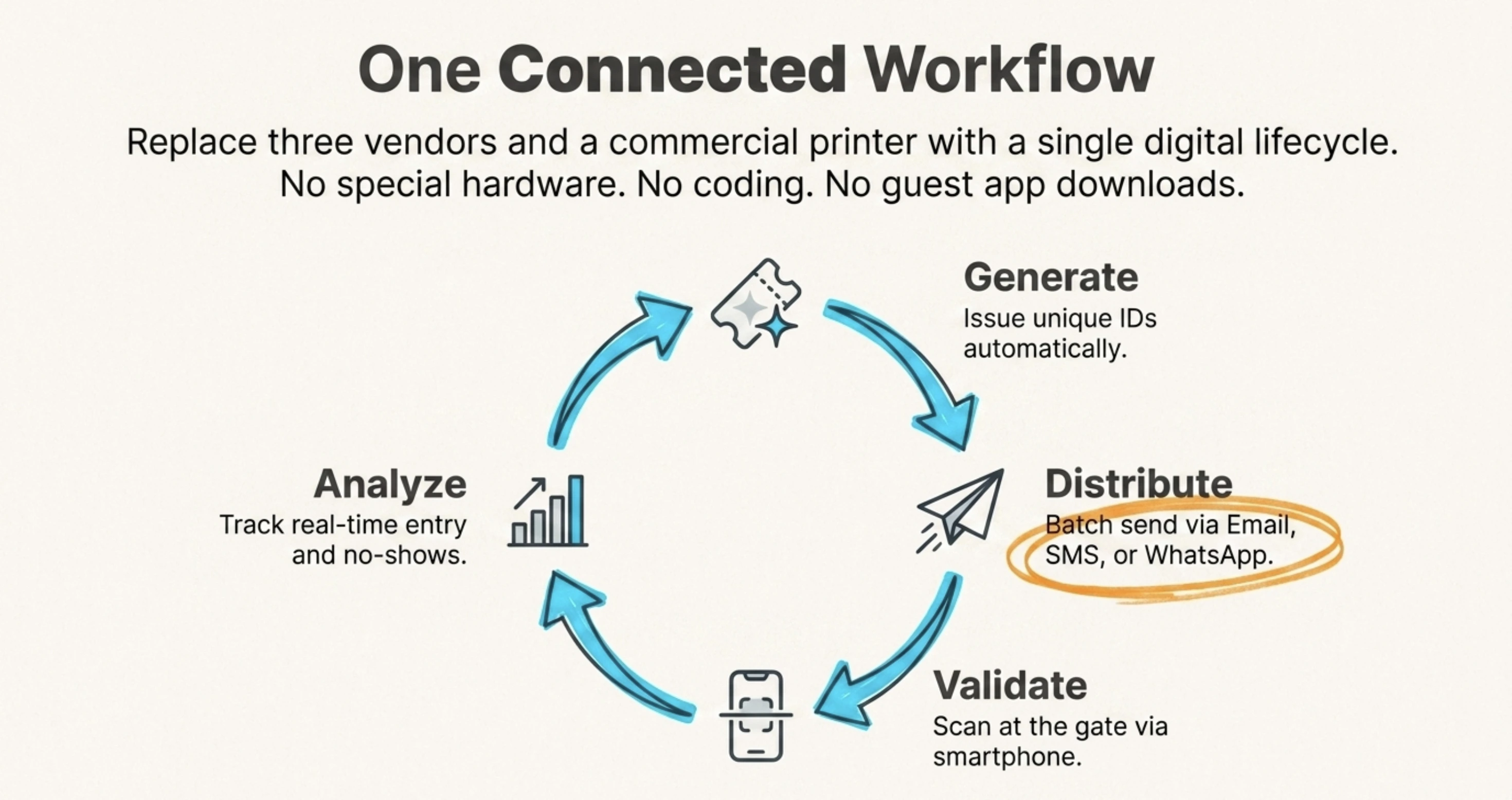
The full lifecycle moves through four stages: generate, distribute, validate, and analyze.
- Generate: The organizer creates an event in the platform, designs the ticket, and either issues tickets directly or opens a registration page. Each ticket gets a unique QR code automatically.
- Distribute: Tickets are sent to guests via email, SMS, WhatsApp, or a downloadable PDF. Most platforms support batch sending to thousands of guests in one go.
- Validate: At the entry gate, staff scan the QR code using a ticket scanner app on their smartphones. The system returns one of four results: Valid, Invalid, Duplicate, or Expired.
- Analyze: The platform tracks who scanned in, when, at which gate, and flags any unauthorized attempts. Reports can be exported to Excel or PDF after the event.
The whole loop runs on standard smartphones. There’s no need for handheld scanners, ticket terminals, or printed credentials. For multi-day events, the system can reset ticket validity at midnight, allowing re-entry across days.
Pro Tip: If your event has multiple entry gates, assign each scanner to a specific gate. Ticket Generator supports unlimited concurrent devices on the same event, so a 5-gate festival can validate 5,000 guests at once without queue bottlenecks.
Why are event organizers switching to QR Code tickets?
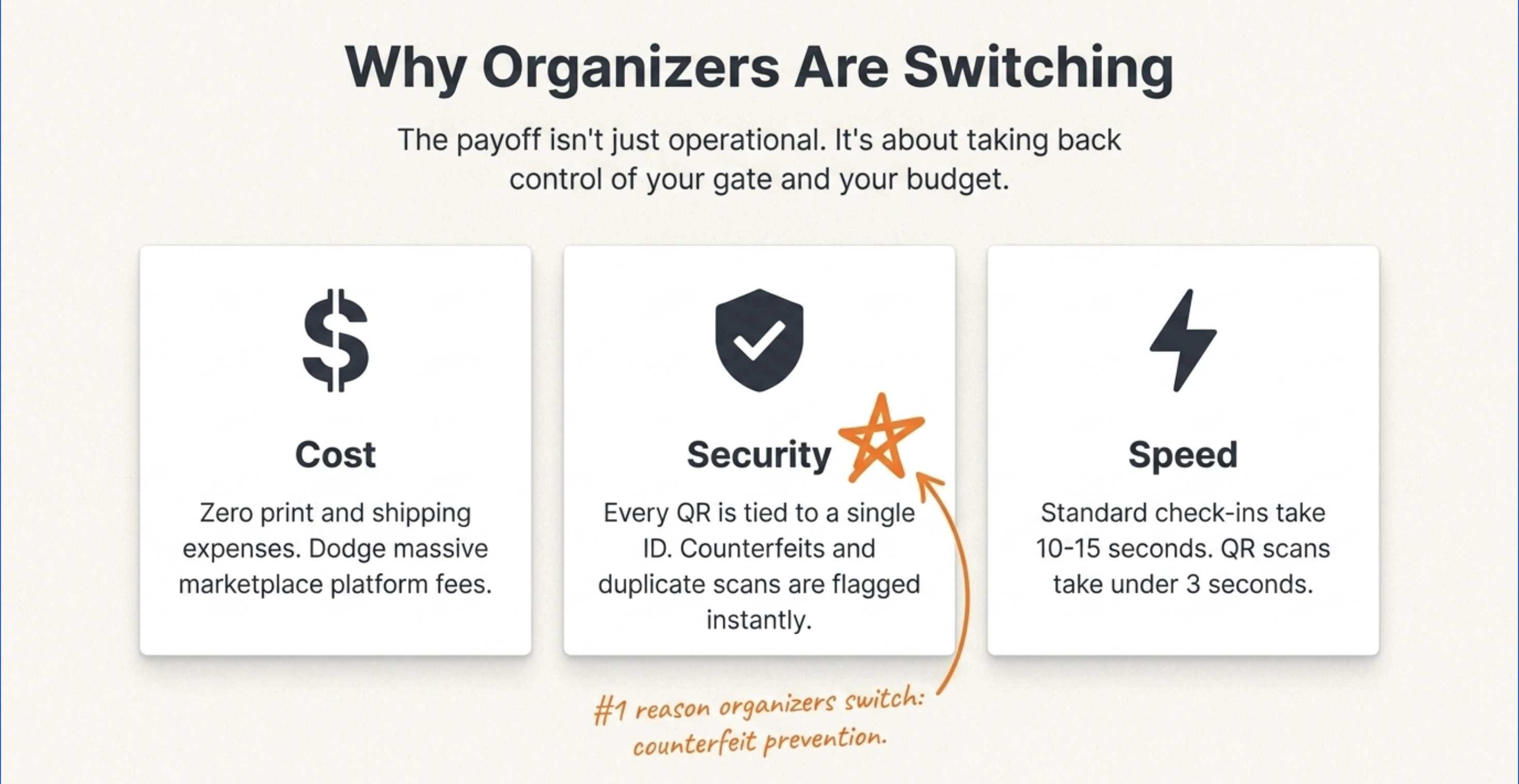
Three reasons dominate: cost, security, and speed.
Cost. Paper tickets carry print, design, and shipping costs that scale with attendance. QR tickets remove all these added costs. Organizers also dodge marketplace platform fees (especially when you already have a fixed audience or you handle your own promotions).
Did you know that 39% of online shoppers abandon checkout because of unexpected extra costs? Source: Baymard Institute (2024)
A U.S. Government Accountability Office (GAO) report found that service fees on event tickets can add 20% to 45% to face value. Switching to a self-hosted QR Code ticketing system gives organizers full control over what fees, if any, they pass on. (See tickets without service charge for a know more about how you can control these costs.)
Security. Every QR code is unique and tied to a single ticket ID. Duplicate scans are flagged on the spot. This is a meaningful upgrade over basic barcodes, which can be photocopied and reused without obvious detection. Counterfeit prevention is one of the strongest selling points organizers cite when switching.
Expert Insight: "Nine out of ten organizers we onboard mention counterfeit prevention as the first reason they're switching; the cost and speed factors are added benefits. They've faced duplicate tickets at the gate, refund disputes, guests who claim they paid but aren't on the list, and they don't want to live that twice." — Anshul Singh Bisht, Product Manager, Ticket Generator
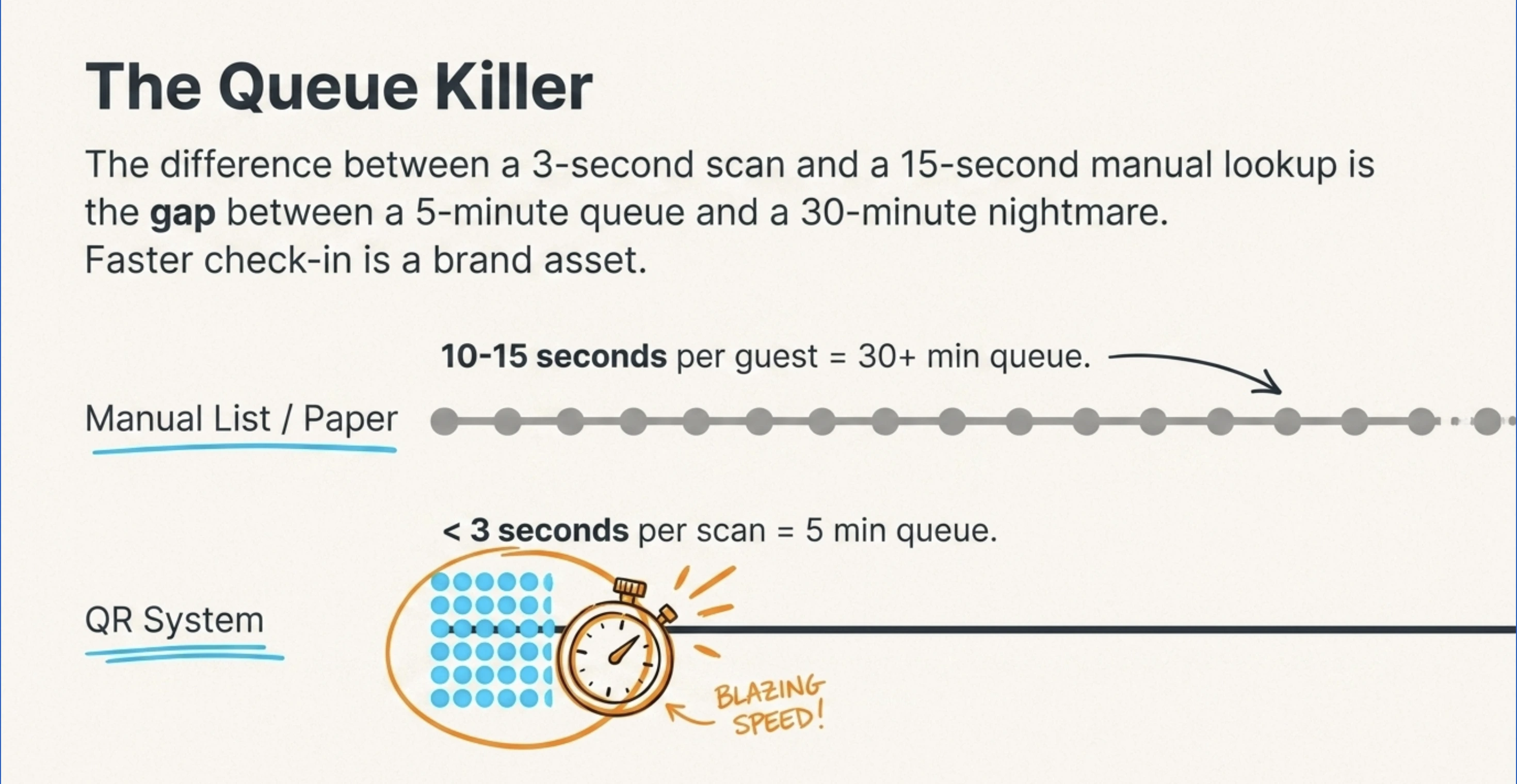
Speed. A typical QR scan takes under three seconds. Compare that to manual list checks (10-15 seconds per guest) or printed-barcode lookups (5-10 seconds). For a 1,000-person event, that difference is the gap between a 30-minute queue and a 5-minute queue.
That same instinct shows up at the gate: long, confusing entry queues quietly damage event reputation. Faster check-in is a brand asset.
Pro Tip: Try Ticket Generator to issue branded QR tickets in minutes: your event, your revenue, your rules.
What features should a QR code ticketing system have?
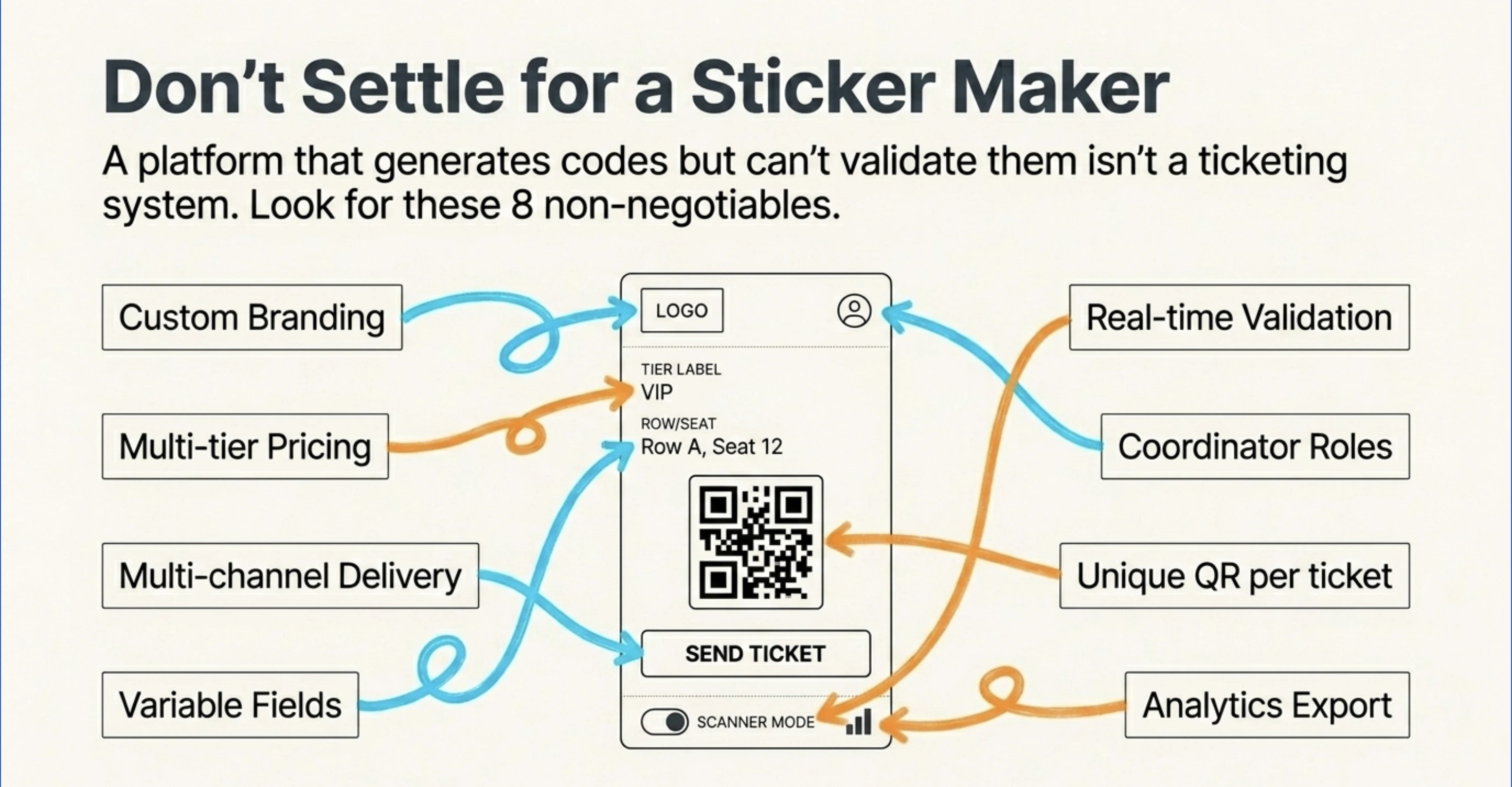
Not every platform that “supports QR codes” qualifies as a real ticketing system. Look for these eight capabilities:
- Unique QR per ticket: Every ticket gets its own ID, not a shared event code
- Custom branding: Your logo, your colors, no platform watermarks (see custom event tickets)
- Multiple ticket categories: VIP, General, Early Bird, with tiered ticket pricing
- Variable fields: Guest name, seat number, row, section
- Multi-channel delivery: Email, SMS, WhatsApp, downloadable PDF
- Real-time validation: Duplicate detection, multi-gate scanning, re-entry support
- Coordinator roles: Limited gate-staff access without exposing your full dashboard
- Analytics export: Attendance, conversion, no-show data in dashboard, plus exportable to Excel, PDF, or CRM tools like Hubspot via integrations
Anything less is a workaround. A platform that only generates QR codes but can’t validate them isn’t a ticketing system; it’s basically a sticker maker.
How does QR Code ticket validation prevent fraud?
QR ticket validation prevents fraud through three-layered checks: unique IDs, real-time database verification, and one-time-use enforcement.
When a guest’s ticket is scanned, the event check-in app sends the encoded ticket ID to the server. The server checks four things at once:
- Does this ID exist in the event’s ticket database?
- Has it been scanned already?
- Is the event currently active (not expired or canceled)?
- Is this gate authorized to admit this ticket category?
If all four pass, the result is Valid. If the ID has been used, the screen shows Duplicate and flags the suspicious scan. If the ID doesn’t exist, Invalid. The original ticket holder always gets in; the second scanner is rejected.
This makes screenshot fraud, photocopying, and ticket resharing largely ineffective. Even if a guest forwards their ticket image to ten friends, only the first one through the gate gains entry. The remaining nine see “Duplicate” and are turned away.
For higher-stakes events (corporate summits, ticketed conferences, controlled-capacity venues) additional layers like ID verification at the gate or selfie-on-validation add another lock.
But for most events, the unique-QR-plus-server-check architecture is enough to eliminate the kind of casual fraud that plagues paper and printed-barcode tickets.
QR Code ticketing system vs paper tickets vs barcode tickets: Understanding the difference
Here’s how the three options compare on the metrics that matter to organizers:
|
Feature |
QR Code Ticketing System |
Printed Barcode Tickets |
Paper Tickets |
|---|---|---|---|
|
Unique per ticket |
Yes, every code is unique |
Sometimes |
Rarely |
|
Duplicate detection |
Real-time, automatic |
Limited (depends on scanner) |
Manual or none |
|
Distribution speed |
Instant (email/SMS/WhatsApp) |
Hours (print + courier) |
Days (print + ship) |
|
Cost per ticket |
Near zero (digital) |
Print + scanner hardware |
Print + shipping |
|
Counterfeit risk |
Very low |
Moderate |
High |
|
Guest experience |
Phone-based, no print needed |
Must carry a printed ticket |
Must carry a physical ticket |
|
Analytics |
Real-time entry tracking |
Basic scan logs |
Manual headcount |
|
Setup time |
Minutes |
Days |
Days to weeks |
For most modern events, QR-based digital tickets win on every dimension except one: guests without smartphones. That edge case is small (roughly 5–8% of typical event audiences) and is easily handled by allowing PDF tickets to be printed at home.
How do you set up a QR code ticketing system for your event?
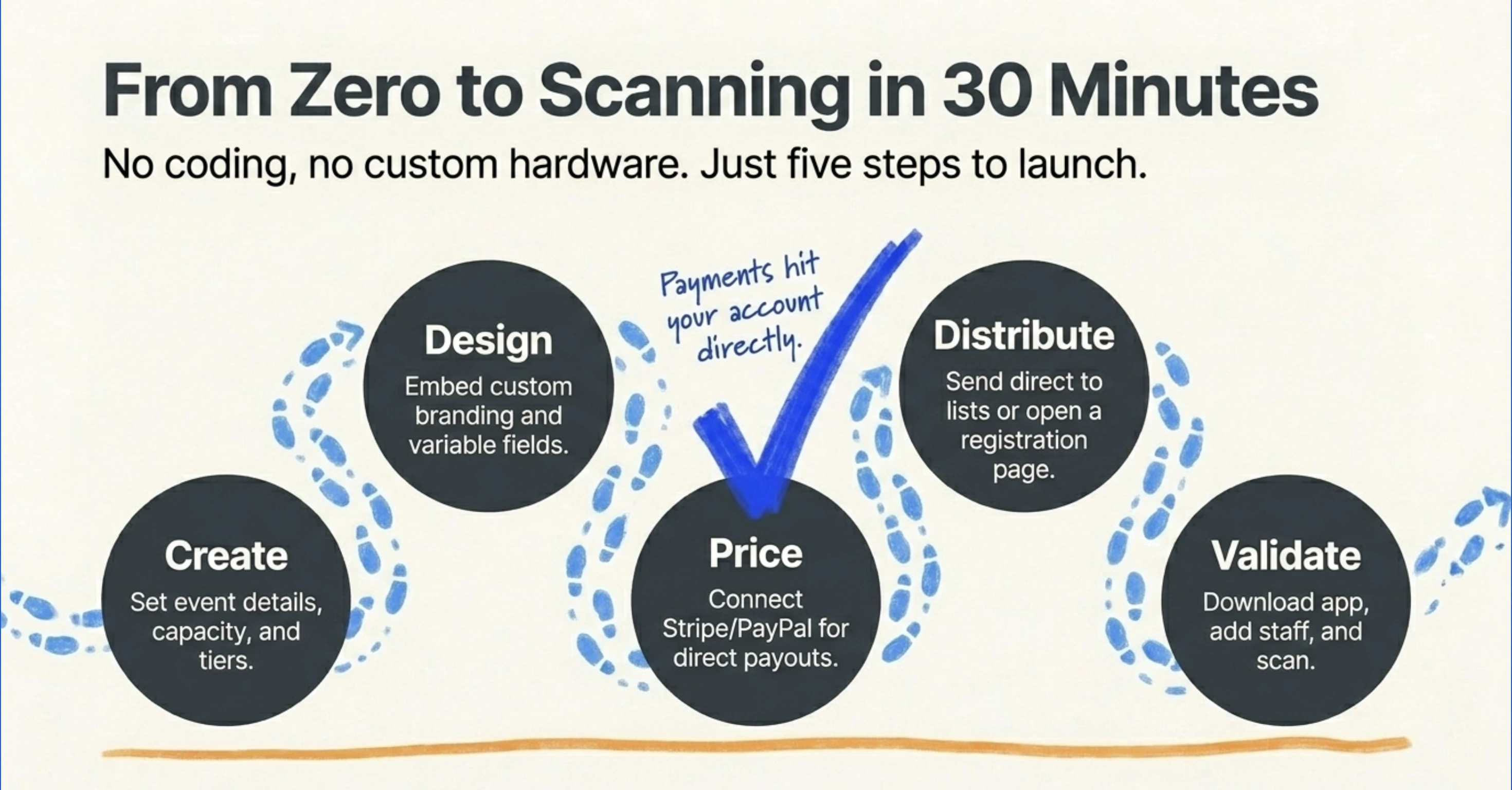
Setting up a QR ticketing system takes about 30 minutes for a first event. Here’s the standard sequence:
- Create your event: Add the event name, date, venue, capacity, and ticket categories in your event registration software.
- Design your tickets: Use a built-in template or upload your own design. Add variable fields like guest name, seat, and category. Embed your logo for branding.
- Set pricing: Choose between free, paid, or hybrid. If paid, connect your own payment gateway (Stripe, PayPal, Razorpay) so payments hit your account directly. This is the model behind no-fee tickets.
- Open registration or send tickets directly: For known guest lists, batch-send tickets to up to 1,000 emails per send. For open events, share your registration page link.
- Validate at the gate: Download the validator app on any smartphone. Add coordinators for multi-gate events. Scan, admit, repeat.
- Review the data: Export attendance, conversion, and no-show reports after the event.
Most modern platforms support custom domains, so the registration page lives at events.yourbrand.com instead of platform.com/yourbrand, a small detail that materially affects guest trust.
How does Ticket Generator power reliable QR code ticketing?
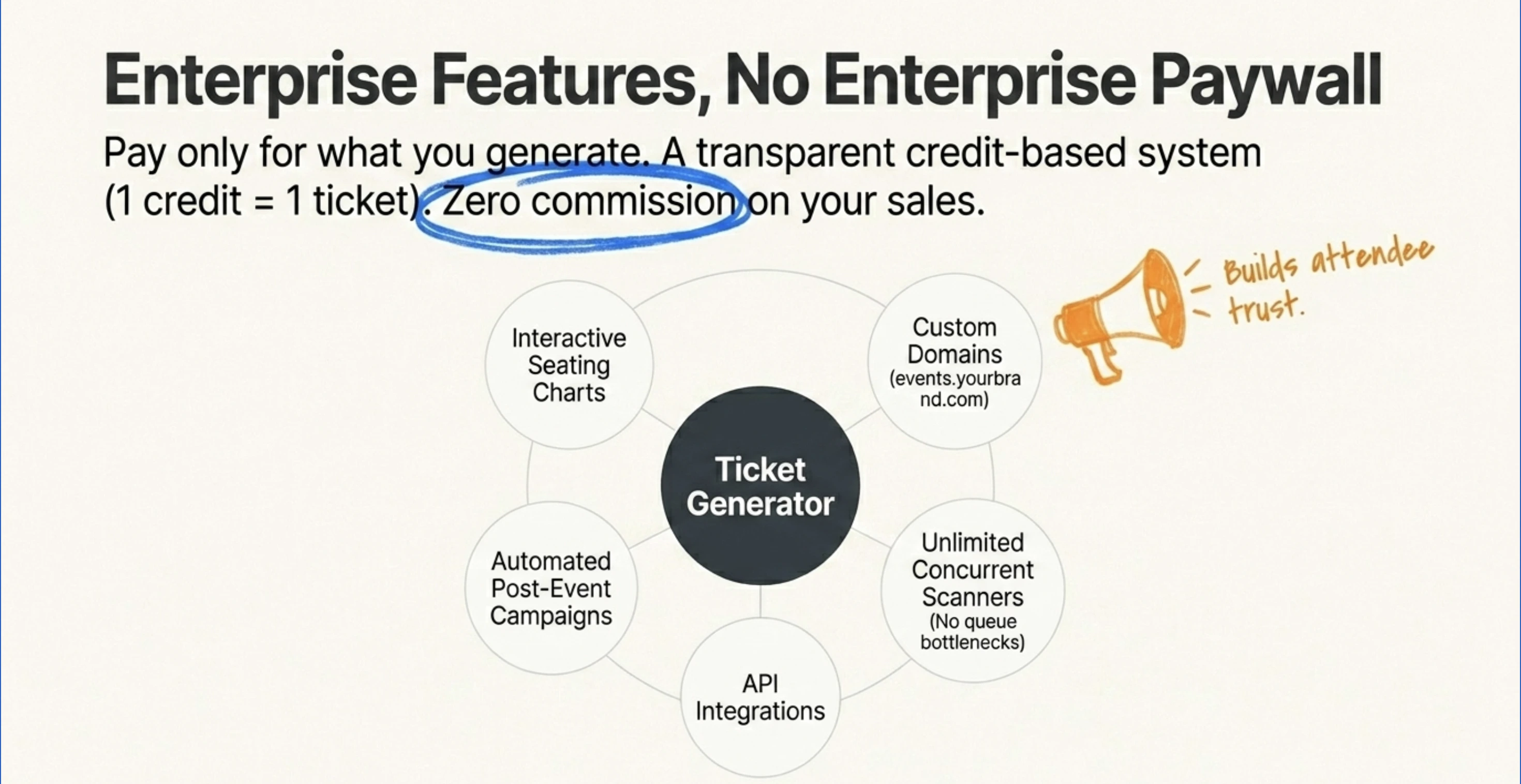
Ticket Generator is built for organizers who want full control over how QR-based tickets are created, sent, and verified, without paying commission on every sale. It packages the entire event workflow into one platform: sales, branding, distribution, gate control, and post-event follow-up, end-to-end.
Generation and branding: Every ticket carries both a unique QR Code AND a unique Ticket ID, so duplicates are caught the moment they're scanned.
You design tickets with custom branding which means you get to add your own logo, your colors, your variable fields like guest name, seat, and category and run them on a registration page hosted at your own domain (events.yourbrand.com).
Multiple ticket categories are built in, supporting tiered pricing for VIP, General, and Early Bird tiers, and assigned-seat events get a full interactive seating chart so guests pick their own seats during checkout.
You can use pre-designed ticket templates for your tickets, upload your own design or give a prompt to create an AI-generated background for your tickets.
Engagement and post-event: The platform doesn't stop at the gate. Built-in raffles maker helps you drive pre-event sign-ups through promotional campaigns, and automated post-event email campaigns turn one-time attendees into repeat ones. The full guest journey from “event registration” to "see you next time" runs from one dashboard.
Validation and gate operations: The free Ticket Validator app (iOS and Android) plus the web validator support multi-gate scanning, real-time duplicate detection, and re-entry mode for multi-day events.
Coordinator roles let you give gate staff scan-only access without exposing your full dashboard, and there's no cap on concurrent devices. This means a 5-gate festival can validate 5,000 guests at once without queue bottlenecks.
Pricing and payouts: Pricing is credit-based. One credit per ticket generated, with no commission on sales and credits don't expire.
Compared with the typical 5–10% take from marketplace platforms (see the low-fee ticketing platforms comparison), the savings on a 1,000-ticket event at $40 face value run into thousands of dollars. Payments route directly to your Stripe, PayPal, or Razorpay account, so cashflow is immediate.
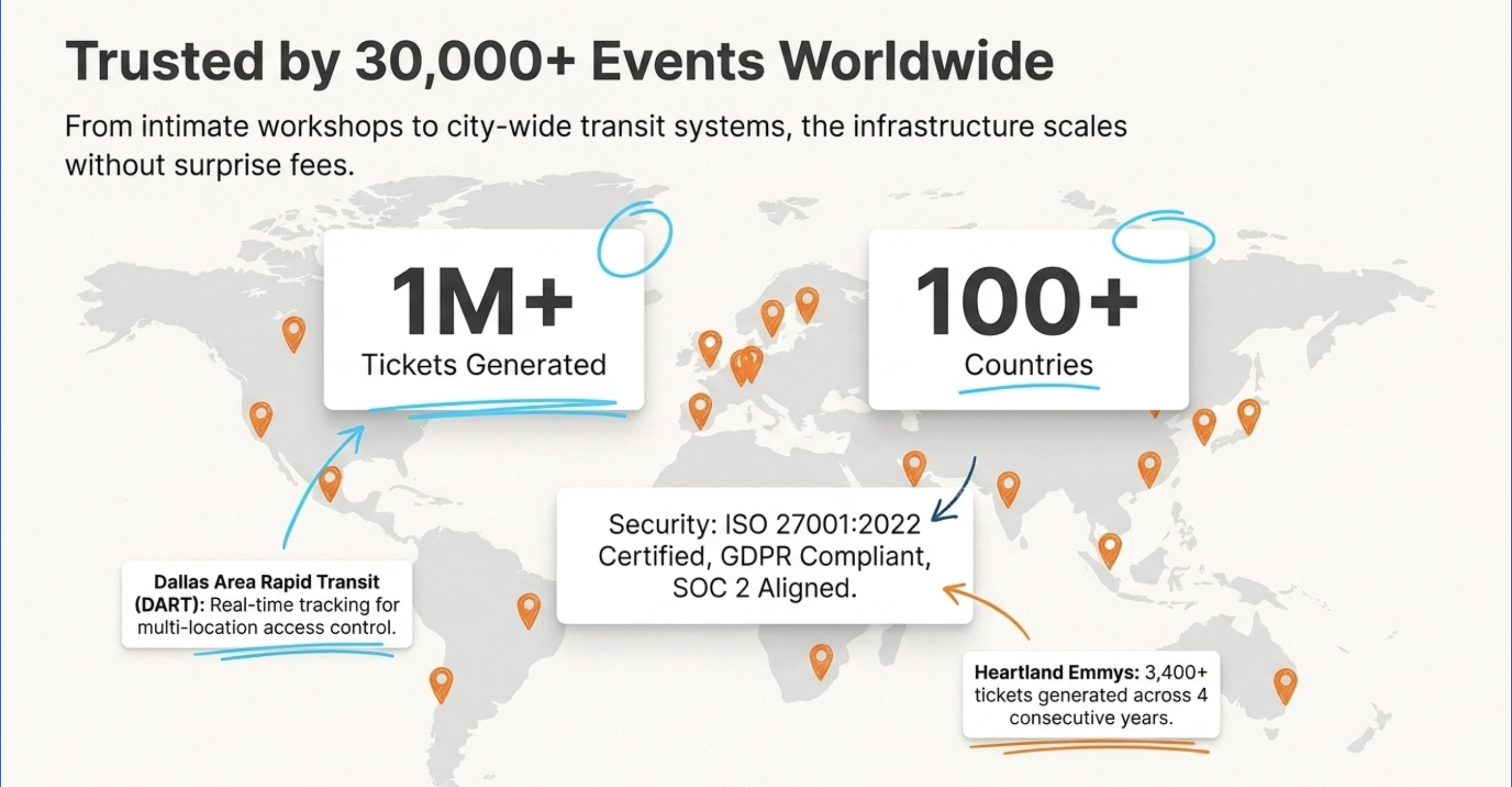
Trust and scale: The platform is ISO 27001:2022 certified, GDPR-compliant, and SOC 2 aligned. Over 30,000 events have run on it across 100+ countries, with more than 1 million tickets generated to date.
Dallas Area Rapid Transit (DART) uses it for multi-location access control with real-time tracking. Heartland Emmys has run 10+ events generating over 3,400 tickets across four consecutive years. Felipe Motta, a beverage retailer in Panama, hit a 96% maximum attendance rate using the API to generate 95% of tickets automatically.
In short, the platform fits whether you're running a 50-person workshop or a 10,000-person conference and it scales without surprise fees. Compare it against alternatives in the best event ticketing platform breakdown.
Conclusion
A QR Code ticketing system isn’t just a faster turnstile, it’s a whole different operating model. Tickets become digital assets you can issue in seconds, validate in real time, and trace from sale to attendance with zero paper. The cost savings are real, but the bigger gain is operational calm: fewer disputes, fewer counterfeits, fewer queue-management nightmares.
Not every event needs every feature. A 20-guest workshop can run on a free PDF tool. But once you cross 50 attendees, multiple ticket categories, or repeat events, a proper QR-based system pays for itself in the first event. The earlier you switch, the more confidence and revenue you keep in your own hands.
Try Ticket Generator to launch your first QR code ticketing system in minutes. Your event, your revenue, your rules.
FAQs: QR Code Ticketing System
1. What is a QR code ticketing system in simple terms?
A QR code ticketing system creates a unique scannable code for each ticket and validates it at the entry gate. Guests get tickets digitally on email, SMS, or WhatsApp. Staff scan the code with a smartphone app to confirm entry in seconds.
2. Is a QR code ticketing system more secure than paper tickets?
Yes. Each QR code is tied to a unique ticket ID and can only be used once. Duplicate scans are flagged automatically. Paper tickets, by contrast, are easy to copy and have no built-in fraud detection.
3. Do guests need a special app to use QR tickets?
No. The QR code is delivered as an image or PDF that any phone can display. Only the event staff need a validator app, like the free Ticket Generator app, to scan and verify codes.
4. Can a QR code ticketing system work without internet?
Most validators require an internet connection to check tickets in real time against the central database. Ticket Generator’s validator needs internet to scan, which is the same trade-off across most modern platforms.
5. How much does a QR code ticketing system cost?
Costs vary by model. Marketplace platforms charge 5–10% of ticket price plus processing fees. Ticket Generator uses a credit-based model — packs start at $6 for 10 credits, with no commission on sales — so costs are predictable regardless of ticket price.
6. Can I use the same QR code ticketing system for free events?
Yes. Most platforms support free events; you only pay for ticket generation, not for sales. Ticket Generator includes 10 free credits on signup, which covers a small first event end-to-end.
About the author
Content Marketer at Ticket Generator
Ashish Chandra has spent 5+ years writing about event technology, covering topics such as ticket design, QR check-ins, attendee management, and event marketing strategy. As the Content Lead at Ticket Generator, Ashish has analyzed hundreds of real-world event workflows and ticketing setups, helping organizers across industries use QR-based tickets, event landing pages, and smarter ticketing systems to run smoother, better-attended events. His writing is shaped by real user needs and the questions organizers ask most often: How do I sell more tickets? How do I avoid chaos at the door? How do I make my next event better than my last? When he steps away from the screen, you'll likely find him hiking a quiet trail or tending his plants- his preferred way to reset.
Latest posts
Check out our latest articles on the blog
 9 min read
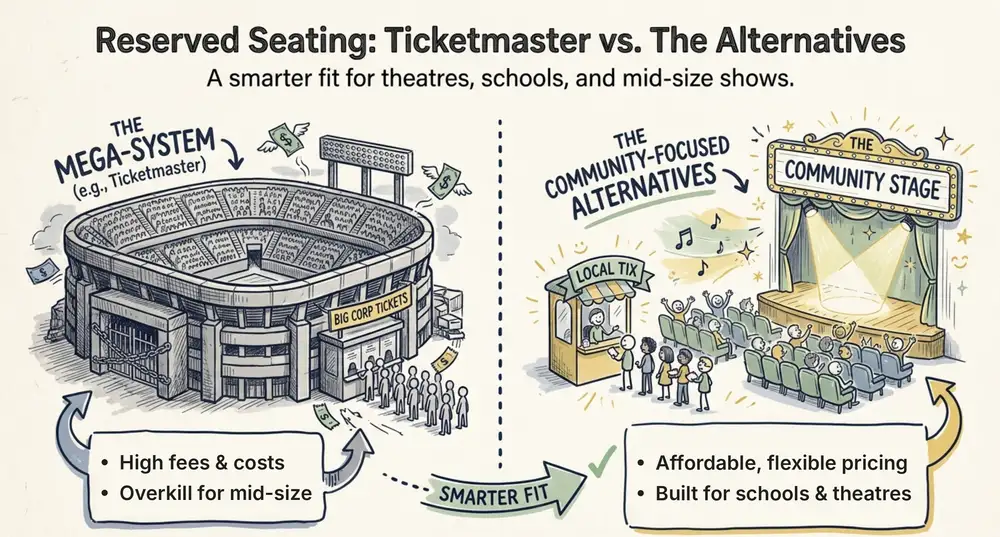
Ticketmaster Reserved Seating: How It Works and a Better Fit for Smaller Events
Ticketmaster reserved seating works well for arenas. If you run a theatre, gala, or mid-size show, see how it works, what it costs, and how to switch.
Ashish Chandra
16 Oct 2026
 9 min read
Eventbrite Reserved Seating: Setup, Limits, and a Better Option for Seated Events
Eventbrite reserved seating has strict rules and per-ticket fees. See how it works, where it falls short, and how to sell seats with no commission.
Ashish Chandra
05 Oct 2026
 12 min read
Event Email Marketing Examples: Real Emails to Learn From and Templates to Copy
A swipe file of real event emails from Webflow Conf, SXSW, Moz, Optimizely and more. See what each one does well, then copy the templates for invites, promotions, reminders and sign-up forms.
Ashish Chandra
05 Oct 2026