

A Practical Guide to In-Person Event Management Software
 Written byAshish ChandraLast updatedAugust 19, 2026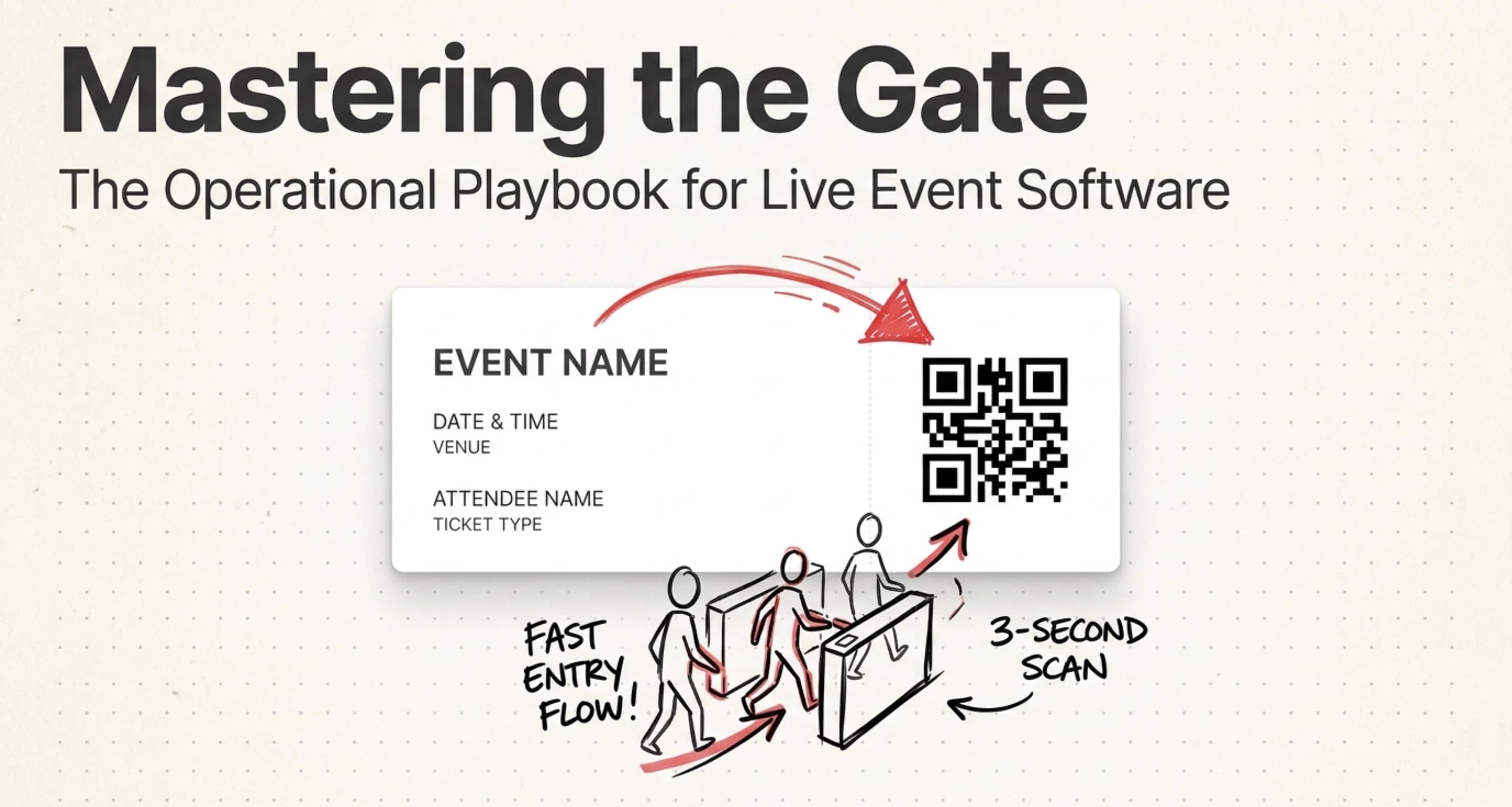
Key Takeaways: In-person event management software is a single platform that handles event setup, ticket sales, registration, ticket distribution, and on-site check-in for live events at a physical venue. It replaces spreadsheets, paper tickets, and manual gate lists with QR-based check-in, multi-gate scanning, real-time attendance tracking, and branded ticket design. Ticket Generator is a reliable in-person event software used by large organizers like DART and the Heartland Emmys, while charging zero commission on ticket sales. Choose software that matches your event size, gate setup, and the level of branding control you need.
In-person event management software is the system that runs the operational side of a live event. That includes event setup, ticket sales, attendee registration, ticket distribution, and on-site check-in in one connected workflow. It replaces spreadsheets, paper tickets, and manual gate lists with a single platform built around the moment that matters: the gate.
Live events are still where most event budgets and most event chaos sit. A venue, a gate, a line of guests holding phones, screenshots, and paper tickets: the software's job is to keep that moment from breaking.
Did You Know? The global online event ticketing market is projected to reach $102.79 billion by 2030. Source: Mordor Intelligence (2024).
What is in-person event management software?
In-person event management software is a platform that helps you plan, promote, ticket, and run live events held at a physical venue. It covers the full event cycle (from creating an event page to scanning tickets at the door) in one connected workflow.
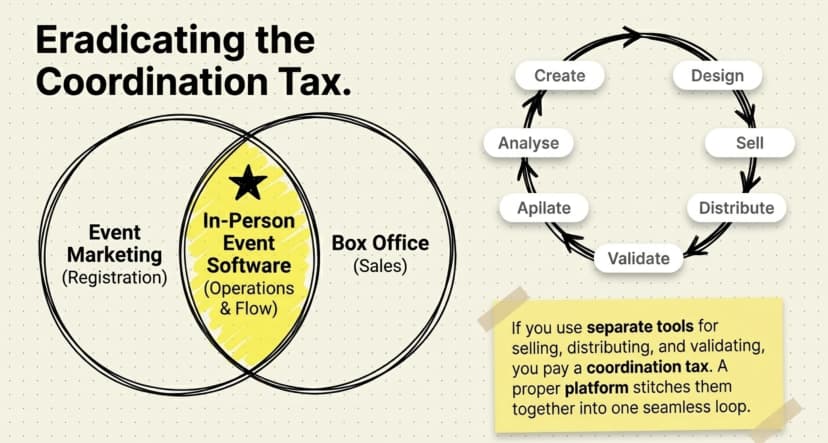
The category sits between two adjacent tools:
- Event marketing platforms focus on promotion and registration pages.
- Ticketing or box office platforms focus on selling, distributing, and validating tickets.
A proper live event platform does both. It also adds the operational parts unique to physical events: gate-level access control, on-site scanning, multi-day support, and real-time attendance tracking.
A useful way to picture the workflow:
- Create the event and set up ticket categories.
- Design and launch a branded event or registration page.
- Sell or issue tickets (paid or free).
- Distribute tickets via email, SMS, WhatsApp, or PDF.
- Validate tickets at the gate with a QR scanner.
- Track attendance and pull reports after the event.
If you are using separate tools for steps 1, 3, and 5, you are paying a coordination tax. A proper platform stitches them together.
Expert Insight: “In-person events are operationally complex because every delay compounds on event day. A unified event management platform removes friction between promotion, ticket distribution, and gate validation, helping organizers handle high attendee volumes without losing control of the attendee experience.”
— Siddharth Pangtey, Product Manager, Ticket Generator
A unified system that fits across event formats and offers event ticket pricing categories for in-person, virtual, and hybrid events really takes your event to the next level.
Why do live events need dedicated software?
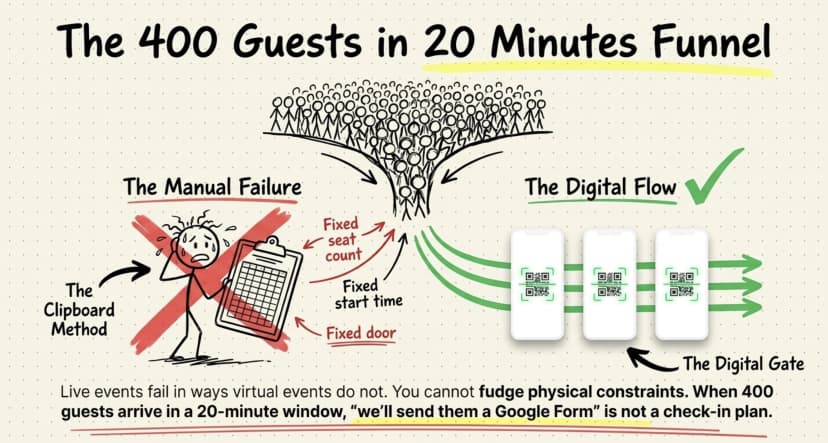
Live events fail in ways virtual events do not. And, most of those failures happen at the gate. Dedicated software exists to prevent the operational mess unique to physical events.
Here is what tends to break without it:
- Long check-in lines. Manual list-matching with a clipboard or printed roster slows everything down.
- Duplicate or fake tickets. Without QR validation, the same screenshot enters three times.
- Lost guest data. Spreadsheets crash, paper sign-ins are illegible, and no one can find the headcount post-event.
- No-shows you did not expect. Without real-time attendance, you do not know your actual capacity until the event is over.
Did You Know? Even though 72% of large event ticketing providers faced higher costs in 2024, 75% still reported higher profits and 79% saw improved margins. These gains were largely driven by better customer data, retention strategies, and operational tools. Source: Klaviyo’s 2024 Events Marketing Report .
Live events also have constraints software cannot fudge: a fixed seat count, a fixed start time, and a fixed door. When 400 guests arrive in a 20-minute window, "we'll send them a Google Form" is not a check-in plan.
Pro Tip: If you run multi-gate events with separate VIP, general admission, or press entrances, choose a platform that supports parallel scanning across multiple devices. Ticket Generator's mobile validator allows multiple staff members to scan tickets simultaneously, while duplicate tickets are flagged instantly across all connected devices.
What features matter most at the door?
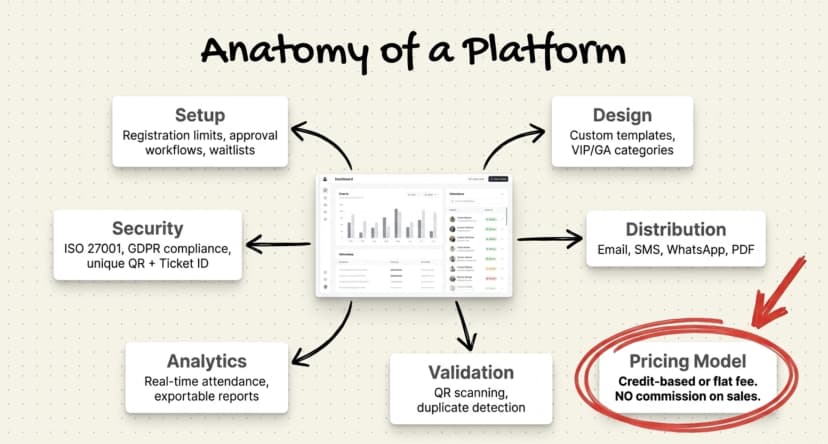
The right platform covers five capability areas: event setup, ticket design, distribution, validation, and analytics. Skip any one of these and you create a manual workaround somewhere.
Here is the checklist that matters for live events:
|
Capability |
What to look for |
|---|---|
|
Event setup |
Custom registration fields, approval workflows, registration limits, and waitlists |
|
Ticket design |
Branded templates, custom designs, and multiple ticket categories like VIP, GA, and Early Bird |
|
Distribution |
Email, SMS, WhatsApp, PDF delivery, and resend capability for lost tickets |
|
Validation |
QR-based scanning, duplicate detection, multi-gate support, and re-entry rules |
|
Analytics |
Real-time attendance tracking, conversion rates, and exportable reports |
|
Pricing model |
Predictable costs with credit-based or flat-fee pricing instead of commission on ticket sales |
|
Branding |
Custom domains, no platform watermarks, and full white-label control |
|
Security |
ISO 27001 certification, GDPR compliance, and unique QR Codes with ticket IDs per attendee |
A few features deserve their own callout for live events specifically.
1. QR-based ticket validation
Digital Tickets are the single biggest upgrade over paper or PDF-only tickets. Each QR is unique, scanned once, and flagged on the second attempt. Without it, you cannot stop duplicate entries.
2. Multi-gate scanning
Most non-trivial events have more than one entry point. The software should let multiple devices scan simultaneously and sync results in real time, so a ticket scanned at Gate A is instantly invalid at Gate B.
3. Real-time attendance tracking
You need to know, at any minute, how many guests are inside, how many have not arrived, and which categories are filling up. This drives staffing decisions, food and beverage counts, and capacity calls.
AI is starting to assist in event attendance tracking. Some organizers use it to predict no-show rates, flag unusual scanning patterns, and suggest staffing adjustments before problems show up at the gate.
4. Re-entry support
For festivals, conferences, and multi-day events, attendees leave and come back. The software should support re-entry without re-issuing tickets, and reset ticket status at the right time for multi-day passes.
5. Coordinator access control
Your gate staff should see only what they need, the scanner or the validation app, not your full dashboard. Role-based access keeps your financials, attendee data, and event settings private from contract scanners.
Pro Tip: Try Ticket Generator if you want all of these features in one platform, along with zero commission on ticket sales and complete branding control.
How does it compare with virtual or hybrid tools?
Live event software prioritises on-site execution (gates, scanning, attendance) while virtual tools prioritise streaming and engagement, and hybrid tools try to do both. The feature gravity is different, and using the wrong category creates real gaps.
Here is a quick side-by-side:
|
Capability area |
In-person software |
Virtual software |
Hybrid software |
|---|---|---|---|
|
Primary focus |
Gate access + on-site flow |
Streaming + engagement |
Both, with trade-offs |
|
Critical feature |
QR validation, multi-gate scanning |
Stable streaming, chat tools |
Synced attendee experience |
|
Ticket distribution |
Email, SMS, WhatsApp, PDF |
Email + access link |
Both, segmented by audience |
|
Analytics priority |
Attendance, no-shows, gate flow |
Watch time, drop-off |
Cross-audience comparison |
|
Common failure mode |
Long queues, duplicate tickets |
Lag, dropped connections |
Worse UX for one audience |
If your event is 90% in-person with a small live-stream add-on, an on-site-first platform with optional virtual features is the right call. If you are building a hybrid program from scratch and the virtual audience is half the room, you need a true hybrid tool.
For a broader comparison of platforms across the whole event stack, see my elaborate list of the best event management software.
What kinds of events benefit most?
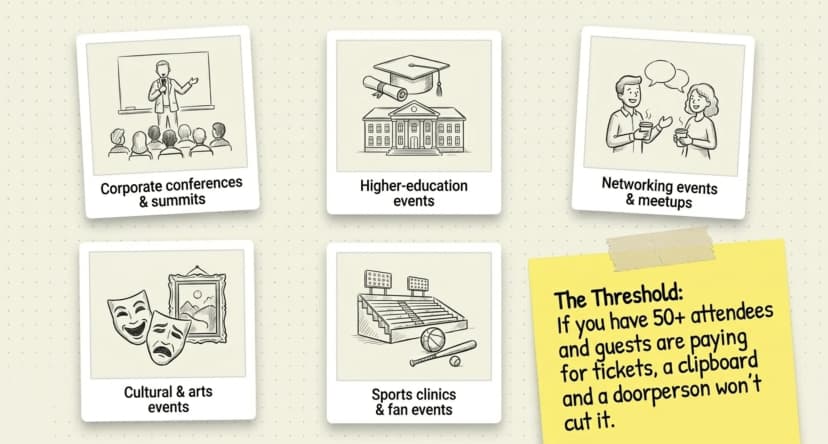
These tools pay off most for events with controlled access, real ticket sales, or recurring formats. The more times you run an event and the more you care about the guest experience at the door the more the software earns its keep.
Strong fits include:
- Corporate conferences and summits — multiple tracks, VIP/GA tiers, post-event reporting.
- Higher-education events — orientation, alumni weekends, graduation ceremonies, lecture series.
- Networking events and meetups — registration limits, no-show tracking, repeat attendees.
- Cultural and arts events — assigned seating, multiple shows, branded ticketing.
- Sports clinics, fan events, and tournaments — multi-gate scanning, re-entry, multi-day passes.
- Workshops and training programs — recurring runs, paid registrations, certificates.
Networking events in particular benefit from a clean registration and check-in flow.
Smaller, one-off events like a 30-person birthday or a single private dinner, usually do not need dedicated software. A guest list and a doorperson with a clipboard works fine. The threshold tends to start around 50+ attendees, or any event where guests are paying for tickets.
Did You Know? DART (Dallas Area Rapid Transit) uses Ticket Generator for multi-location access control with real-time tracking across stations.
How Ticket Generator handles live events?
Ticket Generator is built for organisers who want full control over ticketing and a calm, reliable workflow at the gate. It covers the on-site essentials, without the commissions or branding constraints that come with marketplace platforms.
Here is how it maps to the event-day stack:
- Branded event pages with custom domains and no platform watermark, your brand, not ours.
- QR-based tickets with both a unique QR code and a unique Ticket ID on every ticket.
- Mobile and web validators that work on any smartphone, with multi-device, multi-gate scanning.
- Real-time attendance dashboards showing tickets sold, scanned, and pending, exportable as Excel or PDF.
- Coordinator roles that give gate staff scanner-only access, not your full dashboard.
- Multi-day event support with ticket status reset for each day's gate.
- Credit-based pricing which means you pay per ticket generated, with zero commission on sales. Payments go straight to your own Stripe, PayPal, or Razorpay account.
Expert Insight: “The ability to check in using a QR Code… and the platform to scan tickets on the phone.”
— Elida Martinez, Antioch University — on running campus events with Ticket Generator
That is the moment of truth for a live event and the reason the validator app sits at the centre of the product, not as an add-on. Multiple staff can scan in parallel on any smartphone, with duplicates flagged the moment they hit a second device.
Real-world proof: Heartland Emmys has run 10+ events on the platform across four consecutive years, generating 3,433+ tickets. KHreative Works in Trinidad & Tobago issued 680+ tickets with a 98% maximum attendance rate, most of them through batch distribution. DART uses Ticket Generator for multi-location access control with real-time tracking. Overall, the platform has powered 30,000+ events across 100+ countries, generating more than 1,000,000 tickets, while remaining ISO 27001:2022 certified, GDPR-compliant, and SOC 2 aligned.
The practical benefit: your guests get a clean, branded ticket. Your gate staff get a simple scanner that flags duplicates instantly. Your finance team gets predictable costs. And you keep 100% of your ticket revenue.
Conclusion
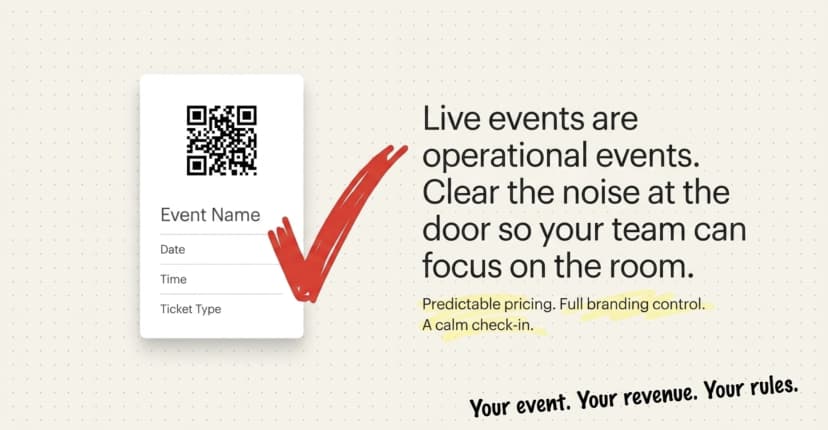
Live events are operational events. The software that runs them needs to handle the moment that matters most, the gate, without breaking, while staying out of your way the rest of the time.
Most teams do not need the most expensive tool. They need a reliable one with QR validation, multi-gate scanning, real-time attendance, branded ticketing, and pricing that does not punish them every time a ticket sells. The right platform clears the operational noise so your team can focus on the actual event.
If predictable pricing, full branding control, and a calm check-in are what you are after, Ticket Generator is built for exactly that kind of event.
Pro Tip: Try Ticket Generator to run your next live event with QR-validated tickets, multi-gate scanning, and zero commission on sales. Your event. Your revenue. Your rules.
FAQs: In-Person Event Management Software
1. What is in-person event management software?
It is a platform that handles event setup, ticket sales, registration, distribution, and on-site QR check-in for live events held at a physical venue. It replaces spreadsheets, paper tickets, and manual gate lists with one connected workflow.
2. What features matter most for live event software?
QR-based ticket validation, multi-gate scanning, real-time attendance tracking, branded ticket design, and predictable pricing matter most. These are the features that protect against duplicate entries, long queues, and operational chaos at the door.
3. How is on-site event software different from virtual event software?
On-site software prioritises gate access, scanning, and live attendance, while virtual software prioritises streaming, chat, and engagement tools. Hybrid platforms try to combine both, but usually compromise on one side of the experience.
4. Can Ticket Generator handle large in-person events?
Yes. Ticket Generator supports events from 10 to 10,000+ attendees and has powered 30,000+ events across 100+ countries, including multi-location access control for DART (Dallas Area Rapid Transit). Multi-gate scanning, multi-day support, and real-time analytics are all built in.
5. Is event management software worth it for small events?
Yes, if the event is paid, ticketed, or recurring. The threshold tends to start around 50+ attendees or any event where you care about controlled access and repeat data. For one-off events under 30 guests, a clipboard usually does the job.
About the author
Content Marketer at Ticket Generator
Ashish Chandra has spent 5+ years writing about event technology, covering topics such as ticket design, QR check-ins, attendee management, and event marketing strategy. As the Content Lead at Ticket Generator, Ashish has analyzed hundreds of real-world event workflows and ticketing setups, helping organizers across industries use QR-based tickets, event landing pages, and smarter ticketing systems to run smoother, better-attended events. His writing is shaped by real user needs and the questions organizers ask most often: How do I sell more tickets? How do I avoid chaos at the door? How do I make my next event better than my last? When he steps away from the screen, you'll likely find him hiking a quiet trail or tending his plants- his preferred way to reset.
Latest posts
Check out our latest articles on the blog
 12 min read
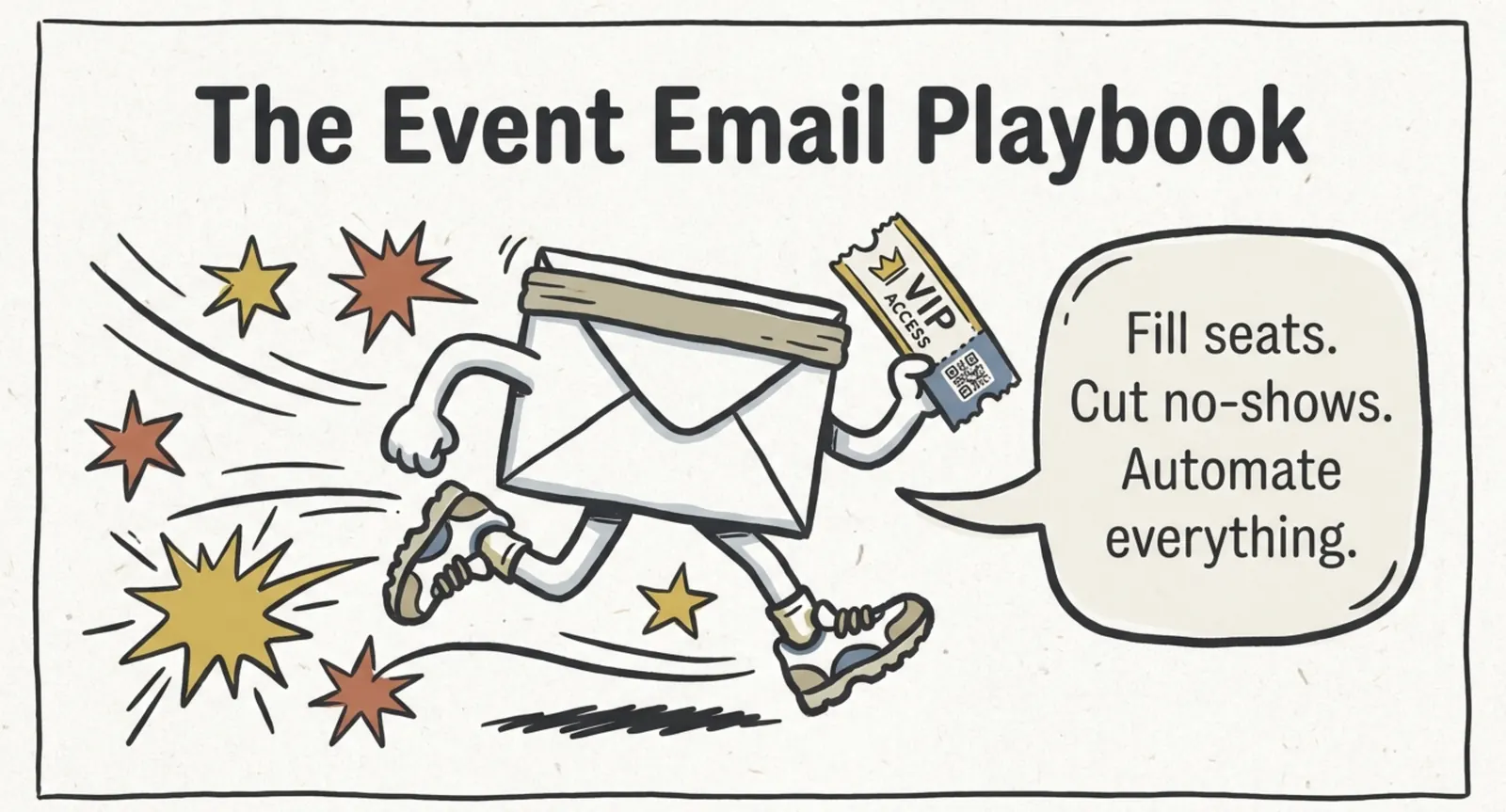
Email Marketing for Events and Webinars: What to Send, When to Send It, and How to Automate It
A step-by-step playbook for email marketing for events and webinars. Learn what to send, when to send it, and how to automate every email for in person and virtual events.
Ashish Chandra
18 Oct 2026
 10 min read
Halloween Masquerade Ball: How to Host a Night of Masks and Mystery
From Venetian-inspired masks to QR-coded entry, here is your complete guide to planning a Halloween masquerade ball your guests will talk about for years.
Ashish Chandra
18 Oct 2026
 9 min read
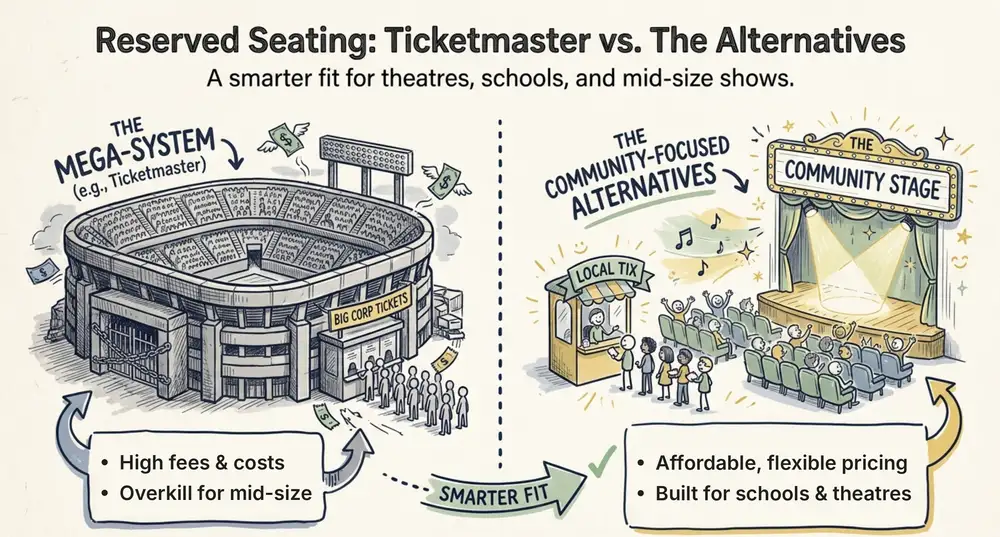
Ticketmaster Reserved Seating: How It Works and a Better Fit for Smaller Events
Ticketmaster reserved seating works well for arenas. If you run a theatre, gala, or mid-size show, see how it works, what it costs, and how to switch.
Ashish Chandra
16 Oct 2026