

How To Make Tickets? Complete Guide to Creating Event Tickets
 Written byAshish ChandraLast updatedSeptember 8, 2026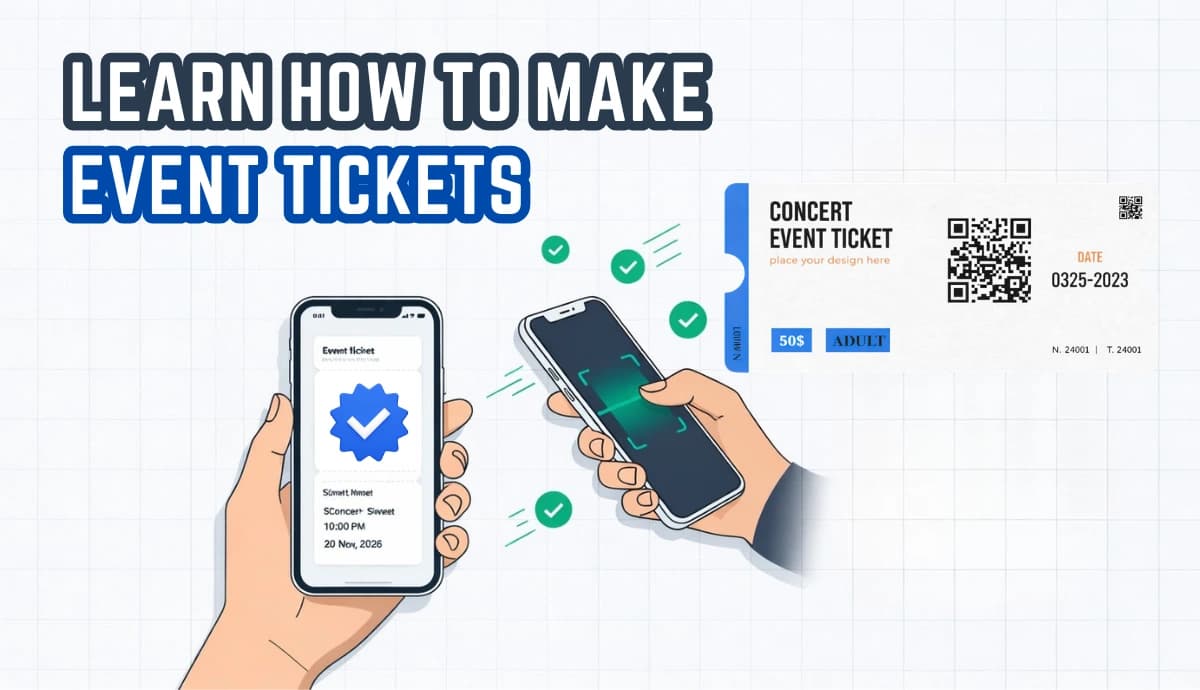
Key Takeaways: Learning how to make tickets comes down to five steps: pick a ticket type, design and brand it, build an event page, distribute, then validate and track. Well-made tickets speed up entry, block counterfeits with unique QR codes, and reinforce your brand every time they're shared. Digital tickets suit most modern events, while physical tickets still shine for premium, keepsake-worthy occasions. Ticket Generator lets you create event tickets in minutes with credit-based pricing and zero commission on ticket sales. Tracking registrations and attendance turns every event into data you can use to improve the next one.
Making event tickets is one of those tasks that looks simple until you're doing it at 11 p.m. the night before doors open. Get it right, and entry is fast, secure, and on-brand. Get it wrong, and you're stuck with a queue at the gate and a fraud problem you didn't see coming.
Here's the short answer on how to make tickets: choose a ticket type (digital or physical), design it with your branding and a unique QR code, publish an event page to collect registrations, then distribute and validate the tickets from one dashboard. A platform like Ticket Generator handles all five stages without a per-sale commission.
Key Stat: The worldwide online event ticketing industry reached a market value of $30.8 billion in 2024. By 2030, this sector is expected to grow to $40.4 billion, representing a steady annual growth rate of 4.6% over the six-year period. (Global News Wire)
Event tickets, if well-designed, can enhance your event. They can speed up entry, block unauthorized access, and boost your branding with consistent logos and colors. They also serve as a marketing tool to build anticipation and boost visibility when shared. This guide will show you how to make tickets effectively, and includes free ticket templates to get you started.
In this guide, I'll break down the ticket types you can make, a full step-by-step build, how to tailor tickets for specific events like concerts and fundraisers, ways to boost sales, and the mistakes that trip up first-time organizers.
What types of event tickets can you make?
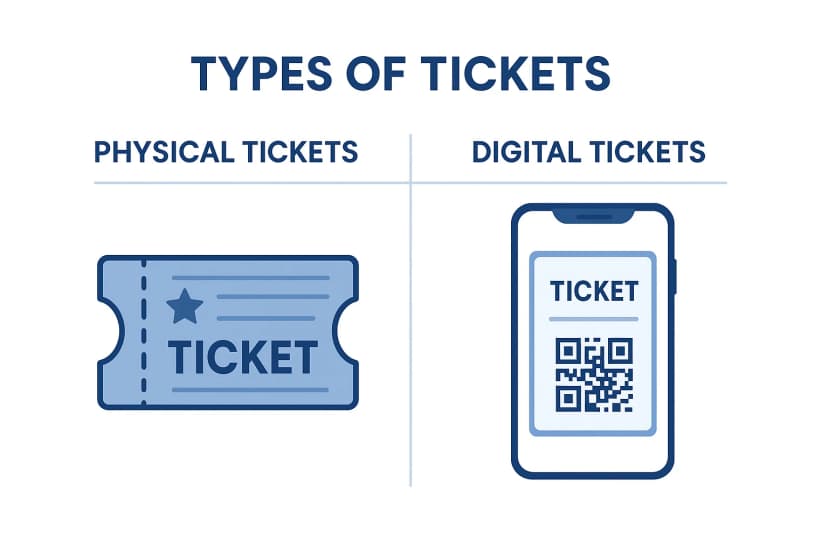
You can make two core types of event tickets: physical (printed) and digital (electronic). Physical tickets work best for premium, keepsake-worthy events; digital tickets fit fast, modern, high-volume events where instant delivery matters.
Your choice shapes everything downstream: design, security, distribution, and cost. Physical tickets can carry premium finishes like embossing, foil, or holograms, but they cost more to produce and distribute. Digital tickets are instant to send, easy to secure with QR codes, and cheaper to scale.
Most organizers don't have to pick a side. A hybrid approach, digital for general admission, physical for VIPs or sponsors, gives you flexibility without doubling your workload.
Comparison table: Physical Tickets vs. Digital Tickets
|
Feature |
Physical Tickets |
Digital Tickets |
|---|---|---|
|
Format |
Printed on paper or cardstock, designed with logos and branding |
Electronic format, delivered via email, SMS, or WhatsApp |
|
Best for |
Formal, high-profile events such as weddings and galas |
Conferences, concerts, webinars, and other tech-savvy audiences |
|
Customization |
Premium finishes such as embossing, holograms, or foil |
Template-driven designs with quick edits and instant branding updates |
|
Security |
Holograms, watermarks, or perforations |
Unique QR codes or encrypted barcodes to help prevent duplication |
|
Distribution |
Physical delivery or on-site pickup |
Instant delivery via email, SMS, WhatsApp, or an event page |
|
Environmental impact |
Higher, due to paper and printing |
Lower, with no physical materials required |
|
Attendee experience |
Tangible and suitable as a keepsake |
Convenient, portable, and stored on any smartphone |
For formal occasions like charity galas and fundraisers, premium physical tickets leave a lasting impression. For graduation ceremonies, decorative printed passes are often preferred. For nearly everything else like general admission, recurring events, large crowds, digital tickets are simply easier to manage.
Pro Tip: If you print physical tickets, still generate a unique QR code for each one. Ticket Generator automatically embeds a scannable, one-time-use QR code into every ticket, even on your own custom uploaded designs, so printed tickets get the same fraud protection as digital ones.
How do you make tickets step-by-step?
1. Understand the requirements
Before you design anything, lock down the basics. This is important. Skipping this step is where most last-minute chaos begins.
- Audience size: Estimate attendee numbers so you don't over- or under-produce tickets.
- Event type: A formal gala, a casual meetup, a concert, and a webinar each demand a different look and feature set. Concert tickets, for example, lean into bold, high-energy designs.
- Ticket categories: Map out your tiers, for example, General Admission, VIP, Early Bird and the perks attached to each.
Clear requirements up front mean fewer surprises later and a smoother build.
2. Choose the right ticketing software
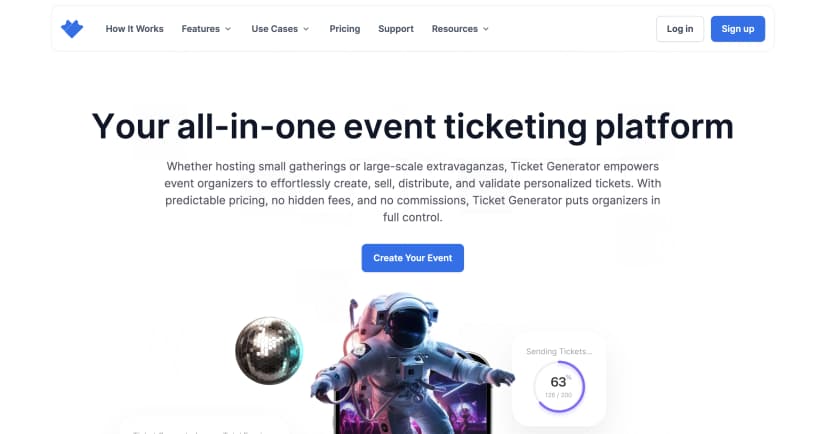
The right platform removes friction from every stage. Look for software that offers:
- Ease of use: Set up an event quickly with an intuitive interface, no coding required.
- Custom design: Add logos, brand colors, and personalized fields like guest names or ticket categories.
- Secure entry: Unique QR codes or barcodes on every ticket to prevent unauthorized access.
- Integrations: Payment gateways, attendee management, and real-time analytics in one place.
- Bulk generation: Create thousands of tickets in minutes for events of any size.
- Multi-channel delivery: Send tickets via email, SMS, or WhatsApp without extra fees.
- Security and compliance: ISO 27001 certification and GDPR compliance to protect attendee data.
- Real-time insights: Live dashboards for registrations, sales, and attendance.
- Exportable reports: Download data as XLSX or PDF for auditing and post-event review.
- Predictable pricing: Credit-based billing where credits don't expire, this makes it cost-effective for frequent events.
A quick word on pricing, because it's where organizers get burned. Ticket Generator pricing uses a credit-based model which means you pay per ticket generated, not a percentage of every sale. There's no commission, and payments go straight to your own Stripe, PayPal, or Razorpay account. New accounts get 10 free credits to test the workflow end to end.
3. Design the tickets
For this guide, I'll be using Ticket Generator. Designing a branded ticket in Ticket Generator takes a few minutes. Here's how you can do it:
Step 1: Log in or sign up. New users register with a few basic details; existing users log in. Then head to “Create New Event” to start.
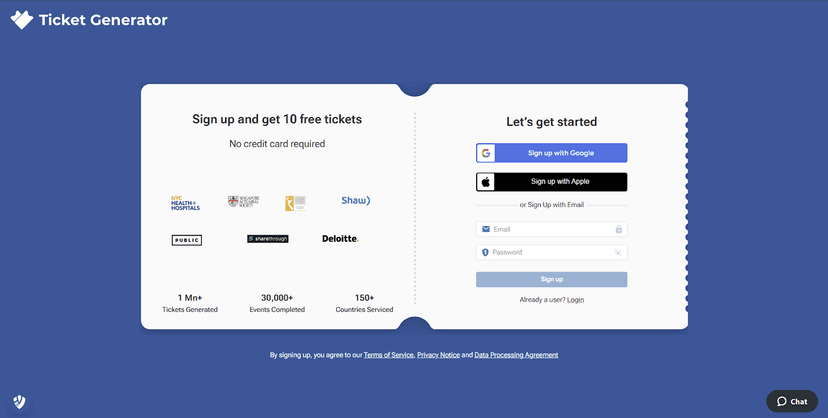
Step 2: Add event details. Enter the essentials so buyers and staff are never confused:
- Event name: The title of your event.
- Date and time: Double-check these to avoid entry-day confusion.
- Venue: Full address plus any specific instructions for attendees.
- Ticket categories: Align tiers with access levels — for example, “Student Entry” or “Staff Access” for a campus event.
Step 3: Design and customize the ticket.
- Select a template: Choose from ready-made templates matched to your event type, or upload your own design.
- Add branding: Upload your logo and apply your brand colors for a cohesive, professional look.
- Insert key information: Prominently display the event name, date, time, venue, and ticket type.
- Embed security: A unique QR code and serial number are generated automatically for every ticket.
Pro Tip: Short on design time? Ticket Generator's AI ticket design can generate a fully branded ticket from your event details. Each request returns four design options to choose from. Before publishing, use the live preview to see exactly how attendees will receive the ticket, making it easy to catch a wrong date, stretched logo, or formatting issue before a single ticket goes out.
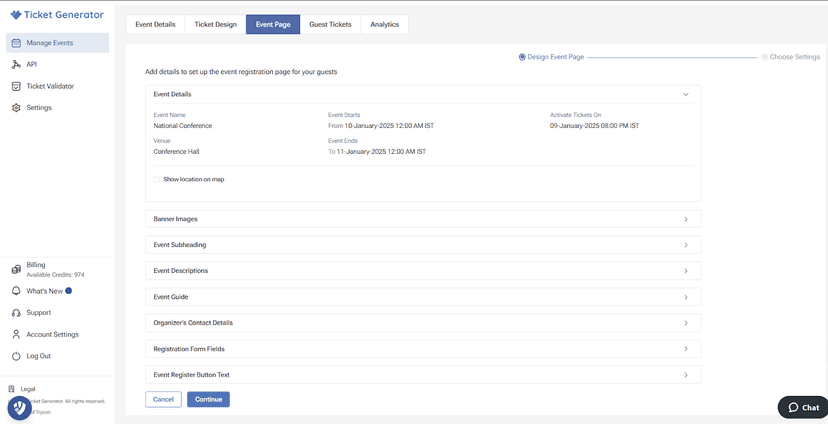
4. Customize the event page
Your event page is where registrations happen, so give attendees everything they need to say yes.
- Location map: Enter the venue address and pin it on the interactive map.
- Banner images: Upload visuals that capture your event's theme.
- Event subheading: A concise line that highlights what makes the event worth attending.
- Event description: Key details, terms and conditions, and instructions. For events like prom nights, include dress codes and entry requirements.
- Event guide: Language, age group, safety notes, do's and don'ts, and available facilities.
- Organizer contact: Your email and phone number for attendee questions.
- Registration fields: Capture names, emails, phone numbers, or preferences. For party tickets, add meal or seating options.
- Register button text: Personalize it with CTAs like “Join Us Now” or “Reserve Your Spot” converts better than a generic “Submit.”
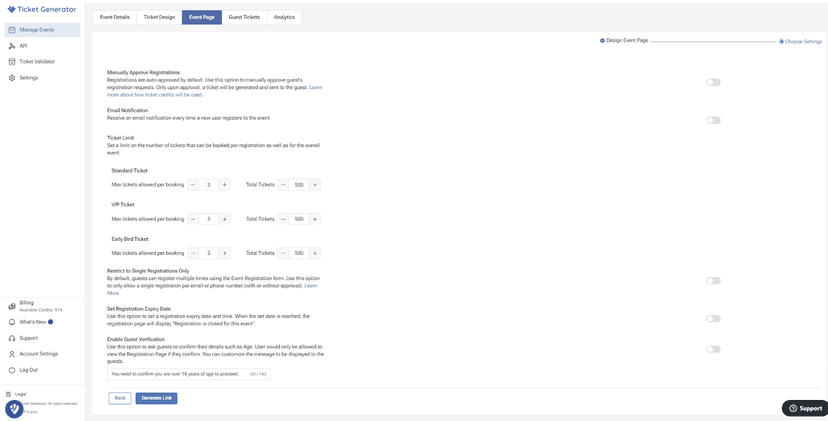
Then set your event-page preferences, toggling each on or off as needed:
- Manually approve registrations: Review each sign-up before a ticket is issued.
- Email notifications: Get alerted on every new registration.
- Ticket limit: Cap tickets per booking and set overall capacity per category.
- Single registration only: Limit one registration per email or phone number.
- Registration expiry: Close sign-ups at a set date and time, or leave them open-ended.
- Guest verification: Require guests to confirm details like age or eligibility.
- Generate link: Create a unique event URL to share by email or social media.
5. Manage your event page
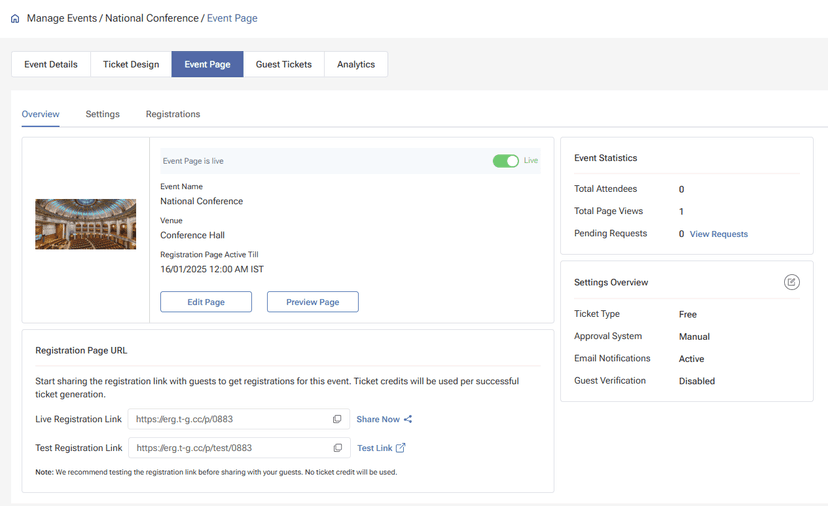
Once the page is built, a few controls keep everything running cleanly:
- Live status: Flip the toggle to make the page public and accessible via the registration link.
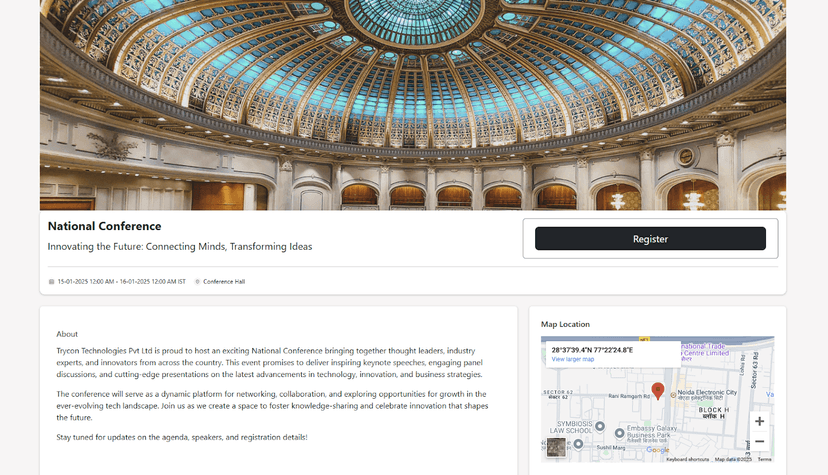
- Event details: See key info at a glance: event name, venue, and registration deadline.
- Edit and preview: Adjust the layout or preview the attendee view before sharing.
- Registration links: Use the live link to collect registrations and the test link to check functionality without spending ticket credits.
- Event statistics: Track total attendees, page views, and pending requests.
- Settings overview: Confirm ticket type, approval mode, notifications, and verification settings in one panel.
6. Manage, track, and reissue tickets
After tickets go live, the guest tickets tab is your control center:
- Overview table: See ticket status, quantities, export format, and download links in one view.
- New tickets: Create a single ticket for one attendee, or bulk-generate for large groups.
- Resend tickets: Reissue a ticket to anyone who lost their confirmation email.
- Export ticket data: Download a full report for record-keeping or sales analysis.
- Sub-tabs: Track tickets by stage, “Generated and Downloaded,” “Generated and Sent,” or pending approval.
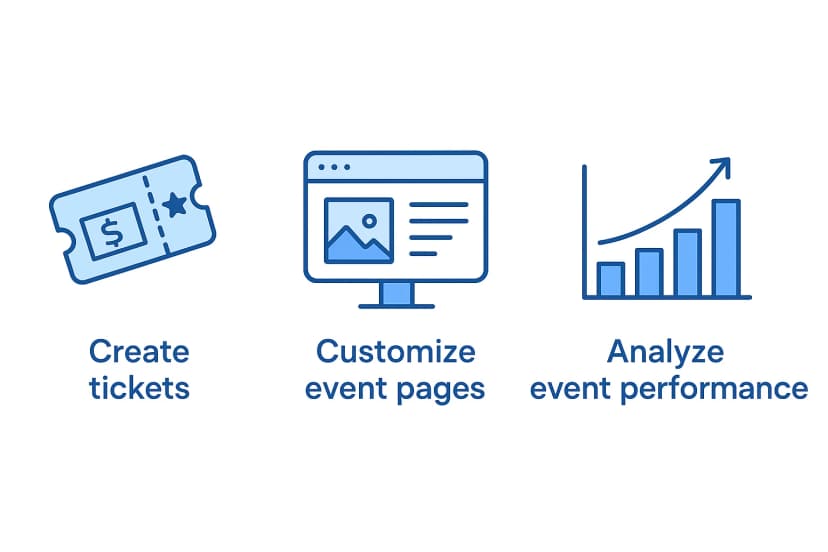
7. Analyze your event performance
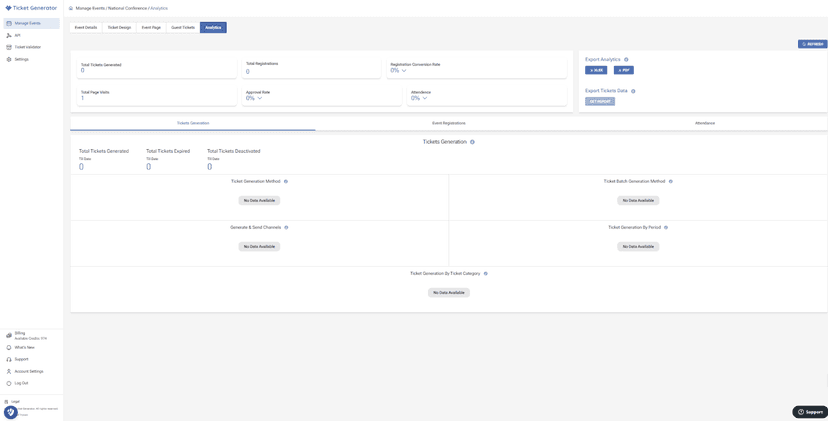
Understanding what happened is how you sell more next time. The analytics dashboard surfaces:
- Top metrics: Total tickets generated, total registrations, registration conversion rate, and attendance.
- Detailed breakdowns: Generation method and channel, page visits and approval rates, plus scan data like fresh, used, invalid, and duplicate tickets.
- Export analytics: Download reports in XLSX or PDF for deeper review.
- Refresh button: Update the dashboard in real time as registrations come in.
Reviewing these numbers helps you spot your most popular ticket tiers and make data-backed calls for future events.
Try Ticket Generator to set up event ticketing and distribution in minutes, your first 10 tickets are free, no credit card required. Start for free.
How do you make tickets for different types of events?
Creating custom tickets for any type of event is simple and efficient. Whether planning a casual gathering or a formal event, tickets can be tailored to your branding. When you create event tickets professionally, it will boost ticket sales and ensure a good experience for attendees. Here's how you can make tickets for events that are ideal for various occasions:
You make event-specific tickets by matching the design and features to the occasion — a cinema layout for movies, sequential numbers for lotteries, school colors for graduations. The core workflow stays the same; the styling and extras change.
Here's how to approach the most common formats:
- Movie tickets: Add the film title, showtime, and seat number with a cinema-style layout, plus secure QR codes and extras like snack vouchers. See our movie ticket maker guide.
- Stag and doe tickets: Include the couple's names, taglines, or drink tokens, with QR-coded passes for easy attendance tracking. Here's how to make stag and doe tickets.
- Fundraiser tickets: Show your logo, mission, and sponsors, and automate donor communication for a professional touch.
- Party tickets: Use bright colors and custom designs that match the event's energy, with QR codes for quick check-ins.
- Admission tickets: Keep it simple and functional — event details plus QR-code security. See how to make admission tickets.
- Lottery tickets: Add sequential numbers or barcodes so every entry is unique and the draw stays fair. Here's how to create lottery tickets.
- Graduation tickets: Use school colors and photos for a polished, keepsake feel, with streamlined distribution.
- Concert tickets: Feature artist visuals and seating details, backed by secure QR codes for crowd control.
Whatever the event, custom tickets sharpen your brand and improve the attendee experience. Need a head start? Browse the event ticket template gallery or design your own from scratch.
Greg Berry, Director Communications - Office of Alumni Affairs, The University of Alabama at Birmingham says:
We started using Ticket Generator years back and are very pleased with our experience. They have continued to improve their product to adapt to an ever-changing market. Whenever we have faced an issue, we have received full support to resolve our problem quickly.
How can you boost ticket sales?
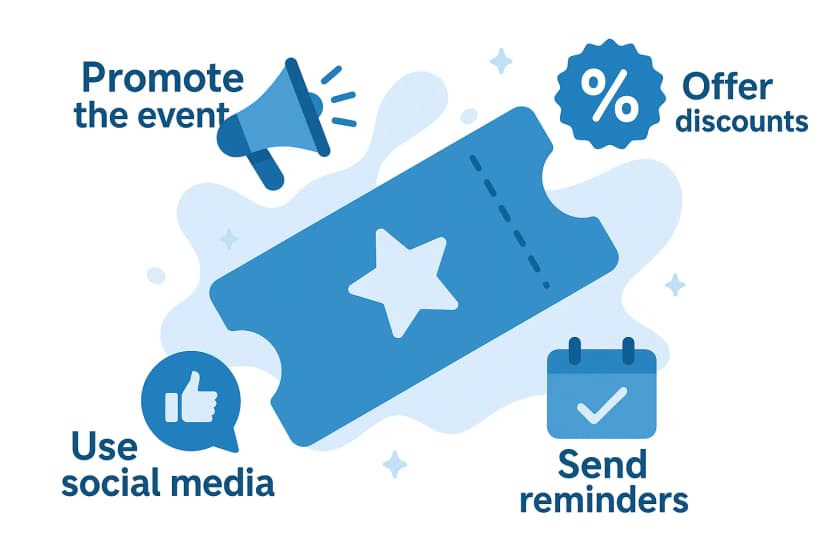
You boost ticket sales by combining urgency, easy sharing, and data. The organizers who sell out fastest use pricing psychology and real-time analytics together, not one in isolation.
Actionable tactics that work:
- Early bird pricing: Discounted rates for early registrants create urgency and reward your most eager fans.
- Social media links: Embed your event page link across profiles to reach a wider audience instantly.
- Use analytics: Track sales in real time and adjust your strategy the moment a trend appears.
- Group and referral deals: Group discounts nudge friends to attend together.
- Email and retargeting: Send targeted emails and re-engage people who showed interest but didn't buy.
- Influencer partnerships: Collaborate with niche voices to expand reach and add credibility.
- Create urgency: Countdowns and limited-time offers speed up decisions.
- Multiple payment options: Offer methods like PayPal and Stripe so checkout is frictionless.
Did You Know? 48% of shoppers abandon checkout when extra costs like fees are too high, making it the single biggest reason for checkout drop-off. Source: Baymard Institute (February 2024 survey of 1,012 US adults) .
That statistic is why transparent, commission-free pricing sells more tickets. When your listed price is the final price, buyers don't rage-quit at the last screen. Note that the FTC's Junk Fees Rule (16 C.F.R. Part 464), effective May 12, 2025, now requires live-event ticket sellers in the U.S. to show the all-in price — including mandatory fees, up front. Transparent pricing isn't just good practice; it's the law.
What mistakes should you avoid when creating event tickets?
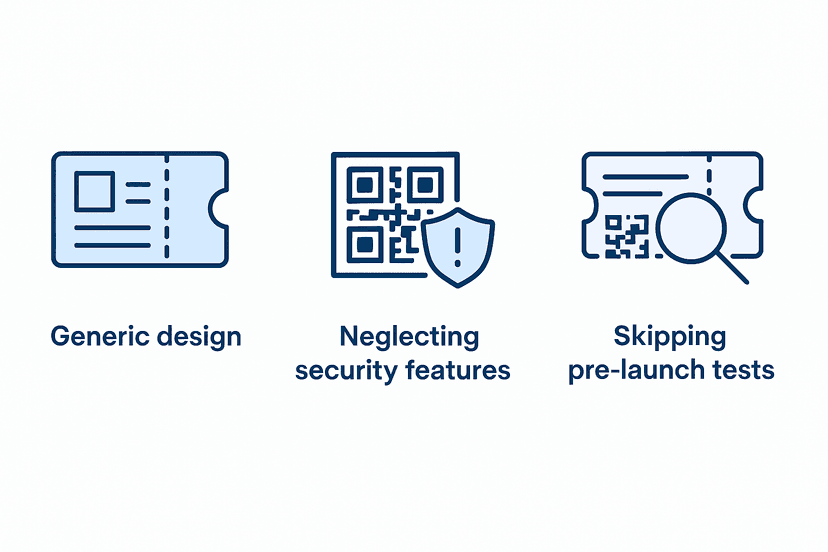
The three most common ticket-making mistakes are generic design, weak security, and skipping pre-launch tests. Each one is avoidable in a few minutes.
- Generic design: A ticket with no branding is a missed marketing opportunity. Add your logo, consistent colors, and brand elements. For admission tickets, keep it clean but still unmistakably yours.
- Neglecting security: Skipping QR codes or barcodes leaves you exposed to counterfeits and duplicates. Use software that bakes security into every ticket.
- Skipping pre-launch tests: An untested ticket can fail at the gate. Run a test scan and preview before you go live.
On the security point, here's a trap worth calling out. As Anshul Singh Bisht, Head of Event Technology at Ticket Generator, puts it:
"The most common mistake we see is organizers using a generic QR generator and realizing that this way, every attendee will have the same code. Also, those generators can't help you stop duplicates."
— Anshul Singh Bisht, Head of Event Technology, Ticket Generator
A proper ticketing platform gives each ticket a unique code and flags duplicates the instant they're scanned twice, something a free QR generator simply can't do. If ticket security is a priority, our guide to secure event tickets goes deeper.
How does Ticket Generator help you make event tickets?
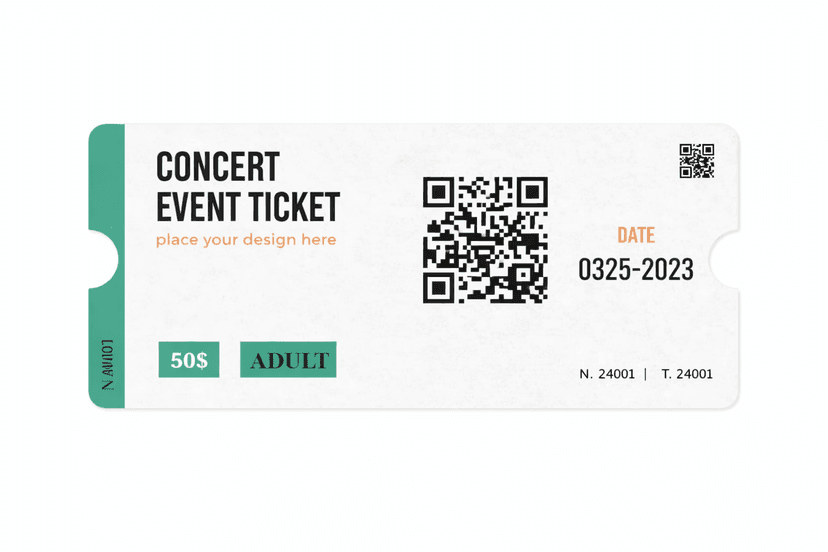
Ticket Generator is built for organizers who want branded, secure tickets without paying a commission on every sale. It covers the entire loop — create, design, distribute, validate, and analyze, in one place.
Here's how it maps to everything above:
- Design freedom: Drag-and-drop designer, ready-made templates, or AI-generated designs, with no platform watermark on your tickets.
- Built-in security: Every ticket carries a unique QR code and ticket ID, with duplicate detection and one-time validation. The platform is ISO 27001:2022 certified and GDPR-compliant.
- Multi-channel delivery: Send tickets by email, SMS, or WhatsApp, and even schedule a batch to go out at a set time.
- Predictable pricing: Credit-based billing, no commission, and payouts to your own payment gateway.
- Real-time analytics: Live tracking of registrations, conversions, and on-site attendance, exportable to XLSX or PDF.
The proof is in the volume: Ticket Generator has powered more than 1,000,000 tickets across 30,000+ events in 100+ countries, for organizers ranging from the Emmy Awards to NYC Public Schools. Greg Berry, Director of Communications at the University of Alabama at Birmingham's Office of Alumni Affairs, sums up the experience:
"We started using Ticket Generator years back and are very pleased with our experience. They have continued to improve their product to adapt to an ever-changing market. Whenever we have faced an issue, we have received full support to resolve our problem quickly."
The result for you: fewer entry-day headaches, tighter security, and full control over how your tickets and revenue work.
Conclusion
Making event tickets well is a small task with an outsized payoff: faster entry, stronger security, and a brand that travels every time a ticket is shared. The workflow is always the same: choose a type, design and brand it, build your event page, distribute, then validate and track.
Not every event needs premium physical tickets, and not every organizer needs every feature. But every event benefits from tickets that are clear, secure, and on-brand. A platform that handles design, delivery, and validation in one place, without skimming a commission off your sales and turns ticketing from a chore into an advantage.
Ready to make your next batch? Ticket Generator gets you from idea to live tickets in minutes.
FAQs: How to Make Tickets
1. How do I make tickets for an event?
Making tickets takes five steps: choose a ticket type, design and brand it, build an event page to collect registrations, distribute the tickets, then validate and track attendance. A platform like Ticket Generator handles all five and issues a unique QR code on every ticket automatically.
2. What types of tickets can I create?
You can create tickets for almost any event: movies, fundraisers, concerts, parties, proms, graduations, and lotteries. Each is tailored to the occasion's style and security needs, but the underlying build process stays the same.
3. How are tickets delivered to attendees?
Tickets are delivered instantly by email, SMS, or WhatsApp through automated systems. Attendees can also open a digital ticket link straight from their inbox, and organizers can resend any ticket that gets lost.
4. How do I make my event tickets secure?
Add a unique QR code or barcode to every ticket so it can't be duplicated or reused. Ticket Generator embeds a one-time-use QR code and ticket ID on each ticket (even on custom uploaded designs) and flags any duplicates the moment it's scanned.
5. Can I track ticket sales and registrations in real time?
Yes. Ticketing platforms provide dashboards that show sales, registrations, conversion rates, and attendance as they happen. Ticket Generator also lets you export these reports as XLSX or PDF for post-event analysis.
6. How much does it cost to make tickets?
With Ticket Generator, pricing is credit-based, which means you pay per ticket generated, not a percentage of each sale, and there's no commission. New accounts get 10 free credits, and credits never expire, which makes it cost-effective for recurring events.
About the author
Content Marketer at Ticket Generator
Ashish Chandra has spent 5+ years writing about event technology, covering topics such as ticket design, QR check-ins, attendee management, and event marketing strategy. As the Content Lead at Ticket Generator, Ashish has analyzed hundreds of real-world event workflows and ticketing setups, helping organizers across industries use QR-based tickets, event landing pages, and smarter ticketing systems to run smoother, better-attended events. His writing is shaped by real user needs and the questions organizers ask most often: How do I sell more tickets? How do I avoid chaos at the door? How do I make my next event better than my last? When he steps away from the screen, you'll likely find him hiking a quiet trail or tending his plants- his preferred way to reset.
Related articles
Keep reading: more guides on the same topic
 13 min read
How to Create Lottery Tickets: Simplify Your Ticketing Process Instantly
Find out how to create lottery tickets step by step. Save time, cut costs, and run smooth online lotteries with the right ticketing tools.
Jayanshu Badlani
08 Sept 2026
 17 min read
How to Make Raffle Tickets with Numbers? (Fast & Easy)
Making raffle tickets shouldn’t feel complicated. Whether it’s for a school fundraiser, charity event, or community giveaway, this guide shows you the fastest way to create clean, professional, perfectly numbered raffle tickets, without tech stress or design confusion.
Jayanshu Badlani
02 Sept 2026
 14 min read
How to Design Event Tickets: Quick Guide to Professional, Secure Tickets
Designing event tickets isn’t just about looks. It’s about clear info, strong branding, and security that stops fakes at the gate. Here’s how to do all three, fast.
Ashish Chandra
20 Aug 2026
Latest posts
Check out our latest articles on the blog
 13 min read
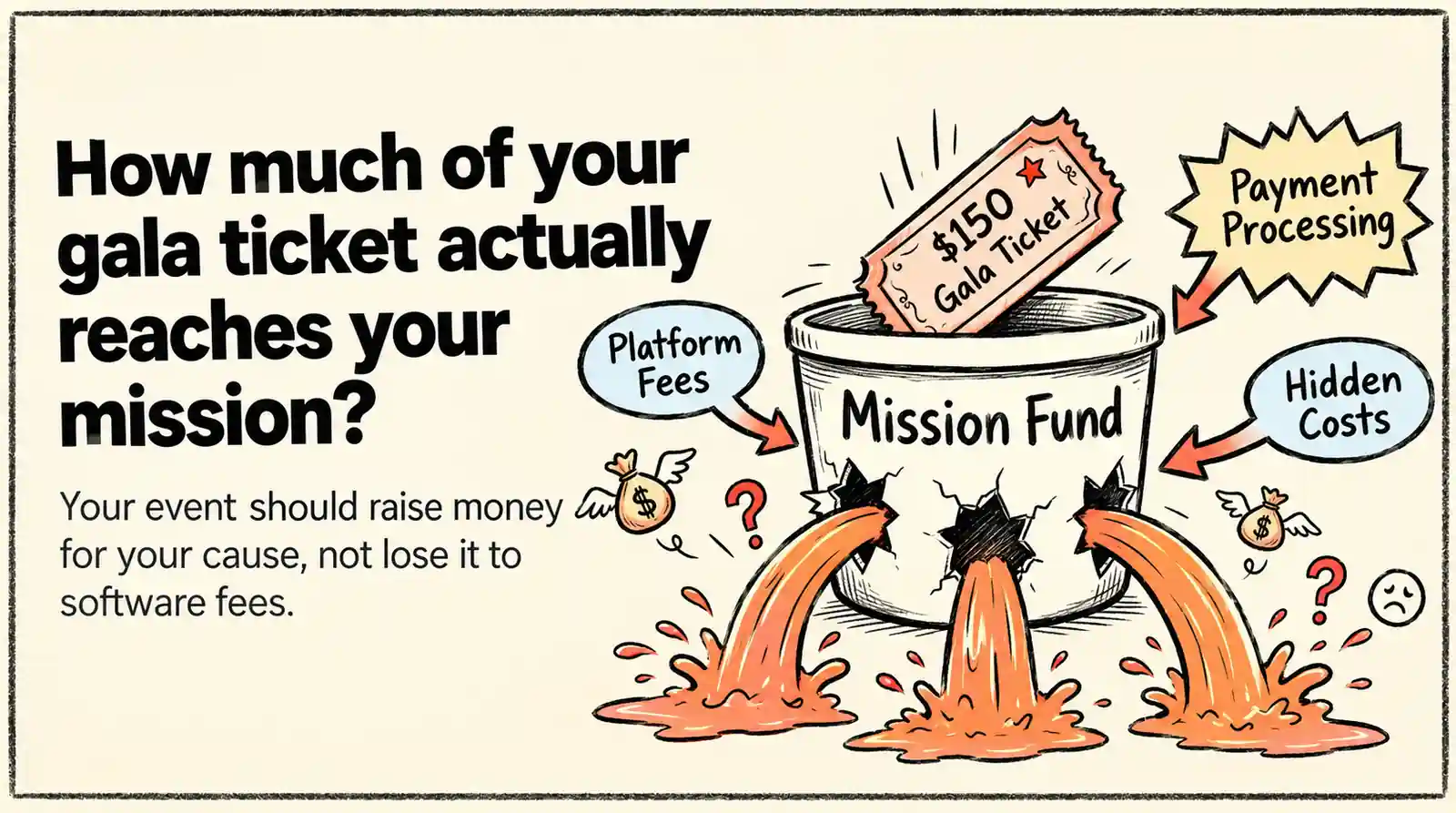
Fundraising Event Management Software: How Much of Your Donations Do You Keep?
Your gala should raise money for your cause, not lose it to event fees. Compare fundraising software pricing, uncover hidden costs, and find the right fit for your nonprofit.
Ashish Chandra
29 Oct 2026
 10 min read
Halloween Masquerade Ball: How to Host a Night of Masks and Mystery
From Venetian-inspired masks to QR-coded entry, here is your complete guide to planning a Halloween masquerade ball your guests will talk about for years.
Ashish Chandra
29 Oct 2026
 10 min read
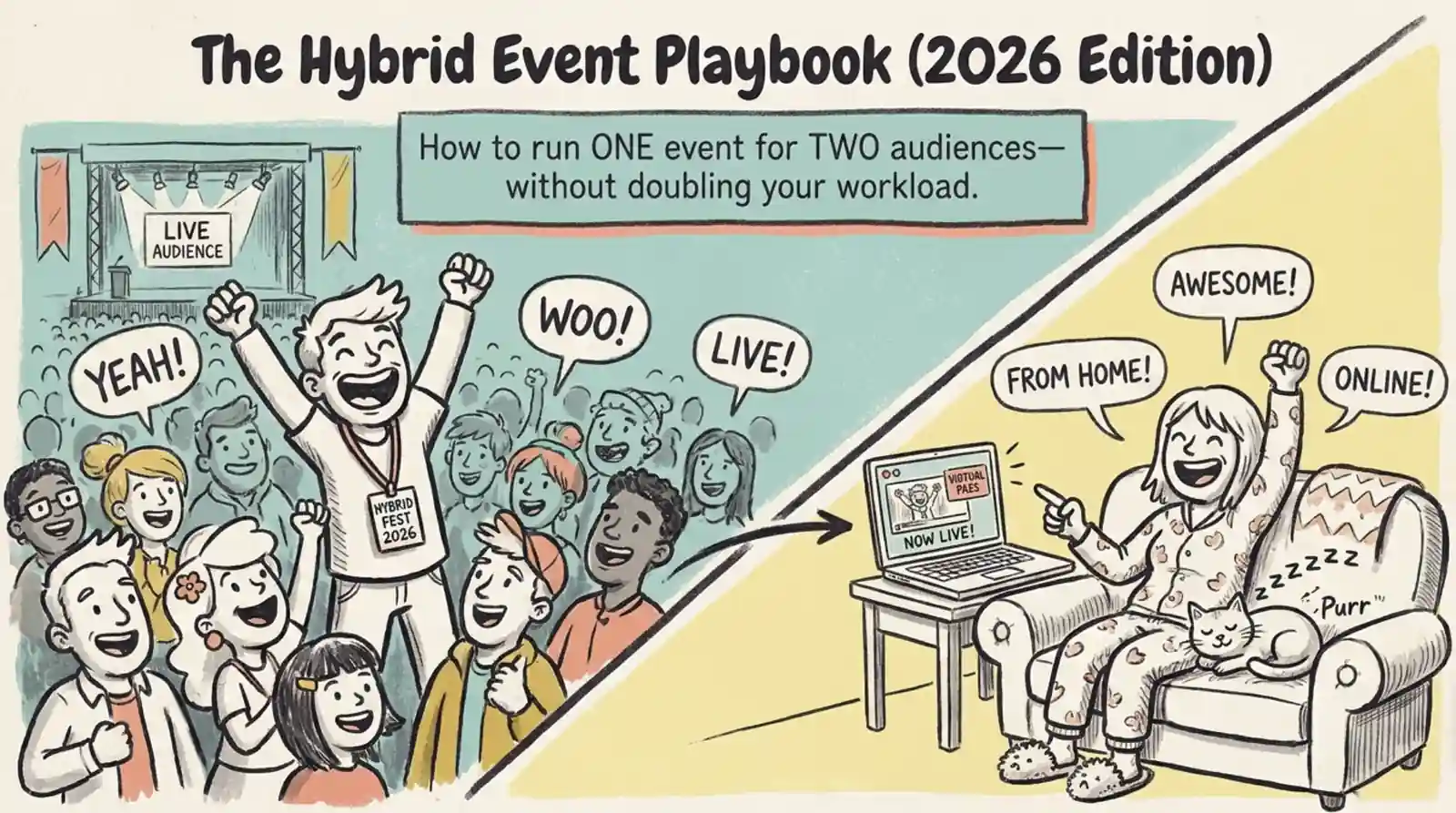
Hybrid Events Platform: How to Run One Event for In-Person and Virtual Guests
A hybrid events platform lets you run one event for both in-person and virtual attendees. Here's what a good one does and how to ticket and check in both audiences without doubling your workload.
Ashish Chandra
28 Oct 2026