

Interactive Seating Chart: Sell Reserved Seats Online With Full Control
 Written byAshish ChandraLast updatedJuly 1, 2026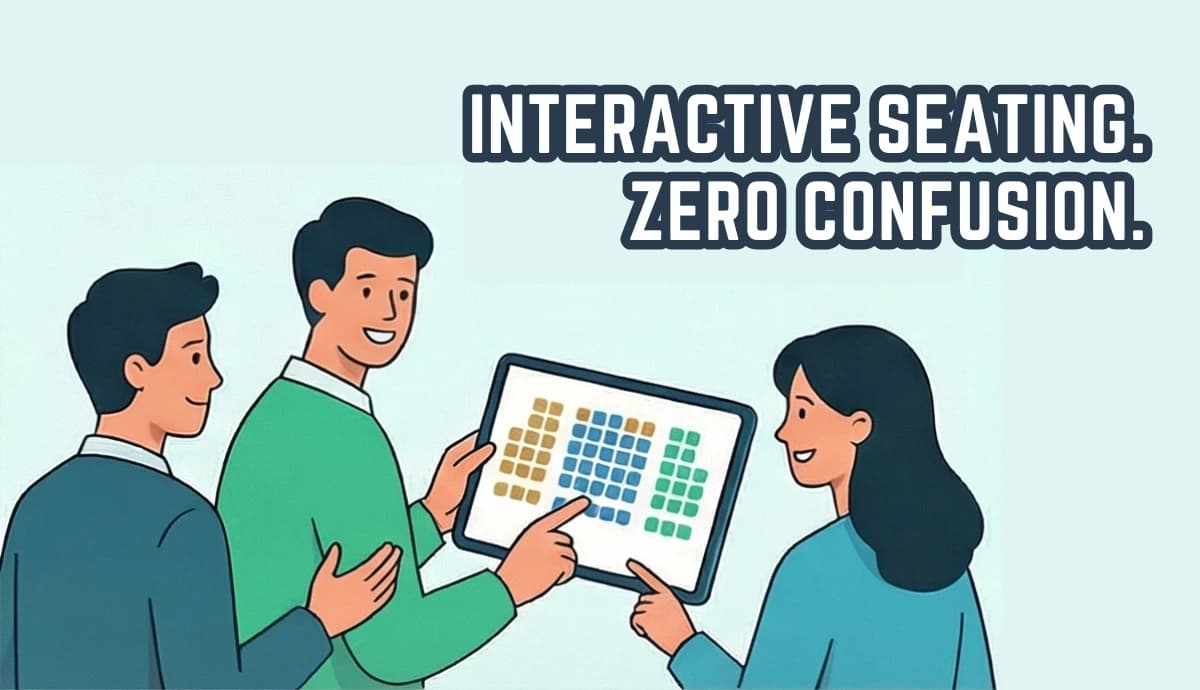
Key Takeaways:
- An interactive seating chart lets attendees choose their exact seat from a live seat map during checkout.
- It’s a core part of modern seat booking software, where seating, ticket tiers, and validation work together.
- Real-time seat locking prevents double bookings and eliminates manual tracking.
- Tiered pricing helps you monetize premium rows, VIP sections, and special zones more effectively.
- Ticket Generator pairs an interactive seating chart with QR-based ticketing, ticket delivery, and entry validation in perfect sync.
- The result? Higher conversions, better revenue control, and zero chaos at the gate.
I’ve learned this the hard way. If attendees can’t clearly see where they’re sitting, they hesitate.
And hesitation kills conversions.
Research from the Baymard Institute shows average cart abandonment rates hover around 70% across industries. Friction and uncertainty are major causes.
Now imagine this:
Someone is buying a ticket to your event.
They don’t know where they’ll sit.
They don’t know how close they’ll be to the stage.
They don’t know if VIP actually means front row.
That uncertainty costs sales. An interactive seating chart fixes that. It’s interactive because customers can click around the map, zoom in, and check out the details of specific seats.
That’s the difference between selling access and selling confidence.
When you use an interactive seating chart, you’re not just showing seats. You’re giving buyers control. They see availability in real time. They click the exact seat. The system locks it during checkout. Payment confirms it.
In this guide, I’ll break down:
- What an interactive seating chart actually is
- Why it directly impacts revenue and operations
- The features that truly matter
- How it works step by step
- How to choose the right solution
Let’s begin.
A. What is an Interactive Seating Chart?
An interactive seating chart is a live seat map that lets attendees choose their exact seat while buying a ticket. The selection includes the ticket type as well as the actual seat.
Attendees can:
- View the venue layout
- Zoom into rows
- See which seats are available, held, or sold
- Click their preferred seat
- Complete checkout
And once payment is successful, that seat is automatically marked as sold. That’s what makes it interactive.
From my experience, the biggest shift is this: A static seating chart shows information. An interactive seating chart enables action.
And when it’s built into a full seat booking software system (like Ticket Generator), it connects directly with:
- Ticket tiers
- Pricing
- Real-time seat locking
- QR ticket generation
- Entry validation
Instead of selling blind tickets, you’ll be selling mapped, confirmed seats. That clarity changes everything, both for the organizer and the attendee.
B. Why interactive seating charts matter for events?
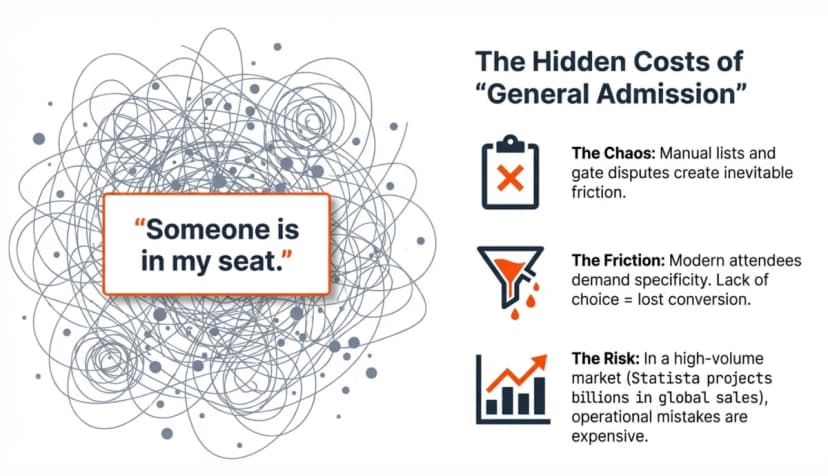
Interactive seating charts are not just a “nice-to-have.” I see them as revenue infrastructure, and here’s why.
1. They increase conversions.
When buyers can see exactly where they’ll sit, uncertainty drops. They don’t hesitate. They don’t abandon checkout, wondering what “Premium” really means.
Clear seat visibility builds purchase confidence.
2. They unlock smarter pricing.
The front row is not the same as the back row. Aisle seats aren’t the same as corner seats.
With an interactive seating chart, you can price based on actual position, not vague categories. That directly increases revenue per event.
3. They prevent seat disputes.
No more “I thought I booked the front.” No more last-minute reshuffling. When buyers choose their own seats visually, accountability is built into the system.
4. They reduce operational stress.
If seating isn’t visual and system-locked, you’re managing allocation manually. That’s where issues can creep in.
An interactive seating chart, especially when part of a proper seat booking software, syncs seat selection with:
- Checkout
- Ticket generation
- QR validation
- Real-time availability
Everything updates automatically.
5. They enhance event perception.
A visual seat map feels premium. It shows organization and professionalism before the event even begins.
From my experience, once you switch to interactive seating, you don’t go back. It doesn’t just improve the ticket-buying experience. It improves how your entire event runs.
C. Where do interactive seating charts work best?
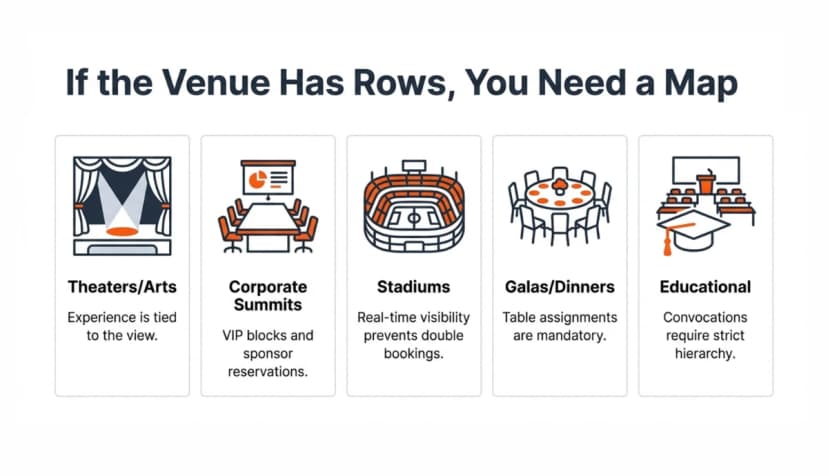
Not every event needs assigned seating. But when seating layout affects experience, revenue, or crowd control, an interactive seating chart becomes essential.
Here’s where I’ve seen it make the biggest impact:
1. Auditoriums and conferences: In corporate summits, product launches, and leadership talks, seating position matters. VIP guests expect front rows. Sponsors may need reserved blocks. An interactive seat map removes manual coordination.
2. Theaters and performing arts: Plays, dance recitals, stand-up shows, concerts. Buyers care about visibility and proximity. Letting them choose builds confidence and reduces complaints later.
3. Gala dinners and award ceremonies: Table numbers, VIP placements, sponsor tables – these events are structured. A visual seating chart keeps allocations clear and avoids awkward reshuffling on arrival.
4. Educational institutions: Convocations, annual fests, guest lectures. Instead of first-come-first-serve chaos, institutions can map seating and control access cleanly.
5. Large venues with tiered pricing: When you’re selling Premium, Gold, Silver, or VIP categories, a visual layout justifies the price difference. It makes pricing feel logical.
The simple rule I follow is this: If your venue has rows, sections, tables, or tiers – use an interactive seating chart. If you don’t, you’re leaving clarity and revenue on the table.
D. Core features an interactive seating chart must have
Not every seating chart tool is truly interactive. Some just display a layout. That’s not enough. If I’m relying on it for sales and entry flow, it needs to do more than look good.
Here’s what actually matters.
1. Real-time seat availability: Attendees should instantly see which seats are available, held, or sold. If availability isn’t live, trust breaks.
2. Seat locking during checkout: When someone selects a seat, it must lock automatically while they complete payment. This prevents double booking. If two buyers can pay for the same seat, the system is flawed.
3. Tiered pricing by section or row: The map should allow pricing control by section, row, or even individual seat. Front rows can cost more. Aisle seats can be premium. Without this flexibility, you’re under-monetizing demand.
4. Mobile-friendly design: Most ticket purchases happen on phones. If the seating map isn’t smooth to zoom, scroll, and tap on mobile, conversions drop fast.
5. Easy venue layout setup: I shouldn’t need technical skills to build a seat map. Whether it’s uploading a floor plan or configuring sections, setup should be guided and simple. The faster I can connect layout to ticket tiers, the faster I can launch.
6. Full integration with ticketing and validation: The seating chart should not operate in isolation. It must sync with:
- Ticket generation
- Payment confirmation
- QR Code issuance
- Entry validation
- Attendance analytics
When everything works together inside one seat booking software system, I don’t think about the tool during the event. It just works.
That’s the standard you should look for.
E. How to set up an interactive seating chart for your event (step-by-step)?
To show you how to set up an interactive seating chart, I’ll walk you through the exact steps using Ticket Generator. I’m using it here because it supports reserved seating, QR tickets, bulk generation, and validation - all inside one system.
Step 1: Sign up and create your event
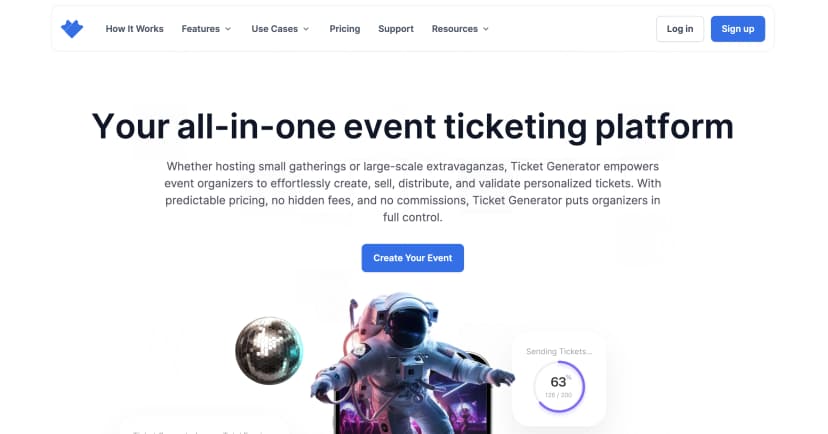
Go to Ticket Generator and sign up. You won’t be asked for card details while signing up. You also get your first ten tickets free.
Step 2: Set up your venue layout
Before creating the event, go to Settings → Venue Layout. From there, you can request a venue design. You can upload:
- The floor plan image
- Section details (VIP, Premium, General, tables, etc.)
- Any notes about special seating rules
Once the draft is ready and approved, the seating map is added to your account. You can reuse it for future events at the same venue. No technical setup required from your end. From here, you can also define:
- Ticket tiers
- Section-based pricing
- Seat-level rules
This is where the monetization happens. Instead of selling vague categories, You are selling mapped seats with structured pricing.
Step 3: Create your event
Now, click on Create New Event. And add details such as:
- Event name
- Date and time
- Venue
- Description
Under the Venue Name section, tick the checkbox titled "Select a saved venue layout", once checked, you can see the pre-approved Seating Plan with the name in the dropdown. If you haven't already uploaded your seating layout with defined ticket tiers and zones, you can do so by clicking on "Venue layout".
Step 4: Publish and enable seat selection
Once published, attendees can:
- View the event landing page
- Interact with the live seating map
- Click on available seats
- See pricing instantly
- Add their chosen seats to checkout
The moment they select a seat in the layout, the system temporarily locks the seat. This helps avoid double booking.
Step 5: Confirm payment and generate tickets
After successful payment:
- The seat is permanently marked as sold
- A ticket is issued
- Seat details are embedded into the ticket
- A QR Code is generated automatically
Because it’s all part of one system, you don’t need to manually update anything.
Step 6: Validate at entry
At the venue, your team can use the validator app. They scan the QR Code right from their smartphones to instantly check if the ticket is:
- Valid
- Duplicate
- Invalid
Attendance updates in real time. The seating chart, ticketing engine, and validation all stay synchronized. That’s how an interactive seating chart should work.
F. Benefits of using an interactive seating chart for organizers
Once you start using interactive seating charts properly, you will notice something immediately.
It doesn't just make the process smoother. It makes everything more predictable. Here’s what actually improves.
1. Higher revenue per event
When buyers see the layout, premium pricing feels justified. Front-center costs more. Aisle seats cost more. VIP sections are clearly differentiated.
Without a visual map, pricing feels abstract. With one, pricing feels logical. That difference directly affects revenue.
2. Fewer seat disputes
If attendees choose their own seat from a live map, there’s little room for confusion later. No one argues about placement. No one claims they expected a better row.
The system shows exactly what was selected and purchased.
3. Real-time inventory control
You can see what’s selling fast. Which section is underperforming? Whether you need to open additional blocks. Instead of guessing, you will be looking at live data.
And because the seating chart is synced with the rest of the seat booking software, updates happen automatically.
4. Cleaner entry flow
When seat selection, payment, ticket generation, and QR validation are connected, entry becomes fast. It’s Scan. Validate. Move. No manual cross-checking required AT ALL.
5. Reduced operational stress
You’re not managing seating through spreadsheets or emails. You’re not manually assigning seats. You’re not reconciling categories after checkout.
Everything lives inside one system.
And when seating, ticket tiers, and validation work together, like they do inside platforms such as Ticket Generator, the tech fades into the background.
That’s the real benefit. If I’m thinking about the system during the event, something’s wrong.
G. Common problems that happen without an interactive seating chart
Without an interactive seating chart, here’s what’s bound to happen:
- Since you’ll be manually tracking seat allocations in spreadsheets, one small mistake leads to two people claiming the same seat.
- You’re selling ticket “categories” without visual clarity. Buyers don’t really know what they’re paying for.
- You’re answering the same question repeatedly: “Where should I sit?”
- You’re unable to justify premium pricing because there’s no visual difference shown during checkout.
- You’re handling seat disputes at the venue instead of focusing on check-in flow.
- You’re scrambling to reassign seats when VIP guests arrive late.
- You’re guessing which sections are underperforming because there’s no real-time visibility.
- You’re relying on manual communication between the ticketing desk and the entry team.
- You’re creating friction at checkout, which increases hesitation and drop-offs.
- You’re reacting to seating problems instead of preventing them.
When seating isn’t interactive and system-controlled, complexity creeps in quietly. And complexity shows up as stress, delays, and lost revenue.
H. How to choose the best interactive seating chart software?
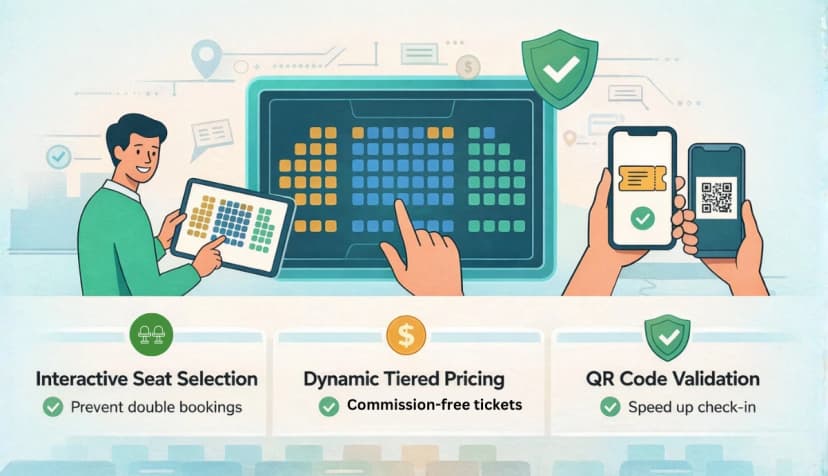
Not all seating tools are built the same. Some just display a layout. Others actually control the workflow.
When I evaluated the top 10 interactive seating chart software, this is what I looked for:
- Is the seating map truly interactive? Can attendees click, zoom, and clearly see availability in real time?
- Does it lock seats during checkout? If seats aren’t temporarily reserved while someone pays, double bookings will happen.
- Can I price by section or even by row? Premium pricing should reflect actual seat position – not just vague ticket types.
- Is it mobile-friendly? If the seat map feels clunky on a phone, conversions will drop fast.
- How easy is venue setup? Can I upload or configure a seating plan without technical complexity?
- Does it integrate with ticketing and QR validation? Seat selection should automatically sync with payment, ticket generation, and entry scanning.
- Can my team manage entry without friction? Coordinator access, live validation, and attendance tracking should be built in.
Personally, I prefer systems where the interactive seating chart isn’t a separate plugin. It should be part of a complete seat booking workflow.
Because the goal isn’t just to show seats. It’s to control them.
Ready to set up your interactive seating chart?
If you’re planning an event with assigned seating, don’t leave revenue and control on the table.
With Ticket Generator, you can:
- Upload your venue layout
- Create tiered seating maps
- Enable real-time seat selection
- Generate QR-based tickets
- Validate entries instantly
- Commission free tickets
- Keep 100% of your ticket revenue
All in one system. Set up your interactive seating chart in minutes, not days. Create your event and launch smarter seating today.
FAQs
1. What is an interactive seating chart?
An interactive seating chart is a live seat map that allows attendees to select their exact seat during ticket purchase. It shows real-time availability and updates automatically after checkout.
2. How is an interactive seating chart different from a static seating plan?
A static seating plan only displays layout information. An interactive seating chart allows users to click, select, and reserve seats directly from the map.
3. How does seat locking work in an interactive seating chart?
When a buyer selects a seat and proceeds to checkout, the system temporarily locks that seat. If payment is completed, it becomes sold. If payment fails, the seat is released back into availability.
4. Can I assign different prices to different seats?
Yes. You can price seats based on section, row, or tier (such as VIP, Premium, General). This allows you to maximize revenue based on seat value and visibility.
5. Is an interactive seating chart necessary for small events?
Not always. But if your event has structured seating, VIP sections, or tiered pricing, an interactive map prevents confusion and improves control — even for mid-sized events.
6. Does an interactive seating chart work on mobile devices?
It should. A properly built seating map allows users to zoom, scroll, and tap seats easily on mobile. Since many ticket purchases happen on phones, mobile responsiveness is critical.
7. Can I reuse a seating layout for multiple events?
Yes. Once a venue layout is configured and approved, it can typically be reused for future events at the same venue. This saves setup time for recurring events.
8. How does it prevent double bookings?
The system updates seat availability in real time and locks seats during checkout. This prevents two people from purchasing the same seat.
9. Does the seating chart integrate with ticket delivery?
In a proper seat booking software system, yes. Once payment is successful, the ticket is automatically generated with the seat number and section embedded. QR Codes are issued instantly.
10. Can my team validate tickets using the seating system?
Yes. With integrated QR-based validation tools like those inside Ticket Generator, your team can scan tickets at entry and track attendance in real time.
11. Is interactive seating chart software expensive?
Pricing varies by platform. However, systems that combine seating, ticketing, and validation in one workflow often reduce operational costs compared to managing separate tools.
12. Can I block or reserve seats manually?
Yes. Most interactive seating systems allow organizers to hold, block, or reserve specific seats for sponsors, staff, or VIP guests before public sales begin.
Make Your Events Awesome With Weekly Insights!
.png&w=640&q=75)
Subscribe
About the author
Content Marketer at Ticket Generator
Ashish Chandra has spent 5+ years writing about event technology, covering topics such as ticket design, QR check-ins, attendee management, and event marketing strategy. As the Content Lead at Ticket Generator, Ashish has analyzed hundreds of real-world event workflows and ticketing setups, helping organizers across industries use QR-based tickets, event landing pages, and smarter ticketing systems to run smoother, better-attended events. His writing is shaped by real user needs and the questions organizers ask most often: How do I sell more tickets? How do I avoid chaos at the door? How do I make my next event better than my last? When he steps away from the screen, you'll likely find him hiking a quiet trail or tending his plants- his preferred way to reset.
Latest posts
Check out our latest articles on the blog
 12 min read
Email Marketing for Events and Webinars: What to Send, When to Send It, and How to Automate It
A step-by-step playbook for email marketing for events and webinars. Learn what to send, when to send it, and how to automate every email for in person and virtual events.
Ashish Chandra
18 Oct 2026
 10 min read
Halloween Masquerade Ball: How to Host a Night of Masks and Mystery
From Venetian-inspired masks to QR-coded entry, here is your complete guide to planning a Halloween masquerade ball your guests will talk about for years.
Ashish Chandra
18 Oct 2026
 9 min read
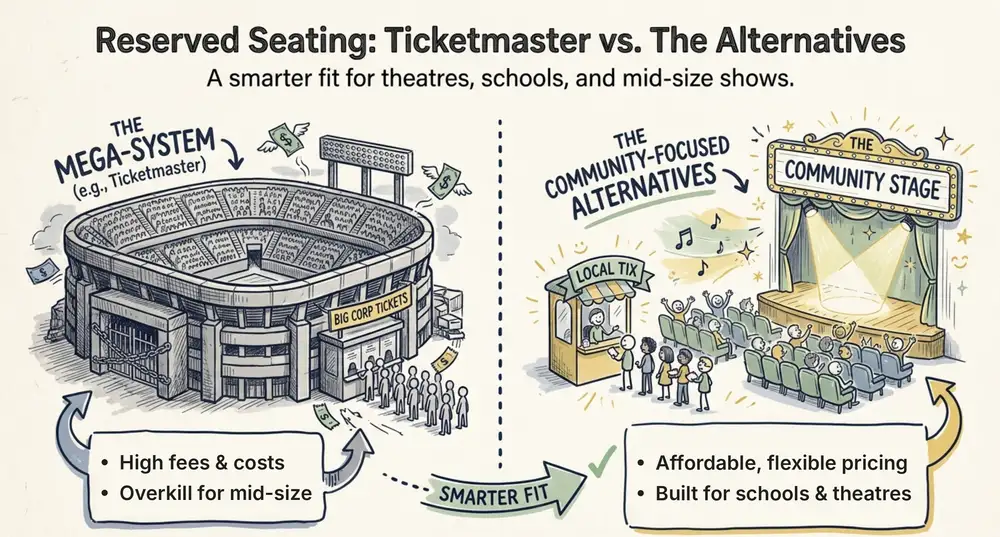
Ticketmaster Reserved Seating: How It Works and a Better Fit for Smaller Events
Ticketmaster reserved seating works well for arenas. If you run a theatre, gala, or mid-size show, see how it works, what it costs, and how to switch.
Ashish Chandra
16 Oct 2026