

Multi-Day Event Ticketing: The Complete Guide
 Written byAshish ChandraLast updatedJuly 1, 2026
Key Takeaways: Multi-day event ticketing covers selling, distributing, and validating tickets for events that span two or more days, like festivals, conferences, and training intensives. The real challenge is access control: a ticket must work only on the right days, without the same pass getting reused at the gate. Offer a mix of single-day passes, full-event passes, and add-ons, then track how attendees move across days. Ticket Generator runs multi-day events with validation that resets at midnight, so one ticket can be scanned fresh each day. Done right, multi-day ticketing keeps gates moving and your revenue clean.
Did You Know? 66% of attendees rank a fast, frictionless booking process as the most important feature of a ticketing platform, and that expectation becomes even more important when an event runs across multiple days and ticket options become more complex. Source: Softjourn (2026) .
Multi-day event ticketing is how you sell, deliver, and check tickets for an event that runs across two or more days. The goal is simple: let the right person in on the right day, every day, with no queues, no confusion, and no duplicate entries.
A single-day event is one gate, one date, one price. A festival, a three-day conference, or a week-long training is a different animal. You are juggling day passes and full-event passes, re-entry, and a crowd that comes and goes. This is exactly why a capable event ticketing platform matters more here than almost anywhere else.
In this guide, I'll explain what multi-day event ticketing is and why it is trickier than single-day ticketing. We break down the ticket types that actually work, how to validate passes across days, and how to turn multi-day data into better decisions, so you can run every day with the same calm as the first.
What is multi-day event ticketing?
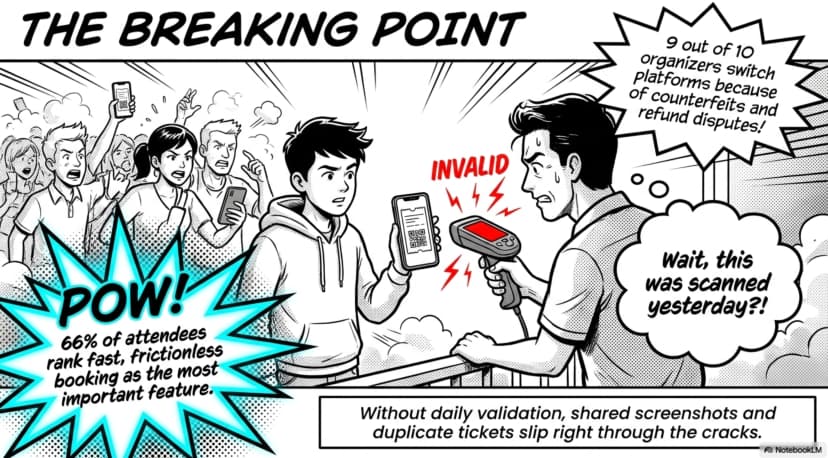
Multi-day event ticketing is the process of selling, distributing, and validating tickets for an event that takes place over two or more days. It spans everything from a weekend music festival ticketing system setup to a three-day conference or a week-long training program.
The defining feature is time. Instead of one entry on one date, you manage access across a span of days, sometimes the same attendees every day, sometimes a fresh crowd each day. According to Straits Research (2024), hybrid and multi-day formats are among the trends actively reshaping how organizers price and sell tickets.
Common multi-day formats include:
- Music and arts festivals (often 2–7 days)
- Multi-day conferences, summits, and trade shows
- Training intensives and bootcamps
- Multi-stage sports meets and tournaments
- Theme parks and seasonal attractions selling multi-day or season passes
That last one is worth a look on its own, a theme park ticketing system leans heavily on multi-day and season passes, and faces the same per-day access questions a festival does.
Why is multi-day ticketing harder than single-day ticketing?
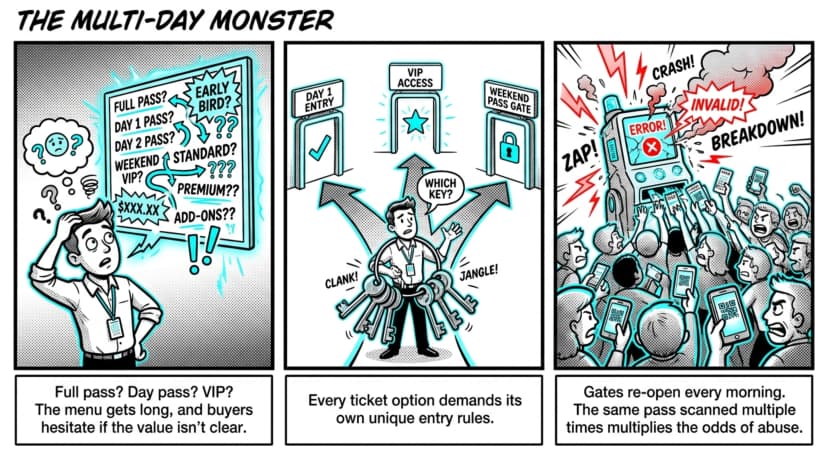
Multi-day ticketing is harder because one ticket has to do more. It must grant access on specific days only, survive re-entry, and never let the same pass count twice. The tidy single price, single gate, single date model simply breaks down.
As Purplepass (2026) puts it, once you spread an event across days, the pricing and access decisions multiply fast. Three pressure points show up on almost every multi-day event:
Pricing puzzles. A full-event pass, a single-day ticket, and a VIP upgrade each need clear, separate value. Attendees should understand exactly what they are paying for, or they hesitate.
Access complexity. Day passes, full passes, session add-ons, VIP tiers, the ticket menu gets long, and every option needs its own rules.
Validation strain. Gates re-open every morning, so the same pass may be scanned several times across the run. That raises the odds of duplicates, shared screenshots, and counterfeits slipping through.
It is no surprise, then, that around 51% of event planners report managing registration as a genuine challenge for multi-day events. The extra ticket types and per-day entry rules are a big part of why.
Pro Tip: Decide your re-entry and per-day rules before you build a single ticket. Ticket Generator lets you run a multi-day event where validation status resets at midnight, so the same pass works fresh each day, no manual resets, no spreadsheets at the gate.
What ticket types should a multi-day event offer?
A strong multi-day event offers at least three ticket types, single-day passes, full-event passes, and add-ons, so attendees can buy exactly the access they want. Giving people the right-sized option usually lifts total revenue, not just convenience.
The tiers worth considering:
- Single-day passes for attendees who can only make one day of the run.
- Full-event passes that offer the best value for your committed crowd, usually one reusable QR or wristband.
- VIP / premium tiers that offer priority entry, lounges, reserved seating, or backstage access.
- Add-ons like parking, meals, merchandise, or workshops, sold with the ticket or as checkout upsells.
- Early-bird pricing where you can reward early buyers and smooth out demand before the doors open.
Here is how those multi-day needs map across a generic, single-day-first tool versus a platform built to handle them:
|
Multi-day need |
Generic / single-day tools |
Ticket Generator |
|---|---|---|
|
Per-day access on one ticket |
Manual workarounds or a separate ticket per day |
Validation resets at midnight — one ticket works each day |
|
Multiple ticket categories |
Often limited, or available at extra cost |
Unlimited categories per event (day, full, VIP, early bird) |
|
Add-ons (parking, meals, merch) |
Tracked separately, usually off-platform |
Scannable add-ons linked to each ticket |
|
Re-entry & duplicate control |
Easy to abuse, hard to catch |
Built-in duplicate detection plus re-entry support |
|
Cross-day attendance data |
Spreadsheets compiled after the fact |
Real-time analytics, exportable per day |
Want to map this to your own event? Try Ticket Generator to build day passes, full-event passes, and add-ons in one place.
How do you validate tickets across multiple days?
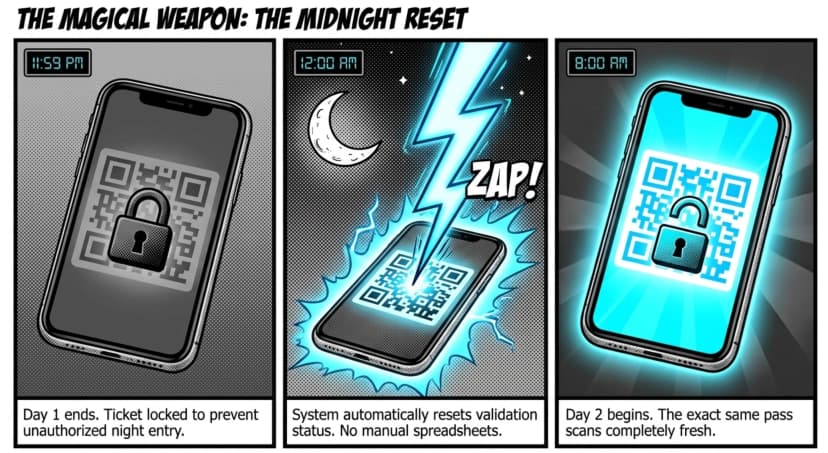
You validate multi-day tickets by scanning each pass at the gate on every day it is valid, using a system that resets daily and flags any duplicate or expired ticket on the spot. The mechanics matter because gates reopen fresh each morning.
On a multi-day event, the same wristband or QR may be scanned several times across the run. Without proper controls, that opens the door to shared passes, screenshots, and counterfeits, and that is precisely where most organizers feel the pain.
Anshul Singh Bisht, Head of Event Technology at Ticket Generator, sees the pattern constantly: “Nine out of ten organizers we onboard mention counterfeit prevention as the first reason they’re switching. They’ve faced duplicate tickets at the gate, refund disputes, and guests who claim they paid but aren’t on the list, and they don’t want to live that twice.”
Solid multi-day validation needs:
- A unique QR code and ticket ID on every pass, so no two attendees share a code
- Duplicate detection that flags a re-scan instantly
- Multi-gate scanning, so several entrances can check people in at once
- Re-entry support for attendees who step out and come back the same day
- A daily reset, so a valid pass scans cleanly again the next morning
Good validation runs on any smartphone (no special hardware) with results shown live as each pass is scanned: valid, invalid, duplicate, or expired. That live check is what keeps a multi-day gate honest.
How can multi-day data make your next event better?
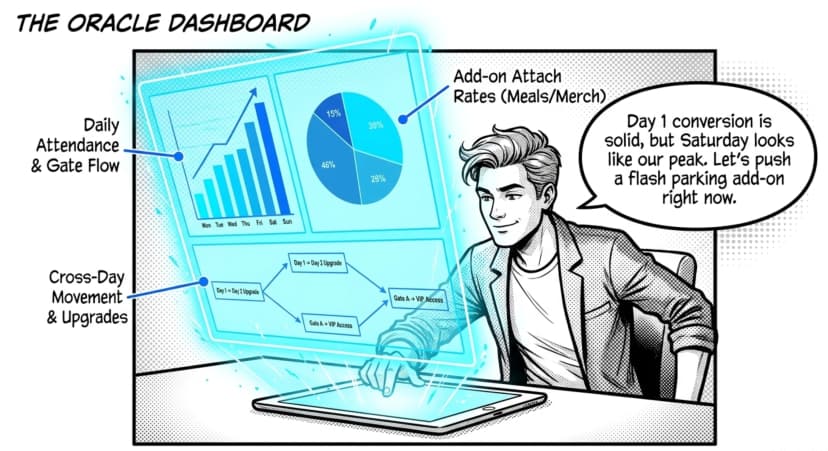
Multi-day events generate a goldmine of behavioral data. This data includes which days sold best, when people arrived, what add-ons they bought. And smart organizers use it to adjust pricing, staffing, and programming while the event is still running.
Did You Know? Organizers of hybrid and multi-day events increasingly rely on behavioral and attendance data to refine strategy while the event is still running, helping them understand attendee movement, engagement patterns, and purchasing behavior across multiple days. Source: Purplepass (2026) .
Because a multi-day event unfolds over time, you are not stuck with a single snapshot. You can see Day 1 attendance, notice that Saturday is your peak, and shift staff or push a flash add-on before Day 2 even starts. The metrics worth watching across days:
- Daily attendance and entry times, by gate
- Registration-to-check-in conversion, broken out by day
- Add-on attach rate (parking, meals, merch)
- No-show patterns by ticket type
- Cross-day movement, who returned and who upgraded
How Ticket Generator handles multi-day event ticketing?
Ticket Generator is built for organizers who want full control over a multi-day event, without paying a commission on every ticket sold. It runs as one clean online ticketing system, from event page to per-day check-in to reporting.
The features that matter most for multi-day events:
- Multi-day events with a midnight reset — one ticket stays valid each day, with no manual resetting between days.
- Multiple ticket categories per event — day passes, full-event passes, VIP, and early bird all live in the same event.
- Scannable add-ons — parking, meals, merch, and workshops link to each ticket and validate just like entry.
- Ticket Validator app and web validator — multi-gate scanning, duplicate detection, and re-entry support on any smartphone.
- Real-time attendance and analytics — track each day’s numbers and export to Excel or PDF.
- Event cloning and built-in Campaigns — re-run next year’s edition in a few clicks, and email attendees between days without a separate tool.
On pricing, there are no surprises: Ticket Generator uses a credit-based model (you pay per ticket generated, not per sale), takes zero commission, and sends payments straight to your own Stripe, PayPal, or Razorpay account.
This kind of coordinated, multi-point access is exactly what DART (Dallas Area Rapid Transit) needed. It used Ticket Generator for multi-location access control with real-time tracking across its events, the same demands a multi-day event makes every morning. Across the platform, Ticket Generator has powered 1,000,000+ tickets across 30,000+ events in 100+ countries.
How to set up a multi-day event in Ticket Generator (step by step)?
- Create your event and set the full date range. For events that run across days, Ticket Generator resets each ticket’s validation status at midnight, so a pass scanned on Day 1 is valid again on Day 2.
- Build your ticket categories. Add as many as you need (single-day passes, a full-event pass, VIP, and early bird) each with its own price (anywhere from $0.60 up to $5,000) and its own quantity.
- Design the ticket. Use the drag-and-drop designer, a ready template, your own upload, or AI ticket design. Every ticket (even a custom upload) gets a unique QR code and ticket ID automatically.
- Add your add-ons. Create scannable perks like parking, meals, or merchandise; fold them into the ticket price or offer them as optional upsells at checkout. You can update add-ons anytime, even after the event goes live.
- Build your event or registration page. Add custom fields, your branding, and a custom domain so the whole experience looks like yours, not the platform’s.
- Generate and distribute tickets. Send by email (up to 1,000 guests per batch), SMS, WhatsApp, or downloadable PDF. Use Schedule Send to deliver a batch at a set date, time, and time zone.
- Validate at the gate each day. Scan with the Ticket Validator app (iOS and Android) or the web validator. Multiple devices scan at once for multi-gate entry, duplicates and expired passes are flagged instantly, and re-entry is supported, all on any smartphone, no special hardware.
- Track attendance in real time. Watch each day’s check-ins, conversion, and any unauthorized-entry attempts as they happen, then export the numbers to Excel or PDF.
- Re-run it next time. Clone the event to launch your next edition without rebuilding from scratch.
The result is one workflow from event page to per-day check-in to reporting, so every day of your event runs with the same control as the first.
The bottom line on multi-day ticketing
Multi-day events ask more of your ticketing than a single date ever could. The same ticket has to work across days, survive re-entry, and stay impossible to fake, all while attendees expect the fast, frictionless booking they would get anywhere else.
There are real trade-offs. More ticket types mean more to manage, and not every tool handles per-day access cleanly. But with clear ticket tiers, daily validation, and live data, a multi-day event can feel as calm to run as a single afternoon.
Ticket Generator was built for exactly that kind of control. To sell day passes and full-event passes, scan them cleanly across every day, and keep your data and revenue in your hands. Your event. Your revenue. Your rules.
FAQs: Multi-Day Event Ticketing
1. What is multi-day event ticketing?
Multi-day event ticketing is the process of selling, delivering, and validating tickets for an event that runs over two or more days. It covers festivals, multi-day conferences, training intensives, and tournaments. The key difference from single-day ticketing is per-day access control — one ticket must work on the right days only.
2. How do you stop people from sharing a multi-day pass?
You stop pass-sharing with unique QR codes, duplicate detection, and daily validation. Each ticket carries a unique QR and ID, so the same code cannot be used by two people at once. With Ticket Generator, a re-scanned or expired pass is flagged instantly at the gate.
3. Should I sell single-day tickets or only full-event passes?
Offer both. Single-day passes capture attendees who can only make one day, while full-event passes reward and lock in your committed crowd. Adding VIP tiers and add-ons gives every type of buyer a clear option, and usually lifts total revenue.
4. Does a multi-day ticket need to be scanned every day?
Yes. On a multi-day event, each pass is scanned at the gate on every day it is valid. A good system resets validation daily so the same ticket scans cleanly each morning, which is exactly how Ticket Generator handles multi-day events.
5. Can I track attendance separately for each day?
Yes. Ticket Generator shows real-time attendance, check-ins, and conversion for each day, and you can export the figures to Excel or PDF. That lets you compare days, spot your peak, and adjust staffing or programming before the next day begins.
About the author
Content Marketer at Ticket Generator
Ashish Chandra has spent 5+ years writing about event technology, covering topics such as ticket design, QR check-ins, attendee management, and event marketing strategy. As the Content Lead at Ticket Generator, Ashish has analyzed hundreds of real-world event workflows and ticketing setups, helping organizers across industries use QR-based tickets, event landing pages, and smarter ticketing systems to run smoother, better-attended events. His writing is shaped by real user needs and the questions organizers ask most often: How do I sell more tickets? How do I avoid chaos at the door? How do I make my next event better than my last? When he steps away from the screen, you'll likely find him hiking a quiet trail or tending his plants- his preferred way to reset.
Latest posts
Check out our latest articles on the blog
 12 min read
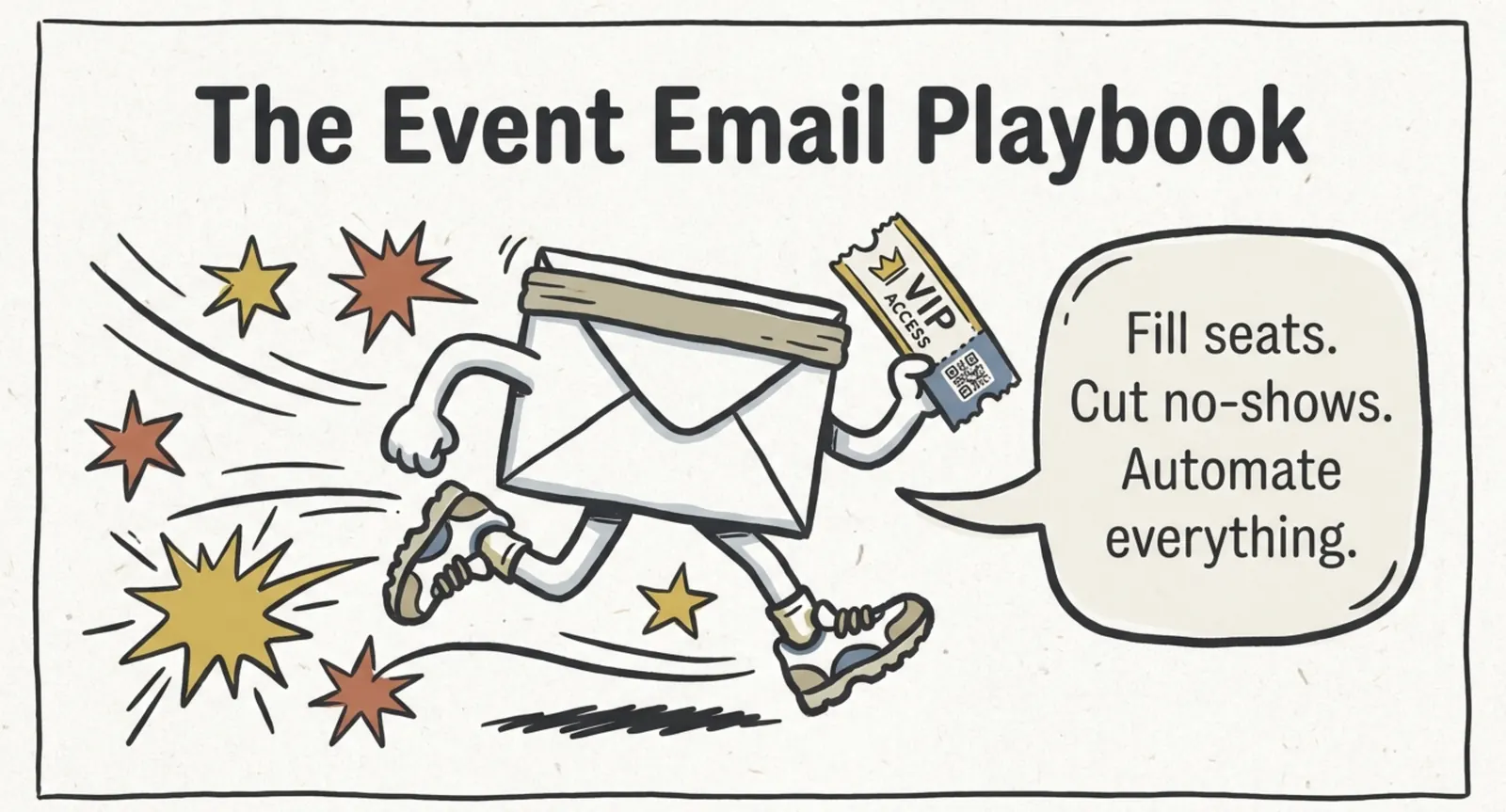
Email Marketing for Events and Webinars: What to Send, When to Send It, and How to Automate It
A step-by-step playbook for email marketing for events and webinars. Learn what to send, when to send it, and how to automate every email for in person and virtual events.
Ashish Chandra
18 Oct 2026
 10 min read
Halloween Masquerade Ball: How to Host a Night of Masks and Mystery
From Venetian-inspired masks to QR-coded entry, here is your complete guide to planning a Halloween masquerade ball your guests will talk about for years.
Ashish Chandra
18 Oct 2026
 9 min read
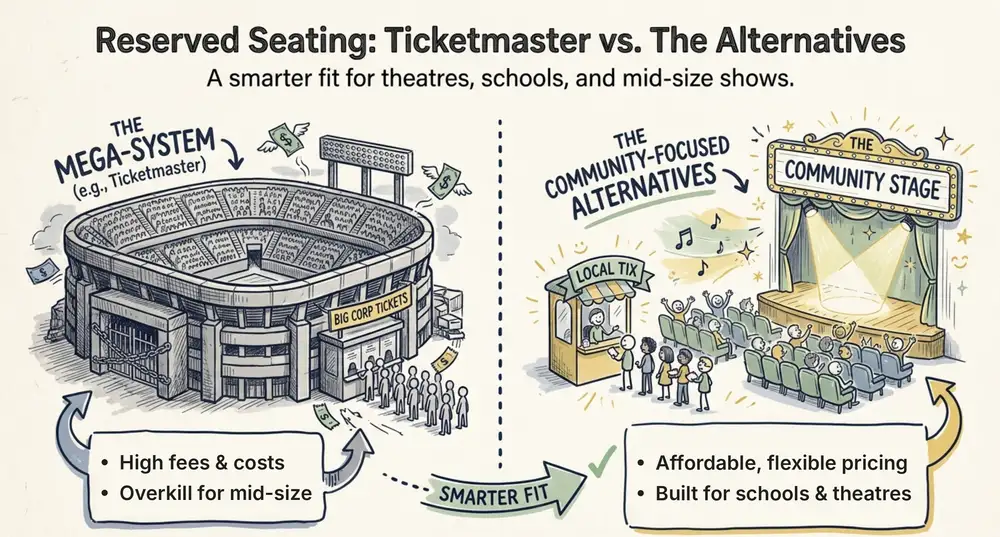
Ticketmaster Reserved Seating: How It Works and a Better Fit for Smaller Events
Ticketmaster reserved seating works well for arenas. If you run a theatre, gala, or mid-size show, see how it works, what it costs, and how to switch.
Ashish Chandra
16 Oct 2026