

Venue Ticketing Software: How to Choose the Right One
 Written byAshish ChandraLast updatedSeptember 2, 2026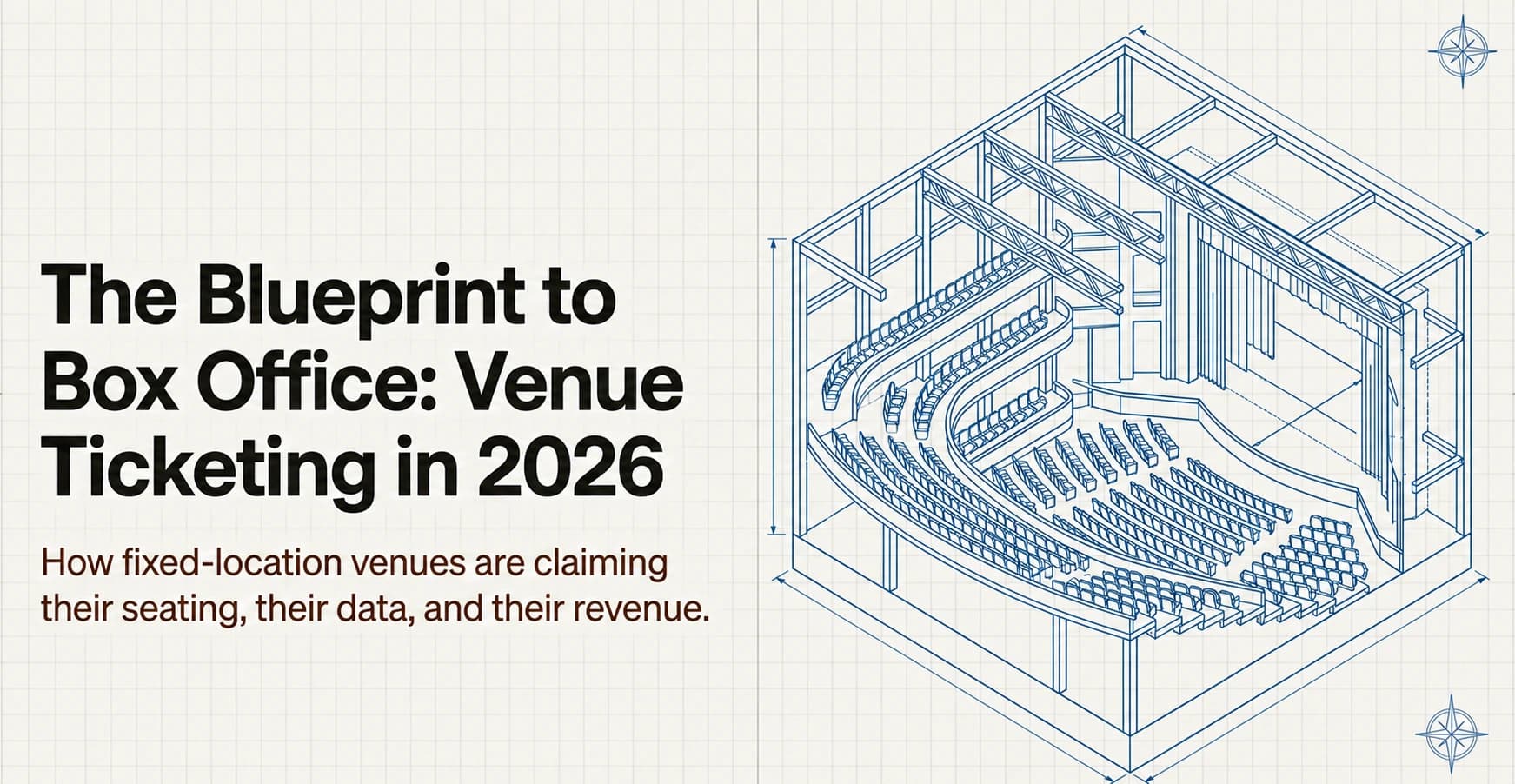
Key Takeaways: Venue ticketing software is a single system that helps fixed venues sell tickets, assign seats, validate entry, and track performance across every event. Most venue operators struggle with marketplace commissions, slow check-ins, and limited access to attendee data. The right platform supports interactive seating layouts, multi-gate QR scanning, recurring events, and real-time reporting without requiring staff to rebuild workflows for every show. Ticket Generator gives venues commission-free ticketing with payments routed directly to their own payment gateway, helping them keep full control over their branding, revenue, and attendee data.
Did You Know? The global online event ticketing market is projected to grow from USD 85.35 billion in 2025 to USD 102.79 billion by 2030, reflecting rising demand for digital ticketing, mobile check-in, and self-managed event platforms. Source: Mordor Intelligence .
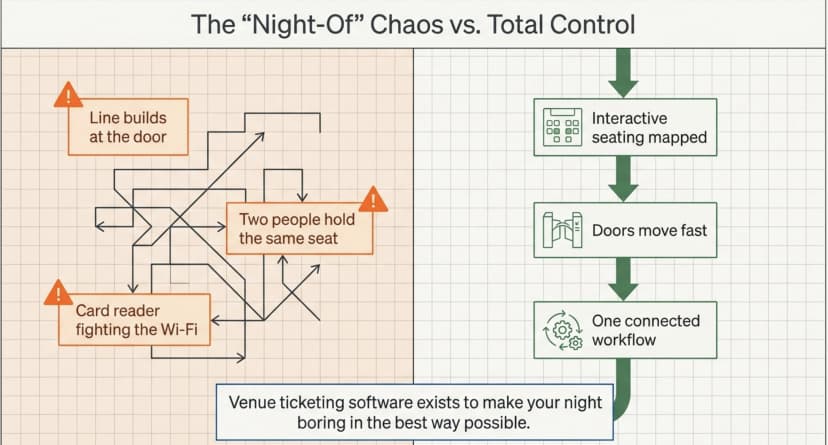
If you run a fixed location, a theater, or a music hall, a conference center, a club, or a community arts space, you already know the night-of feeling. A line builds at the door, someone can’t find their confirmation, two people hold the same seat, and your card reader is fighting the Wi-Fi. Venue ticketing software exists to make that night boring in the best way.
Venue ticketing software is a single platform that lets a venue sell tickets, assign seats, validate entry at the gate, and report on attendance, all tied to a physical space and reused for every event you host. Instead of stitching together a payment form, a spreadsheet, and a printed guest list, you run one connected workflow from event page to door scan.
In this guide we explain what venue ticketing software is, how it differs from generic event ticketing, the features that actually matter for a venue, and a simple way to choose. We’ll also show how Ticket Generator handles seating, multi-gate check-in, and recurring shows.
What is venue ticketing software?
Venue ticketing software is a system built to sell and manage tickets for events held at a specific physical location. It combines an event page, payments, seating, ticket delivery, and entry validation in one place, so the same setup powers every show your venue hosts.
The difference from a one-off ticketing tool is repeatability. A venue isn’t running a single event, it’s running a season. Good venue software lets you save your floor plan, clone last week’s setup, and keep a clean record of who came to which show. It behaves less like a checkout button and more like a lightweight box office that lives inside your own brand. For the broader picture of how these systems work end to end, see our guide to building an online ticketing system.
At minimum, venue ticketing software should let you:
- Publish a branded event page and sell tickets directly to your audience
- Map your venue’s seating so guests pick real seats, not just “general admission”
- Deliver secure QR tickets by email, SMS, or WhatsApp
- Scan and validate entry on a phone at one or many gates
- See attendance, no-shows, and revenue after the doors close
How is venue ticketing software different from general event ticketing?
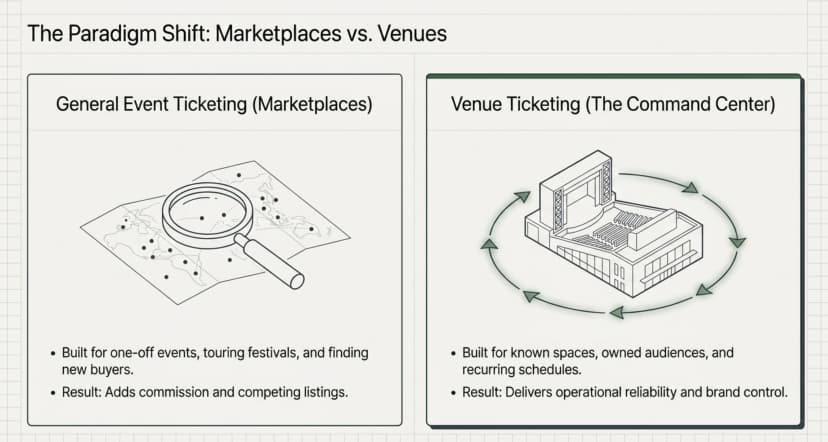
The key difference is the fixed location and the repeat schedule. General event ticketing is built around discovery and one-time events; venue ticketing software is built around a known space, an owned audience, and recurring shows.
A touring festival or a first-time conference wants a marketplace to find new buyers. A 400-seat theater that runs three shows a week already has its audience, a newsletter, a local following, regulars. For that venue, a marketplace mostly adds commission and competing listings. What the venue needs instead is operational reliability:
- Reusable seat maps so you don’t redraw the room for every event
- Multi-gate entry so a sold-out night doesn’t bottleneck at one door
- Event cloning so a recurring show is a two-minute setup, not a rebuild
- Your own payment gateway so money lands in your account, not a platform’s holding balance
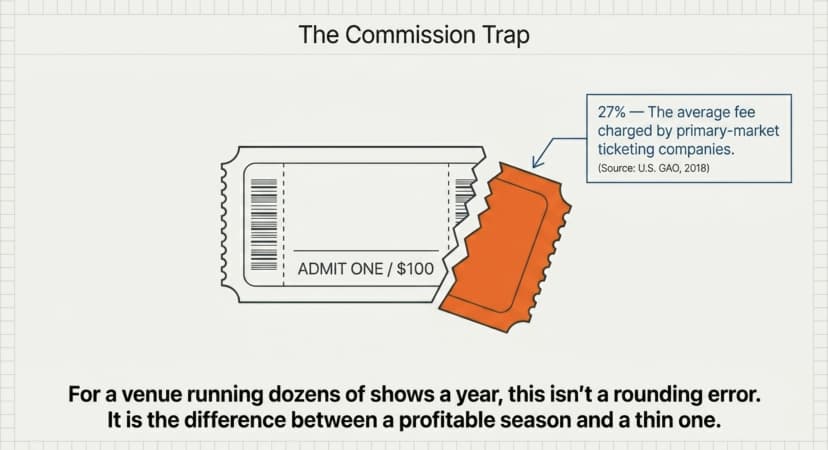
Did You Know? A 2018 U.S. Government Accountability Office study found that primary-market ticketing companies charged fees averaging 27% of a ticket's face value, with some platforms charging substantially more. Source: U.S. GAO (2018) .
For a venue running dozens of shows a year, that fee gap is not a rounding error. It is the difference between a profitable season and a thin one.
What features should venue ticketing software have?
The features that matter most for a venue are seating control, fast validation, recurring-event tools, data ownership, and predictable pricing. Anything beyond that is a nice-to-have.
Use this table to compare what you’re looking at against what a venue actually needs:
|
Capability |
Why a venue needs it |
What to look for |
|---|---|---|
|
Seating layout |
Sell real seats and prevent double-booking |
Reusable interactive seat map tied to your floor plan |
|
Entry validation |
Move a full house through the doors quickly |
Phone-based QR scanning across multiple gates simultaneously |
|
Recurring events |
Run a season without rebuilding setups |
Event cloning and saved venue layouts |
|
Branding & domain |
Keep guest trust on your own brand |
Custom event page domain with no platform watermarks |
|
Data & reporting |
Understand attendance and support remarketing |
Exportable attendance and revenue reports that you own |
|
Pricing model |
Protect margins across multiple shows |
Commission-free pricing so you keep ticket revenue |
Run your next show on a platform built for venues. Start with Ticket Generator, keep your seating, your branding, and 100% of your ticket revenue.
How do you choose the right venue ticketing software?
Choose based on how you actually operate: how often you run events, whether you need assigned seating, how you take payment, and who owns the data. Match the tool to your venue, not your venue to the tool.
Work through these five steps in order:
- Map your real schedule. If you host recurring shows, prioritize event cloning and saved layouts over discovery features you won’t use.
- Decide on seating. Reserved or assigned seating needs a true interactive seat map, not a dropdown of “sections.”
- Check who holds the money. Prefer platforms that pay into your own Stripe, PayPal, or Razorpay account over those that hold and delay payouts.
- Confirm data ownership. You should be able to export attendee and attendance data freely, it’s how you fill seats next time.
- Price across a season, not one event. Multiply per-sale commissions across a year of shows. A commission-free model often wins long before that.
Most venues are choosing between three models. Here is the honest trade-off:
|
Model |
Pricing |
Seating & validation |
Data & branding |
|---|---|---|---|
|
Marketplace platforms |
3–10% commission + processing fees per ticket |
Often strong, but bundled and gated behind higher-priced tiers |
Platform owns attendee relationships; competing listings; platform branding |
|
DIY (forms + sheets + email) |
Cheap upfront, costly in staff time |
No QR validation, no duplicate detection, significant manual work |
You own the data but lack audit trails and automation |
|
Venue software (e.g., Ticket Generator) |
Pay per ticket generated; zero commission |
Reusable seat maps and multi-gate phone-based scanning |
You own the data, use your own domain, and avoid platform watermarks |
If keeping checkout costs low is your main worry, our breakdown of best low fee ticketing sites walks through where hidden charges hide and how to compare them fairly.
How does venue ticketing software handle seating and access control?
It handles seating with an interactive seat map and access control with QR validation at the gate. Guests pick a real seat at checkout, get a unique QR ticket, and that ticket is scanned and locked the moment they walk in.
Seating: a map of your real room
Strong venue software lets you model your actual floor plan (rows, tables, VIP areas, standing sections) so attendees choose where they sit and you never sell the same seat twice. Once that map exists, it should be reusable for every future event. For a deeper walkthrough of setting this up, see our guide to using a seating chart maker for events.
Access control: scan, admit, repeat
At the door, each ticket carries a unique QR code and ticket ID. A scan returns a clear result (valid, invalid, duplicate, or expired) so a copied screenshot or a reused ticket is flagged instantly. Across several gates, multiple staff can scan the same event at once. If you want the full mechanics, our explainer on the QR code ticketing system covers it end to end.
How Ticket Generator works as venue ticketing software?
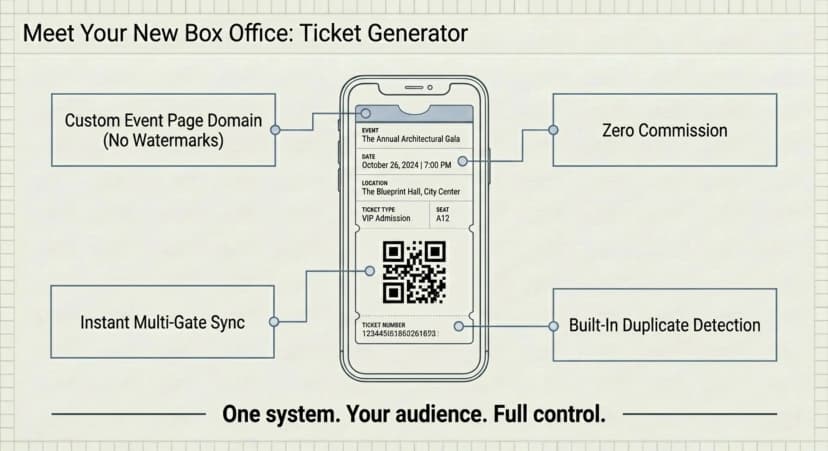
Ticket Generator is built for organizers who already have an audience and want full control of pricing, seating, and data. For a venue, that translates into one connected workflow instead of five disconnected tools.
Here’s what that looks like in practice for a fixed venue:
- Saved venue layouts. Under Settings → Venue Layout, you upload your floor plan and the team maps it for you. Once approved, the seat map is reusable across future events, no redrawing each show. (Venue-layout events use 2 credits per ticket.)
- Multi-gate validation. Validate on the iOS/Android app or any phone’s browser, with multiple devices scanning one event simultaneously so big nights don’t queue.
- Event cloning for your season. Recurring shows clone in minutes, and multi-day events reset ticket status at midnight.
- Your brand, your domain. Run event pages on your own custom domain with no platform watermarks on tickets.
- Zero commission. Payments go straight to your Stripe, PayPal, or Razorpay account. You buy credits per ticket generated (credits don’t expire) and keep 100% of ticket revenue.
- Security you can show. ISO 27001:2022 certified, GDPR-compliant, with built-in duplicate detection on every unique QR.
Venues and access-control operations already run on it. Dallas Area Rapid Transit (DART) uses Ticket Generator for multi-location access control with real-time tracking, and the Heartland Emmys have run 10+ events across four consecutive years, generating 3,433+ tickets. Across the platform, organizers have produced over 1,000,000 tickets for 30,000+ events in 100+ countries.
The practical payoff: your seating is set once, your doors move fast, your season is a few clicks, and your revenue and data stay yours.
The bottom line for venues
Venue ticketing software earns its place when it makes the recurring work disappear, the seat map you reuse, the gate that doesn’t back up, the show you clone in two minutes.
Marketplaces still make sense when you genuinely need discovery, and a DIY setup can limp along for the occasional tiny event. But for a real venue running a real schedule, those choices quietly cost you margin and control.
A platform built for venues keeps the night boring, the lobby moving, and the revenue yours. That’s the whole point of the category and where Ticket Generator fits a venue’s day-to-day.
Start using Ticket Generator to run your venue on one system, reusable seating, multi-gate check-in, and commission-free pricing. Your venue. Your revenue. Your rules.
FAQs: Venue Ticketing Software
1. What is venue ticketing software?
Venue ticketing software is a single platform that lets a fixed location sell tickets, assign seats, validate entry, and report on attendance for every event it hosts. It connects the event page, payments, seating, ticket delivery, and door scanning into one reusable workflow.
2. How much does venue ticketing software cost?
It varies by model. Marketplace platforms typically charge 3–10% commission plus processing on each ticket, while credit-based tools like Ticket Generator charge per ticket generated and take zero commission, so payments land in your own gateway. Across a full season, the commission-free model usually costs a venue far less.
3. Can venue ticketing software handle assigned seating?
Yes. The right venue ticketing software includes an interactive seat map of your real floor plan, so guests pick a specific seat at checkout, and the same seat is never sold twice. With Ticket Generator, your layout is mapped once and reused across future events.
4. Does venue ticketing software work for recurring events?
Yes, and that’s its main advantage over one-off tools. Look for event cloning and saved seat maps so a weekly or monthly show takes minutes to set up instead of being rebuilt each time. Multi-day events should also handle daily entry resets automatically.
5. Is venue ticketing software secure at the door?
It should be. Each ticket carries a unique QR code and ID, and a scan returns valid, invalid, duplicate, or expired in real time, so reused or copied tickets are caught at entry. Ticket Generator is ISO 27001:2022 certified and GDPR-compliant, with duplicate detection built in.
About the author
Content Marketer at Ticket Generator
Ashish Chandra has spent 5+ years writing about event technology, covering topics such as ticket design, QR check-ins, attendee management, and event marketing strategy. As the Content Lead at Ticket Generator, Ashish has analyzed hundreds of real-world event workflows and ticketing setups, helping organizers across industries use QR-based tickets, event landing pages, and smarter ticketing systems to run smoother, better-attended events. His writing is shaped by real user needs and the questions organizers ask most often: How do I sell more tickets? How do I avoid chaos at the door? How do I make my next event better than my last? When he steps away from the screen, you'll likely find him hiking a quiet trail or tending his plants- his preferred way to reset.
Latest posts
Check out our latest articles on the blog
 12 min read
Email Marketing for Events and Webinars: What to Send, When to Send It, and How to Automate It
A step-by-step playbook for email marketing for events and webinars. Learn what to send, when to send it, and how to automate every email for in person and virtual events.
Ashish Chandra
18 Oct 2026
 10 min read
Halloween Masquerade Ball: How to Host a Night of Masks and Mystery
From Venetian-inspired masks to QR-coded entry, here is your complete guide to planning a Halloween masquerade ball your guests will talk about for years.
Ashish Chandra
18 Oct 2026
 9 min read
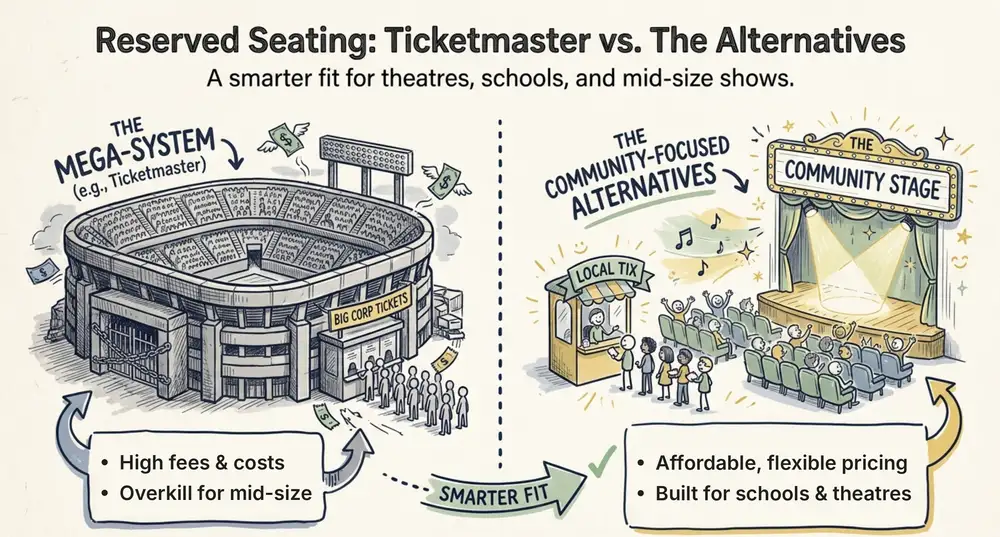
Ticketmaster Reserved Seating: How It Works and a Better Fit for Smaller Events
Ticketmaster reserved seating works well for arenas. If you run a theatre, gala, or mid-size show, see how it works, what it costs, and how to switch.
Ashish Chandra
16 Oct 2026