

Event Payment Software: What It Is and How to Choose One
 Written byAshish ChandraLast updatedJuly 1, 2026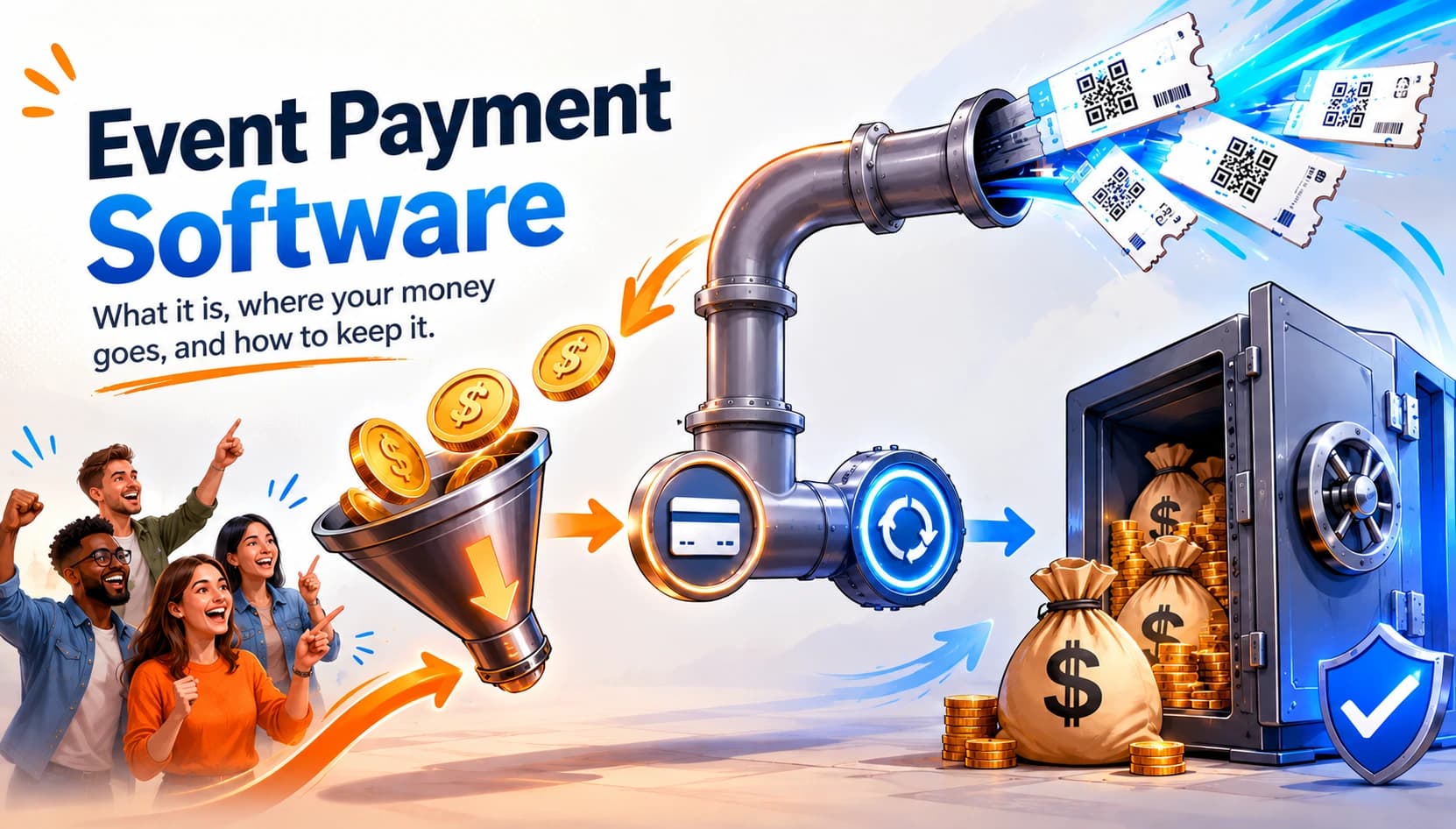
Key Takeaways: Event payment software collects, processes, and reconciles payments for event tickets and registrations in one place. Most platforms bundle payment processing with a commission model, causing organizers to lose 3–10% of every sale. The biggest hidden costs are platform commissions, delayed payouts, and surprise checkout fees. Ticket Generator charges zero commission , which means payments flow directly into your own Stripe, PayPal, or Razorpay account. The right setup gives you predictable pricing, instant settlement, and complete ownership of your attendee and revenue data.
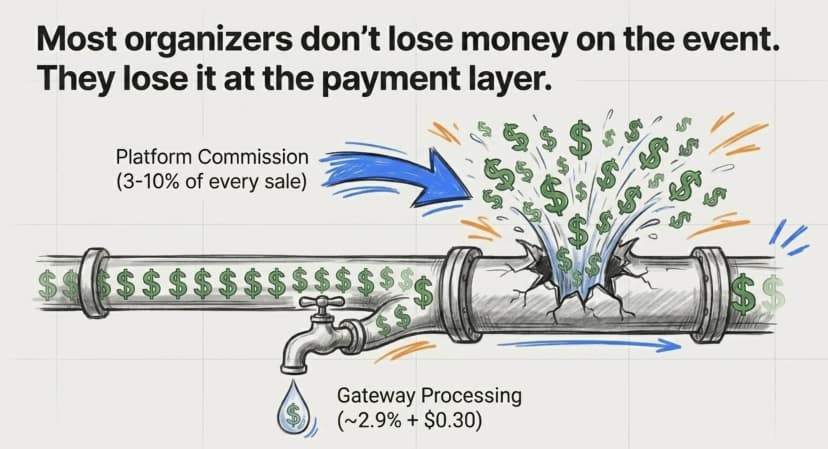
Most event organizers do not lose money on the event itself, they lose it at the payment layer. Event payment software is the system that lets you accept, process, and reconcile payments for event tickets and registrations. It connects your event page to a payment gateway, takes the buyer’s money, issues a ticket, and records the sale so your books stay clean.
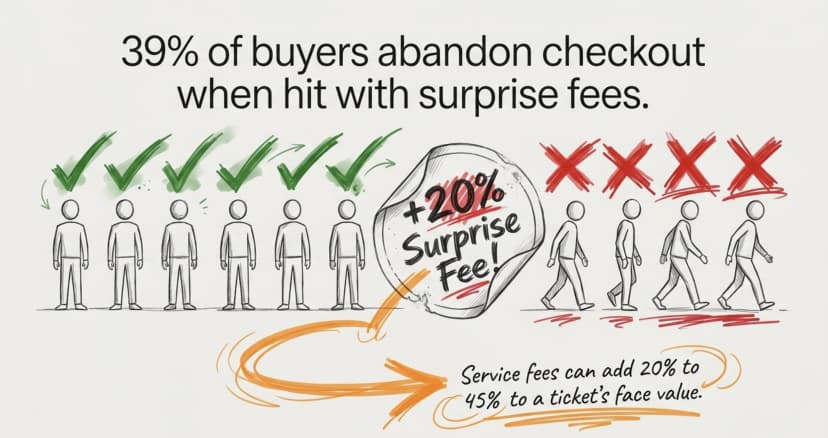
Did You Know? 39% of shoppers abandon checkout when they encounter unexpected extra costs, making surprise fees the single biggest reason for cart abandonment. For events, those costs often come from the payment layer — platform commissions added on top of standard payment-processing fees. Source: Baymard Institute .
The question is not whether you need this software. It is what the software costs you, and who controls your money once it lands.
In this guide, I'll explain what event payment software does, how it works step by step, which features matter, how secure it is, and how pricing models differ. I've put together this guide to help you pick a setup that protects your margins.
Let's begin!
What is event payment software?
Event payment software is a tool that collects payments from attendees and turns each payment into a valid ticket or registration. It sits between your event page and a payment gateway, handling the money and the record-keeping in one flow.
Think of it as three jobs in one:
- Collection i.e. showing a price and taking the card or wallet payment at checkout.
- Processing i.e. passing the transaction to a gateway like Stripe, PayPal, or Razorpay for approval.
- Reconciliation i.e. matching each payment to a ticket, an attendee, and a report.
Most organizers do not buy payment software as a standalone product. It usually comes built into a ticketing or registration platform. That bundling is convenient, but it is also where costs hide because the platform decides how much of each sale it keeps.
The online event ticketing market is large and still growing, which is exactly why pricing models vary so widely. According to Mordor Intelligence (2025), the market is projected to reach $102.79 billion by 2030. With that much money moving, small differences in how a platform handles payments add up fast.
How does an event payment system work?
An event payment system works by moving a buyer from “I want a ticket” to “I have a ticket” while routing the money safely in between. The flow is the same across most platforms, even when the pricing is not.
Here is the typical sequence:
- The attendee picks a ticket. They choose a category (General, VIP, Early Bird) on your event page.
- Checkout shows a price. This is where transparency matters most, because surprise fees here drive abandonment.
- The payment hits a gateway. The software sends the transaction to Stripe, PayPal, Razorpay, or another processor for approval.
- The money settles. Funds move either to the platform (which pays you later) or directly to your own merchant account.
- A ticket is issued. The buyer instantly receives a digital ticket, usually with a unique QR code.
- The transaction is recorded. The sale appears in your dashboard, ready for reporting and reconciliation.
The two steps that decide your experience are settlement (step 4) and issuance (step 5). If the platform holds your funds, you wait for a payout. If payment routes to your own gateway, you are paid as the sale happens.
Did You Know? The U.S. Government Accountability Office (GAO) found that ticketing service fees can add 20% to 45% to a ticket's face value, significantly increasing the final price paid by attendees. Source: U.S. GAO .
What should you look for in an event payment platform?
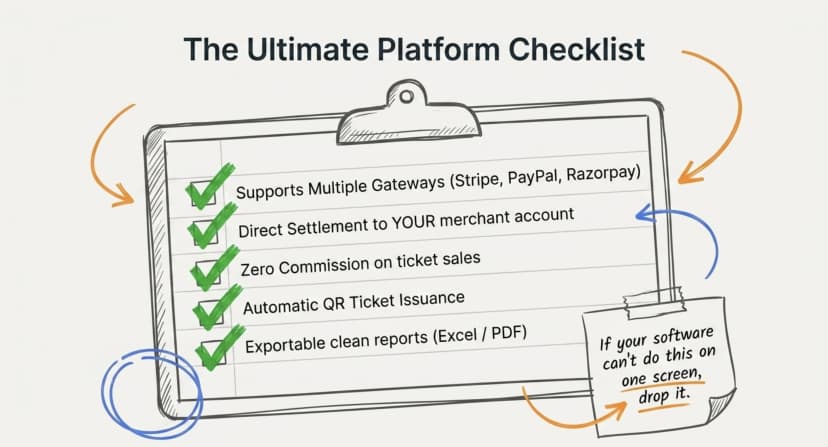
The best event payment platform keeps your money moving, your buyers calm, and your records clean. Beyond simply taking a card, these are the features that separate a strong setup from a costly one.
Look for:
- Multiple payment gateways: Check whether the platform supports Stripe, PayPal, and Razorpay so you are not locked into one processor or region.
- Direct settlement to your account so that the funds land in your gateway and not on a platform wallet you have to wait on.
- Transparent checkout, it is important one clear price, with control over whether any fees are shown or absorbed.
- Automatic ticket issuance: A paid registration instantly becomes a QR ticket, with no manual step.
- Custom registration fields that collect the attendee data you actually need at the point of payment.
- Refund and approval workflows that handle cancellations and manual approvals without spreadsheets.
- Exportable reports, be it payment, attendance, and conversion data you can pull as Excel or PDF.
A quick test: if the software cannot tell you, on one screen, how much you sold and how much you keep, it is not built for organizers.
Try this: Want to keep more of every sale? See how a commission-free ticketing setup changes the math on your next event.
Now, let's answer the next obvious question...
How secure are online event payments?
Good event payment software never touches raw card data, it hands that off to a certified payment gateway. Your job as an organizer is to choose tools that protect payment and ticket data end to end.
Two layers matter here:
- Payment security lives with the gateway. Stripe, PayPal, and Razorpay are PCI DSS compliant, so card details are encrypted and tokenized, never stored on your event page.
- Ticket security lives with the platform. Each ticket should carry a unique QR code and ID so it cannot be copied, and duplicate scans should be flagged instantly at the door.
When you collect payments, you want compliance you can name. Ticket Generator, for example, is ISO 27001:2022 certified, GDPR-compliant, and SOC 2 aligned, and every ticket (even a custom design) gets an auto-embedded with a unique QR Code. A payment that clears but produces a fakeable ticket is only half a solution.
If you're wondering how that validation works at the gate, see my guide to on QR Code ticketing systems.
How much do you really pay to collect event payments?
The real cost is rarely the sticker price. It is the commission, the processing fee, and the payout delay added together. Many platforms look cheap until tickets start selling.
There are usually three layers of cost:
- Platform commission i.e a percentage of each sale, commonly 3% to 10%.
- Payment processing i.e. the gateway’s standard rate. Stripe, for example, publishes a rate of about 2.9% + $0.30 per transaction.
- Per-ticket or feature fees i.e. the extra charges for QR delivery, branding, or analytics.
Here is how those layers compare across models:
|
Cost component |
Commission marketplace |
Usage-based (Ticket Generator) |
|---|---|---|
|
Platform commission |
3%–10% of every sale |
$0 — zero commission |
|
Payment processing |
~2.9% + $0.30, routed through the platform |
~2.9% + $0.30, paid directly to your gateway |
|
Per-ticket cost |
Bundled into the commission |
Flat credit cost, typically ~$0.25–$0.60 per ticket |
|
Payout timing |
Days to weeks |
Instant — funds settle into your own gateway account |
|
Data & branding |
Controlled by the platform |
Fully owned and controlled by you |
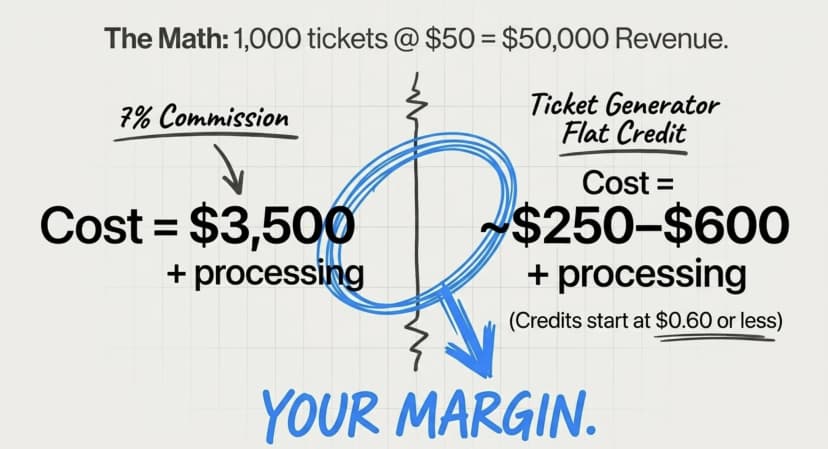
On 1,000 tickets at $50 each which is $50,000 in sales, a 7% commission costs $3,500 before processing fees. A flat credit model on the same volume costs a few hundred dollars in credits, plus the same processing fee you would pay anyway. The gap is your margin.
Pro Tip: Always separate the payment processor's fee from the platform's commission. The ~2.9% + $0.30 charged by providers like Stripe is generally unavoidable, but the extra 3%–10% commission some ticketing platforms add on top is not. Ticket Generator charges zero commission, meaning you pay only for the tickets you generate. Credit packs start at $6 for 10 credits, and credits never expire.
Commission or flat fee: which pricing model wins?
Neither model is “free,” but they fail in different places. Commission-based pricing scales your cost with your success; usage-based pricing keeps your cost predictable no matter how many tickets sell.
|
Question |
Commission-based |
Usage-based |
|---|---|---|
|
What you pay? |
A percentage of every ticket sale |
A flat fee per ticket |
|
Best for? |
Low-volume, discovery-driven events |
Recurring events with a known audience |
|
Cost predictability? |
Low — costs increase as revenue grows |
High — fixed cost per ticket |
|
Who holds your money? |
Often the ticketing platform |
Your own payment gateway |
Honestly, commission models make sense if you genuinely need a discovery marketplace to find an audience. But if you already have your audience, or a membership, a mailing list, or even a returning crowd, you are paying a percentage for reach you do not need.
The FTC has made the cost question even more visible. Its Rule on Unfair or Deceptive Fees, effective May 12, 2025, requires sellers of live-event tickets to show the all-in total price upfront.
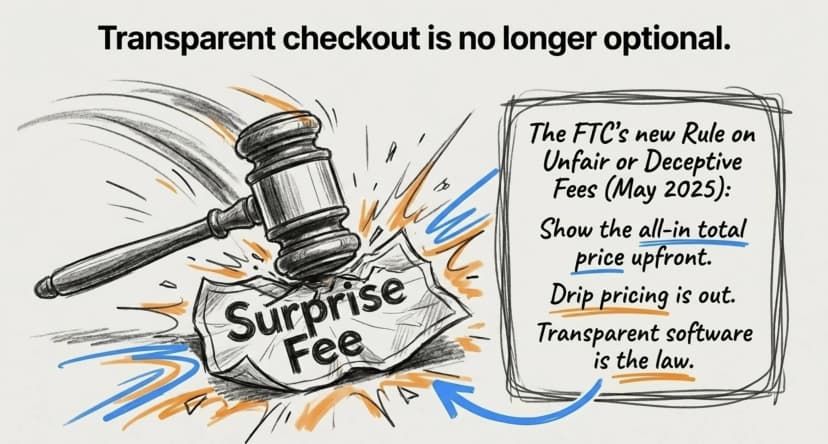
In fact, according to the Federal Trade Commission, the rule targets bait-and-switch “drip” pricing. Transparent payment software is now not just good practice in the U.S., for live events, it is the law.
For a deeper breakdown of platforms by pricing, see our guide to the best low-fee ticketing sites, or how organizers sell tickets without a service charge.
How does Ticket Generator handle event payments?
Ticket Generator is built for organizers who want full control over their events, that includes the money, the data, and the buyer experience. Instead of taking a cut of your sales, it separates the two costs that platforms usually blend together.
Here is how it works in practice:
- You connect your own gateway. Attendees pay through your Stripe, PayPal, or Razorpay account, so funds settle directly to you.
- Zero commission on sales. Ticket Generator never takes a percentage of revenue. Your only platform cost is credit-based, one credit per ticket generated, with packs from $6 for 10 credits and no expiry.
- Paid registrations become tickets automatically. Once payment clears, the attendee gets a branded ticket with a unique QR code.
- Transparent checkout. You decide how prices appear, so buyers see one clear number, which matters when 39% abandon over surprise fees.
- Clean reporting. Sales, registrations, conversion, and attendance export as Excel or PDF.
This model is not theoretical. Felipe Motta, a wine and spirits company in Panama, used Ticket Generator to run paid tastings and events. They generated around 638+ tickets with 96% maximum attendance, and 95% of those tickets created through the API. Payments flowed to their own account, and check-in stayed fast at the door.
Across the platform, Ticket Generator has powered 1,000,000+ tickets and 30,000+ events across 100+ countries. For organizers who care about margins, the appeal is simple: predictable cost in, full revenue out.
Conclusion
Event payment software is the quiet engine of every paid event. It decides how smoothly buyers check out, how fast you get paid, and how much of each sale you actually keep. The software itself is rarely the issue, the pricing model wrapped around it is.
If you run occasional public events and need discovery, a commission platform can work. But if you already have an audience and run events regularly, a usage-based model with direct settlement protects your margin and your cash flow. The money is yours; your payment software should treat it that way.
Get started Try Ticket Generator to collect event payments through your own gateway with zero commission. Your event. Your revenue. Your rules.
FAQs: Event Payment Software
1. What is event payment software?
Event payment software is a system that collects, processes, and reconciles payments for event tickets and registrations. It connects your event page to a payment gateway, takes the buyer’s payment, and issues a ticket. Most tools bundle this into a wider ticketing platform.
2. Does event payment software charge a commission?
It depends on the platform. Marketplace platforms typically charge 3%–10% of each sale on top of payment processing. Others, like Ticket Generator, charge zero commission and use a flat per-ticket cost instead, so payments go directly to your own gateway.
3. How do payouts work with event payment software?
Payouts work in one of two ways. Either the platform collects the money and pays you later, or payments settle directly to your own Stripe, PayPal, or Razorpay account. Direct settlement means you are paid as sales happen, with no waiting period.
4. What payment gateways can I use for events?
Stripe, PayPal, and Razorpay are the most widely supported gateways for event payments. The standard processing rate is around 2.9% + $0.30 per transaction. Using your own gateway keeps that fee separate from any platform commission.
5. Is event payment software worth it for small events?
Yes, even for small events. Automatic ticket issuance, transparent checkout, and clean reporting save hours of manual work. A usage-based platform is especially cost-effective because you pay only for the tickets you generate, not a percentage of sales.
About the author
Content Marketer at Ticket Generator
Ashish Chandra has spent 5+ years writing about event technology, covering topics such as ticket design, QR check-ins, attendee management, and event marketing strategy. As the Content Lead at Ticket Generator, Ashish has analyzed hundreds of real-world event workflows and ticketing setups, helping organizers across industries use QR-based tickets, event landing pages, and smarter ticketing systems to run smoother, better-attended events. His writing is shaped by real user needs and the questions organizers ask most often: How do I sell more tickets? How do I avoid chaos at the door? How do I make my next event better than my last? When he steps away from the screen, you'll likely find him hiking a quiet trail or tending his plants- his preferred way to reset.
Latest posts
Check out our latest articles on the blog
 12 min read
Email Marketing for Events and Webinars: What to Send, When to Send It, and How to Automate It
A step-by-step playbook for email marketing for events and webinars. Learn what to send, when to send it, and how to automate every email for in person and virtual events.
Ashish Chandra
18 Oct 2026
 10 min read
Halloween Masquerade Ball: How to Host a Night of Masks and Mystery
From Venetian-inspired masks to QR-coded entry, here is your complete guide to planning a Halloween masquerade ball your guests will talk about for years.
Ashish Chandra
18 Oct 2026
 9 min read
Ticketmaster Reserved Seating: How It Works and a Better Fit for Smaller Events
Ticketmaster reserved seating works well for arenas. If you run a theatre, gala, or mid-size show, see how it works, what it costs, and how to switch.
Ashish Chandra
16 Oct 2026