

How to Validate Tickets for Smooth & Secure Event Entry
 Written byAshish ChandraLast updatedJuly 22, 2026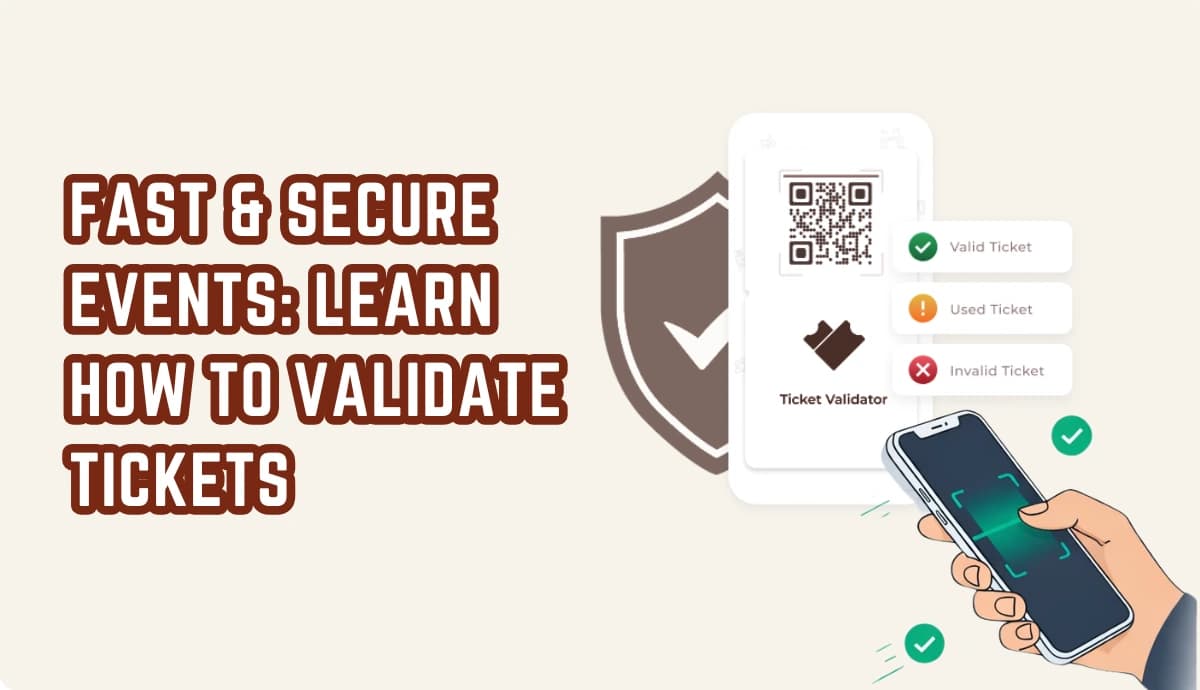
Key Takeaways: To validate tickets, scan each ticket's unique QR Code and check it against your ticketing system, which returns Valid, Invalid, Duplicate, or Expired. Eyeball-only checks let fakes, duplicates, and reused tickets slip past the gate. A scan-based process stops counterfeits instantly and keeps entry lines moving. Ticket Generator's Ticket Validator validates tickets in seconds using a mobile app or web validator, with no special hardware required. Plus, you get real-time attendance data and flagged entry attempts as guests walk in.
Picture the doors opening on your event. A line forms, phones and printouts come out, and your team has seconds to decide who gets in. Do that by eye and you are guessing. Learning how to validate tickets properly turns that guess into a fast, reliable yes-or-no.
Did You Know? UK event-goers reported losing £9.7 million to ticket fraud in 2024, across nearly 9,826 reports. Source: Action Fraud (2024) .
To validate tickets, you scan each ticket's unique QR code or barcode and check it against your ticketing system in real time. The system instantly tells you whether the ticket is valid, already used, fake, or expired, so only genuine ticket-holders walk through.
In this guide, we explain what ticket validation means and why it matters. We walk through how to validate tickets step by step, compare your options in a quick table, and cover the mistakes that let bad tickets slip through.
What does it mean to validate tickets?
Validating tickets means confirming that a ticket presented at entry is genuine, unused, and still valid, before you let the holder in.
It is the check that happens at the gate, not at purchase. Each legitimate ticket carries a unique identifier — usually a QR code or barcode tied to a single record in your ticketing system. When you scan it, the system looks up that record and returns a clear result.
A proper validation answers three questions in a single scan:
- Is this ticket real, or a copy or forgery?
- Has it already been used to enter?
- Is it valid for this event, date, and entry type?
Visual checks on a ticket answers none of these reliably. A photocopied QR looks identical to the original. A screenshot forwarded to five friends looks fine too. Only a scan against a live system, which is the heart of event ticket validation with QR codes, can tell them apart.
Why does validating tickets matter?
Validating tickets protects your revenue, your guests, and your event's reputation, all at the entrance.
Three things are on the line every time someone reaches the front of the line:
- Revenue: every fake or duplicated ticket is a paying seat you gave away for free.
- Safety and capacity: letting in more people than you sold creates crowding and real safety risk.
- Experience: slow, confused entry is the first impression guests actually remember.
This is why organizers treat the gate as seriously as the sale:
“Nine out of ten organizers we onboard mention counterfeit prevention as the first reason they're switching. The cost and speed factors are added benefits. They've faced duplicate tickets at the gate, refund disputes, guests who claim they paid but aren't on the list, and they don't want to live that twice.”
— Anshul Singh Bisht, Head of Event Technology, Ticket Generator
A scan-based check is now the baseline for event safety and security. It moves the decision from a stressed staffer's judgment to a system that simply knows the answer.
How do you validate tickets step by step?
Validating tickets is really a two-part job: first you generate foolproof tickets that can actually be verified, then you scan them at the gate. Both happen inside one tool, so for this demo I'll use Ticket Generator start to finish, which is honestly one of the top choices out there right now. It's affordable, and your first 10 tickets are free with every feature unlocked, no gatekeeping.
Here's the part most guides skip: a ticket is only as checkable as the code on it. Get generation right and validation becomes a one-second yes-or-no.
Part 1: Generate verifiable tickets

A "foolproof" ticket is one where every copy is unique and traceable, so a screenshot forwarded to five friends can't get five people in.
- Sign up and create your event. Head to Ticket Generator and create an account (no card details needed, and you get 10 free credits, 1 credit = 1 ticket). Click Create New Event, add the name, date, time, venue, and description, then hit Create.
- Open Ticket Design. From the Manage Events tab, click your new event and select Ticket Design. You get three ways to build it: upload your own artwork, edit from scratch, or pick a template. Need direction? Check-out event ticket design ideas.
- Let the platform lock in security automatically. This is what makes a ticket foolproof: Ticket Generator stamps every ticket with a unique QR code and a unique Ticket ID, even on custom uploaded designs. No shared codes, and duplicate detection is baked in from the start.
- Personalize with variable fields. Add fields like guest name, seat, row, section, and ticket ID so each ticket is generated one-of-one instead of edited by hand.
- Generate and distribute. Click Generate, then send tickets by email, SMS, or WhatsApp (up to 1,000 per batch), export a print-ready PDF, share a registration form link, or issue them programmatically through the Ticket Generator API. Every digital ticket is created at once, and you'll get an email when the batch is ready.
Pro Tip: Never use a free, generic QR generator for event tickets. Those tools give every attendee the same QR code and can't flag duplicate scans, which defeats the whole purpose of ticket validation. Ticket Generator automatically embeds a unique, validatable QR code on every ticket, enabling real-time duplicate detection at entry.
Part 2: Validate those tickets at the gate

Now the tickets exist and each one is verifiable. Validation comes down to who scans and how and Ticket Generator keeps your dashboard locked down while letting staff do their job.
- Add your gate staff as coordinators. As the admin (event owner), open your event and add your door team as Coordinators. Coordinators get event-level access only, they can scan tickets for that one event, but can't see or change the rest of your dashboard, your pricing, or guest data. You stay the admin; they just work the gate.
- Have staff download the Ticket Validator app. The Ticket Validator app is free on iOS and Android and runs on any smartphone (no extra scanning hardware required). Prefer a laptop or tablet at a check-in desk? Use the web validator at validate.ticket-generator.com instead.
- Log in and select the event. Each staff member signs in with their coordinator credentials and picks the event they're working. Multiple devices can be logged in at once, so you can run several gates in parallel.
- Scan each ticket at entry. Point the camera at the QR code, a scan takes about a second.
- Read the result and act. The app instantly returns one of four verdicts:
- Valid means genuine and unused; wave them in.
- Invalid means code not recognized; likely fake or from another event.
- Duplicate means already scanned once; someone's trying to reuse it.
- Expired means past its valid date or time.
- Handle re-entry and multi-day passes. Turn on re-entry if guests can leave and come back, so a second scan doesn't flag as a duplicate. For multi-day events, tickets reset at midnight automatically.
- Watch the data live. As people walk in you get real-time attendance, coordinator activity logs, and any unauthorized entry attempts flagged, all exportable to Excel or PDF afterward.
So what is the validator actually doing? Each scan sends the ticket's unique code to your live event database and checks three things at once: is this code real, has it already been used, and is it valid for this event and date. That lookup is why the app needs an internet connection, so make sure every gate has reliable Wi-Fi or mobile data before doors open.
Pro Tip: Do a dry run. Scan one sample ticket with Ticket Generator's Ticket Validator app before doors open so your team knows exactly what the Valid, Duplicate, and Invalid screens look like. A two-minute test helps eliminate hesitation at the gate when attendees start arriving.
Ready to skip the guesswork at the door? Try Ticket Generator's ticket validation to check every ticket in seconds with a free app on any phone.
What are the best ways to validate tickets?
The three practical ways to validate tickets are a mobile validator app, a web-based validator, and manual checks, and for most events, app-based scanning wins on speed and accuracy.
|
Method |
Speed |
Catches fakes & duplicates |
Hardware needed |
Best for |
|---|---|---|---|---|
|
Mobile validator app |
Fast (~1 sec/scan) |
Yes, automatically |
Any smartphone |
Most events; multi-gate entry |
|
Web validator (browser) |
Fast |
Yes |
Any device with a browser |
Desktop check-in or a backup lane |
|
Manual / visual check |
Slow |
No |
None |
Tiny private gatherings only |
|
DIY (forms + printed list) |
Very slow |
No |
Printouts |
Not advised for paid or secure events |
App-based scanning is the default for a reason: it is fast, it catches duplicates automatically, and it runs on hardware your team already carries.
Did You Know? Mobile devices accounted for about 58% of online event ticketing transactions in 2025. Source: Mordor Intelligence (2025) .
Guests already live on their phones, so phone-based tickets and phone-based scanning fit together naturally. If you want to go deeper on the tools, compare options in our guide to the best event check-in app for on-site teams.
What mistakes should you avoid when validating tickets?
The biggest validation mistakes are using one shared code for all tickets, relying on visual checks, and failing to plan for connectivity — each one lets bad tickets through.
The generic QR code trap
“The most common mistake we see is organizers using a generic QR generator and realizing that this way every attendee will have the same code. Also, those generators can't help you stop duplicates.”
— Anshul Singh Bisht, Head of Event Technology, Ticket Generator
The other pitfalls
- Eyeballing tickets. Copies and screenshots look identical to the real thing, only a scan can separate them.
- Forgetting about internet. Most validator apps need a connection to check the live database. Make sure every gate has reliable Wi-Fi or mobile data.
- One device, one long line. Use multiple devices scanning at once so a single queue does not stall your whole entrance.
- Not briefing staff on results. Everyone scanning should know exactly what to do on a Duplicate or Invalid before doors open.
Getting these right is closely tied to how you design the ticket itself. Our guide on how to detect fake event tickets covers the security features that make validation reliable in the first place.
How Ticket Generator helps you validate tickets?
Ticket Generator is built for organizers who want secure, fast entry without extra gear or a steep learning curve. Validation is not a bolt-on, it is baked into every ticket you create.
- Unique codes by default. Every ticket gets its own QR code and Ticket ID automatically (even on custom or uploaded designs) so each one is individually verifiable.
- Scan on any phone. The Ticket Validator app (iOS and Android) and the web validator at validate.ticket-generator.com turn any smartphone into a scanner, returning Valid, Invalid, Duplicate, or Expired instantly.
- Built-in duplicate detection. A reused ticket is flagged the moment it is scanned a second time.
- Multi-gate, re-entry, multi-day. Multiple devices can scan at once, re-entry is supported, and multi-day tickets reset at midnight automatically.
- Real-time attendance data. Live tracking and coordinator activity logs show who came in and flag unauthorized entry attempts, all exportable to Excel or PDF.
This holds up at scale. DART (Dallas Area Rapid Transit) uses Ticket Generator for multi-location access control with real-time tracking across sites. At Antioch University, Elida Martinez pointed to “the ability to check in using a QR Code… and the platform to scan tickets on the phone” as a deciding factor. Across 1,000,000+ tickets, 30,000+ events, and 100+ countries, the same validation flow keeps working, backed by ISO 27001:2022 certification and GDPR compliance.
One honest note: the validator needs an internet connection, so line up reliable Wi-Fi or mobile data at your gates. Do that, and every entry point becomes a checkpoint that simply knows the answer.
Conclusion
Validating tickets is the difference between hoping the right people got in and knowing it. A unique code on every ticket, scanned against a live system, turns a stressful judgment call at the door into a one-second yes or no.
No system is magic, you still need enough devices, briefed staff, and a solid connection at the gate. But once those are in place, fakes, duplicates, and expired passes stop being your problem. You get a calm entrance and clean attendance data instead.
If you want that without buying hardware or wrestling with setup, Ticket Generator gives you secure validation on a phone you already own.
Try Ticket Generator to validate every ticket in seconds: spot fakes, stop duplicates, and keep your entrance moving. Your event. Your revenue. Your rules.
FAQs: Validating Tickets
1. What does it mean to validate a ticket?
Validating a ticket means confirming it is genuine, unused, and valid for your event before letting the holder in. Usually you scan its unique QR code against your ticketing system, which returns a Valid, Invalid, Duplicate, or Expired result. Ticket Generator does this in about a second per scan.
2. How do you validate tickets without a special scanner?
You can validate tickets using any smartphone, no dedicated hardware needed. A validator app or web validator uses the phone's camera to scan the QR code and check it against your system. Ticket Generator's Ticket Validator app works on both iOS and Android.
3. Can the same ticket be used twice?
No, not with a proper validation system. When a ticket is scanned a second time, duplicate detection flags it instantly so staff can stop the reuse. If your event allows re-entry, you can enable it so returning guests are not flagged.
4. Do I need the internet to validate tickets?
Yes, most validation tools need an internet connection to check each ticket against the live database. Make sure every entry point has reliable Wi-Fi or mobile data, and plan a backup connection for large or remote venues.
5. How do I validate tickets for a multi-day event?
For a multi-day event, each ticket's status should reset at the start of each day so it can be scanned again. With Ticket Generator, multi-day tickets reset at midnight automatically, and you can track attendance separately for each day.
About the author
Content Marketer at Ticket Generator
Ashish Chandra has spent 5+ years writing about event technology, covering topics such as ticket design, QR check-ins, attendee management, and event marketing strategy. As the Content Lead at Ticket Generator, Ashish has analyzed hundreds of real-world event workflows and ticketing setups, helping organizers across industries use QR-based tickets, event landing pages, and smarter ticketing systems to run smoother, better-attended events. His writing is shaped by real user needs and the questions organizers ask most often: How do I sell more tickets? How do I avoid chaos at the door? How do I make my next event better than my last? When he steps away from the screen, you'll likely find him hiking a quiet trail or tending his plants- his preferred way to reset.
Related articles
Keep reading: more guides on the same topic
 8 min read
Movie Ticket Maker: How To Avoid Ticket Frauds With Technology
Enhance your movie-going experience with our ticket securing tips. From blockbusters to indie gems, ensure a seamless entry into the world of cinema.
Yashika Tangri
01 Jul 2026
 11 min read
Fake Ticket Generator: Why It's Risky to Use?
This article breaks down what people actually mean when they search for a "fake ticket generator" and why acting on it can backfire badly. You'll learn how modern QR-based ticketing instantly catches fakes, what the real legal and practical risks are, and how to create legitimate event tickets quickly and professionally.
Ashish Chandra
01 Jul 2026
 17 min read
How to Detect Fake Event Tickets (Easy Guide for Organizers)
Learn how to detect fake event tickets before they cause problems at your gate. This simple, organizer-focused guide shows real signs of counterfeit tickets, smart verification checks, and proven ways to keep fraud-proof control at concerts, sports, festivals, and more.
Yashika Tangri
01 Jul 2026
Latest posts
Check out our latest articles on the blog
 13 min read
Fundraising Event Management Software: How Much of Your Donations Do You Keep?
Your gala should raise money for your cause, not lose it to event fees. Compare fundraising software pricing, uncover hidden costs, and find the right fit for your nonprofit.
Ashish Chandra
29 Oct 2026
 10 min read
Halloween Masquerade Ball: How to Host a Night of Masks and Mystery
From Venetian-inspired masks to QR-coded entry, here is your complete guide to planning a Halloween masquerade ball your guests will talk about for years.
Ashish Chandra
29 Oct 2026
 10 min read
Hybrid Events Platform: How to Run One Event for In-Person and Virtual Guests
A hybrid events platform lets you run one event for both in-person and virtual attendees. Here's what a good one does and how to ticket and check in both audiences without doubling your workload.
Ashish Chandra
28 Oct 2026