A
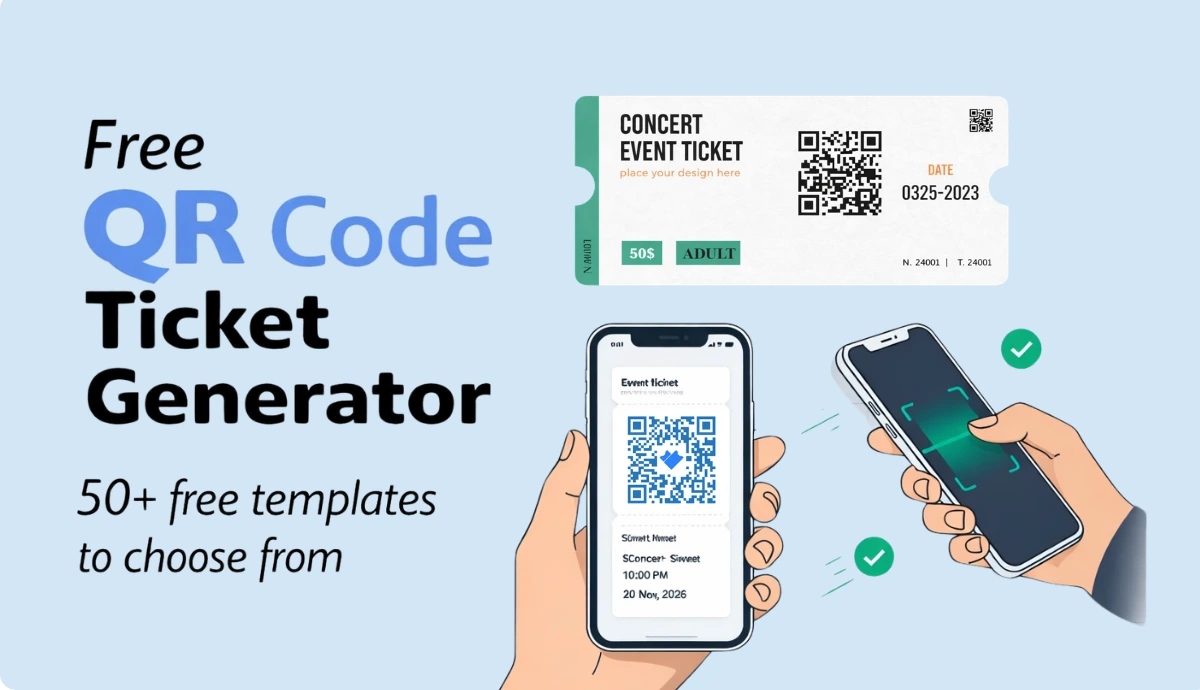
free QR Code ticket generator
lets you create and send digital tickets without printing. Most "free" tools only generate a QR image—they don’t send tickets, validate entry, or track attendance. The best platforms handle the full flow: design → delivery → QR scan → attendance report. Hidden watermarks, daily caps, and per-sale commissions make many “free” tools costly fast.
Ticket Generator
offers a complete, zero-commission QR ticketing platform where you can design, send, validate, and track—all in one place.
When I was new to the events industry, I used to think a QR Code ticket was just a QR Code on a PDF. I was so wrong.
Here's the problem most articles skip: searching for a "free QR code ticket generator" pulls up two completely different types of tools.
The first type generates a QR image, and that's it. You still need to design the ticket, send it, and manually check entries at the door.
The second type handles the full flow. From design, delivery, scanning, to attendance tracking, all in one place. That's what most event organizers actually need.
The catch? Most platforms in the second category charge high commissions on every ticket sold, add their branding to your tickets, or lock key features behind paid tiers.
According to Stripe, payment processing alone often costs around 2.9% + $0.30 per transaction. This applies before any platform takes its cut.
In this guide, I'll break down how QR Code tickets really work, what free tools typically miss, and how to choose the right setup for your event.
I'll also cover the security aspect of it, because a QR Code that can be screenshot and forwarded isn't really secure. (For a deeper dive on that, this guide covers QR ticket security in full.)
A. What is a QR Code Ticket Generator?
A QR Code ticket generator is a tool that creates event tickets with a unique QR Code embedded in each one.
When scanned at entry, that code tells the system whether the ticket is valid, already used, or fake.
But that's where the similarity between tools ends. Understanding which one you actually need saves a lot of frustration before your event day.
When you search for a free QR code ticket generator, you'll find two very different types of tools in the results. They look similar on the surface. In practice, they solve completely different problems.
Type 1: Free QR Code generators
These are design and marketing tools that generate a QR Code image. Tools like Scanova let you enter a URL, generate a QR code in seconds, and download it as a PNG, JPEG, or PDF to drop into any design you're working on.
They're fast, genuinely free, and they work well for what they're built for: marketing materials, business cards, posters, and event flyers where you just need a scannable link.
What they don't do:
Assign a unique code to each attendee
Validate whether a ticket has already been scanned
Flag duplicates or fakes at entry
Send tickets to guests automatically
Track who showed up
“The most common mistake we see is organizers using a generic QR generator and realizing that this way every attendee will have the same code," says Anshul Singh Bisht, Product Manager at Ticket Generator. "Also, those generators can’t help you stop duplicates."
These tools work well if you just need a QR code for advertising purposes (directing people to your event website or a ticketing page).But if you're using them as actual entry tickets, every person who sees or screenshots that ticket has the exact same QR code. There's nothing to stop it from being reused.
Best for: Flyers, event promotions, directing people to a registration link.
Type 2: Free QR Code ticket generators
These are event ticketing platforms that generate a unique QR code per attendee (tied to their name, ticket ID, and entry record). When scanned at the door, the system validates that specific ticket and marks it as used.
With this kind of platform, you can export secure event tickets as printable files or send them to guests via email, SMS, and WhatsApp, and validate them at entry using a free scanner app, monitoring all scans in real time to prevent fraud.
What they do that generic tools can't:
Generate a different QR code for every single ticket
Block duplicate scans instantly
Send tickets directly to attendees
Log attendance automatically
Give you a post-event report
The free tier varies by platform. Some tools, like Ticket Generator, allow the first 10 watermark-free tickets in the free trial.Others reserve advanced features, including dynamic QR codes and scan analytics for paid subscribers.
Best for: Any event where you need to control entry, prevent fakes, and track attendance.
Here’s a quick comparison:
What you need
Right tool type
A QR code for a flyer or poster
Type 1 — Canva, Adobe Express, QR Code Monkey
A QR code for a registration link
Type 1 — works fine
Unique QR tickets per attendee
Type 2 — event ticketing platform
Entry validation and fraud prevention
Type 2 — event ticketing platform
Attendance tracking and reports
Type 2 — event ticketing platform
If you're planning an event with more than a handful of guests, you almost certainly need Type 2. The rest of this guide focuses on how to find the best free option in that category, one that doesn't quietly cap tickets, watermark your designs, or take a cut of every sale.
Did you know?Hidden ticketing fees can raise event prices by up to 41%. This cuts into your profits and hurts attendees' trust. (Source:
The Guardian
)
B.What do generic free QR tools do, and where do they fall short for events?
Generic free QR Code generators are excellent for creating QR codes, but they are not built to run an event check-in system. They can’t offer automated ticket distribution and validation features.
I want to be fair here. Generic free QR code tools are genuinely good at what they're designed for. The problem isn't that they're bad tools; it's that event organizers sometimes try to use them for something they were never built to do.
Most popular QR tools today are built for design or marketing, not event ticket validation. For example, tools like Canva let you design attractive tickets and add a QR code, but the code usually links to the same URL for every ticket.
That means there’s no way to validate scans, detect duplicates, or track whether the same ticket was used multiple times. Canva also doesn’t handle ticket delivery, so organizers must manually send PDFs or share download links with attendees.
Similarly, platforms like Scanova (although a good free QR Code generator) focus on QR generation for marketing use cases such as campaigns, print materials, and trackable links.
While they support dynamic and trackable QR codes, they are not designed for event ticketing workflows like generating unique QR codes per attendee, validating tickets at entry, or logging attendance.
The honest summary of where generic tools stop
All of these tools hit the same wall when you try to use them for event entry:
One QR code for all tickets. Anyone with the image can walk in.
No validation. Staff have no way to confirm whether a ticket was already scanned.
No delivery system. You still need to manually send tickets to every guest.
No attendance data. You won't know who showed up without a separate sign-in sheet.
None of that is a criticism, these tools don't claim to do those things. But if you're running an event where entry control matters, even a little, a generic QR tool leaves significant gaps that you'll feel on event day.
The good news is that several platforms close all of those gaps and some do it for free, at least for smaller events. That's what the next section covers.
C. What event organizers actually need from a free QR Code ticket generator?
Most free QR tools only create an image. Event organizers need much more than that.
Tickets must reach every guest, entry must move fast, fake tickets must be caught instantly, and organizers need to know who actually attended. A simple QR image cannot handle these tasks.
A proper free QR code ticket generator should do the following:
1. Generate a unique QR code for every attendee: Each ticket should have its own QR code linked to a specific attendee record. When scanned, the system marks it as used. If someone tries to scan the same ticket again, it is instantly flagged as a duplicate.
2. Deliver tickets automatically: Sending tickets manually is slow and impractical. A proper system sends tickets automatically after registration or payment via email, SMS, or WhatsApp. Most attendees now access tickets on their phones, so mobile delivery is essential.
3. Validate tickets with a phone: Entry staff should be able to scan tickets using a smartphone, no expensive hardware required. The scanner should instantly show whether a ticket is valid, already used, or invalid.
4. Track attendance automatically: QR-based systems log every check-in automatically, including the attendee name, ticket ID, and entry time. This helps organizers understand actual attendance and analyze event performance later.
5. Keep costs transparent: Many “free” ticketing platforms charge high commissions once tickets start selling. A truly free QR code ticket generator keeps pricing transparent and avoids percentage-based cuts from ticket revenue.
The checklist: what a genuinely useful free QR ticket generator must include?
Feature
Why it matters
Unique QR code per attendee
Prevents fakes and duplicate entry
Automated ticket delivery
Saves hours of manual distribution work
Mobile validator app
Fast, hardware-free entry scanning
Real-time duplicate detection
Catches forwarded screenshots instantly
Attendance tracking & reports
Replaces manual sign-in sheets
Zero commission on sales
Keeps your ticket revenue intact
No card required to start
Makes "free" actually free
Most tools in the results for "free QR code ticket generator" check one or two of these boxes. Very few check all of them. The next section shows you exactly how to create a complete QR code ticket for your event (for free) and which platforms make that possible.
Set Up Event Ticketing and Distribution in Minutes!
First 10 tickets free | Free account | No credit card required
D. How to create free QR Code Tickets for your event (step by step)?
For this guide, I’ll be using Ticket Generator to show you how. It's the most complete free starting point I've found for event organizers - 10 free tickets on sign-up, no credit card required, and every feature is included from the first ticket.
Here's the full process from sign-up to entry scan.
Step 1: Create your free account
Go to Ticket Generator and sign up with your email or Google account. You won't be asked for any credit card details. Your free account comes with 10 ticket credits — one credit per ticket — so you can test the full platform before spending anything.
Once logged in, you'll land on the main dashboard.
Step 2: Create your event
Click Create New Event in the left sidebar. Fill in your event details:
Event name
Date, time, and time zone
Venue or location
Whether tickets are free or paid
Single entry or multiple re-entry per ticket
That's it. Your event is now live in the system and ready for tickets.
Step 3: Design your QR code ticket
Head to the Ticket Design tab inside your event. You have three options:
Customize the standard design — Add your logo, background image, brand colors, and event details
Upload your own design — If you've already designed a ticket in Canva or elsewhere, upload it here and TG will embed the unique QR code and ticket ID automatically
Every ticket generated gets its own unique QR code and ticket ID, no two tickets are the same, which prevents duplication, forgery, and unauthorized entry.
Pro tip: If you're using a custom upload, leave a clear space on your design for the QR code. The system places it automatically.
Step 4: Set up your registration page
If you want guests to register online rather than distributing tickets manually, set up an Event Page. This takes about two minutes.
Your event page is a mobile-optimized registration page you can share publicly or privately. Organizers can customize the form to capture name, email, phone number, and payment details for paid events.
Once someone registers, the system automatically generates their ticket and sends it, no manual work required on your end.
Step 5: Send tickets to your guests
You have four ways to get tickets to attendees:
Generate and send — Enter email addresses or phone numbers. Tickets are delivered instantly via email, SMS, or WhatsApp
Generate and download — Download print-ready PDFs for physical distribution or box office sales
Share a registration link — Guests self-register and receive tickets automatically after approval
Generate via API — For developers building automated workflows at scale
If an attendee doesn't receive their ticket, you can resend it instantly at no extra charge, using their email address, phone number, or ticket ID to locate their record.
Step 6: Scan tickets at entry
Download the free Ticket Validator app on iOS or Android. Add your team members as coordinators from the dashboard, they each get access on their own phones.
On event day:
Open the app and select your event
Tap Scan QR Code
Point at the attendee's ticket on their phone screen or printed copy
The app shows one of three results instantly:
✅ Valid — First scan, entry approved
🔁 Duplicate — Already scanned, entry blocked
❌ Invalid — Not a real ticket for this event
You can monitor all scans in real time from the dashboard, across every entry point simultaneously, to prevent fraud and ensure smooth entry management.
Multiple team members can scan at the same time. No hardware needed. Just phones.
Step 7: Review your attendance report
After the event, open the Analytics tab. You'll see:
Total tickets issued vs. tickets scanned
Check-in times and peak entry periods
No-show count
Per-coordinator scan activity
Reports can be exported in XLSX or PDF format for post-event review, sponsor reporting, or planning your next event.
What the free plan covers?
To be specific about what's genuinely free:
What you get
Free tier
Tickets
10 tickets, no card required
Ticket design
Full access — templates, custom upload, branding
QR code per ticket
Unique per attendee, included on every ticket
Ticket delivery
Email, SMS, WhatsApp
Validator app
Free on iOS and Android
Attendance tracking
Included
Commission on sales
Zero — ever
After 10 tickets, credits start at $0.60 per ticket, scaling down to $0.25 at volume. There's no monthly subscription required and no platform commission on ticket revenue at any tier.
For most small events, the 10 free tickets are enough to run a complete pilot before committing to anything.
Set Up Event Ticketing and Distribution in Minutes!
First 10 tickets free | Free account | No credit card required
E. Which free QR Code ticket generators are worth using in 2026?
Platform
Free tier
Unique QR per attendee
Auto ticket delivery
Free validator app
Zero commission
Best for
Ticket Generator
10 tickets, no card
✅
✅ Email/SMS/WhatsApp
✅
✅ Always
Any event needing full QR ticket control
Eventbrite
Free events only
✅
✅
✅ (their app)
❌ Paid events
Public events needing marketplace reach
TicketTailor
Free events only
✅
✅
✅
✅ (flat fee applies)
Budget-conscious paid event organizers
Zeffy
100% free
✅
✅
✅
✅
Nonprofits and fundraisers only
Google Sheets + Add-on
Free
⚠️ Manual setup
❌
❌
✅
Micro-events with technical bandwidth
Note: Features and limitations may vary based on plan and use case.
What does this comparison tell you?
No platform is universally best. The right choice depends on two questions:
Do you need marketplace discovery? If yes, Eventbrite makes sense despite its commission structure. If you already promote your own events, paying a percentage on every ticket sold rarely makes financial sense.
Do you need the full QR ticket workflow for free? If yes, design, unique codes, automated delivery, mobile validation, attendance tracking, zero commission — Ticket Generator is the only platform in this list that offers all of it, starting free, with no credit card required.
The 10 free tickets are enough to run a complete small event or test the entire workflow before your first credit purchase. That's a meaningful free tier, not a teaser.
Did you know?Antioch University wanted to cut paper waste without adding complexity to campus events. So they switched to
Ticket Generator
. Across 3 events, 1,700+ tickets were generated and sent automatically. Entry became faster, staffing lighter, and events more sustainable. Sometimes, small operational changes do most of the work 🌱
F. How does Ticket Generator's free plan actually work?
Most platforms use "free" as a hook to get you in the door, then gate the features that actually matter. Ticket Generator works differently.
Here's exactly what you get for free:
10 ticket credits on sign-up — no credit card, no expiry
Full ticket designer — templates, custom upload, logo, branding
Unique QR code on every ticket
Delivery via email, SMS, or WhatsApp
Free Ticket Validator app on iOS and Android
Real-time duplicate detection at entry
Attendance tracking and post-event reports
Zero commission on ticket sales — at every tier, forever
Nothing is locked behind a paid plan. The 10 free tickets give you the complete experience, not a stripped-down preview.
After 10 tickets, here's how credits work:
Credit pack
Price
Cost per ticket
10 credits
$6
$0.60
50 credits
$20
$0.40
250 credits
$75
$0.30
1,000 credits
$250
$0.25
Credits don't expire. There's no monthly subscription. You buy what you need, when you need it.
Compare that to a commission-based platform charging 5–8% per ticket. On a 500-person event with $25 tickets, that's $625–$1,000 in platform fees. At $0.25 per ticket on Ticket Generator, the same event costs $125 and you keep every dollar of revenue.
If you want to go deeper on how no-fee ticketing affects buyer trust and conversion rates, that's worth a read before your next event.
Conclusion
A free QR code ticket generator means different things depending on what you're trying to do.
If you need a QR code for a flyer or poster, tools like Scanova will serve you well. They're fast, free, and built for exactly that purpose.
But if you're running an event (even a small one), a QR image alone leaves too many gaps. Guests need to receive their tickets. Entry needs to be controlled. Duplicates need to be caught. Attendance needs to be logged. None of that happens automatically with a generic QR tool.
The good news is that a complete solution doesn't have to cost anything to start. The right platform gives you unique per-attendee QR tickets, automated delivery, mobile validation, and attendance tracking, all before you spend a single dollar.
That's the bar worth holding any free QR code ticket generator to. Most tools don't clear it. A few do.
Set Up Event Ticketing and Distribution in Minutes!
First 10 tickets free | Free account | No credit card required
1. Are free QR code ticket generators actually free?
Some are, with limits. Most free tiers either cap ticket numbers, add platform watermarks, or charge commissions on paid ticket sales. Ticket Generator's free tier gives you 10 complete tickets (full features, no watermarks, no commission) before any payment is needed.
2. Can I create QR code tickets in Canva for free?
Yes, but Canva generates a static QR code that links to a URL, not a unique per-attendee ticket. Every guest gets the same code, which means no fraud protection and no entry validation. For event tickets, you need a platform that assigns a unique QR code to each attendee individually.
3. How do I validate QR code tickets at my event?
You need a ticketing platform with a built-in validator app. Ticket Generator includes a free iOS and Android app. Your team scans QR codes on their phones at entry, the app shows valid, duplicate, or invalid in real time, with no hardware required.
4. What happens if someone screenshots and shares their QR ticket?
On a proper QR ticketing platform, the first scan marks the ticket as used. Any subsequent scan of the same code shows as a duplicate and blocks entry. This is why generic QR tools, which produce one shared code, aren't suitable for event entry.
5. Is Ticket Generator really free?
Yes, for your first 10 tickets. You sign up, get 10 credits, and access every feature (design, delivery, validation, and reporting) with no credit card and no commission. After 10 tickets, pay-as-you-go credits start at $0.60 per ticket, scaling down to $0.25 at volume.
6. What's the cheapest way to sell event tickets online?
The cheapest way depends on your event size. For small events under 10 attendees, Ticket Generator's free tier covers everything. For larger paid events, a commission-free platform like Ticket Generator typically costs far less than percentage-based platforms. You can read the full breakdown in this best low-fee ticketing sites guide.
7. Can I use a free QR ticket generator for large events?
Yes. Ticket Generator scales from 10-person workshops to large conferences. The validator app supports multiple simultaneous scan points, and attendance data syncs across all devices in real time. Credits scale in cost as volume increases, larger packs cost less per ticket.
8. Do I need to print QR code tickets?
No. Most attendees prefer digital tickets on their phones. Ticket Generator delivers tickets via email, SMS, or WhatsApp. Guests show the QR code on their screen (no printing needed). For events that prefer physical tickets, PDF download is also available. You can read more about how digital tickets work in practice.
9. Can I design my own QR code ticket for free?
Yes. Ticket Generator's free tier includes a full ticket designer (free templates, custom uploads, logo, brand colors, and event details). Every design automatically includes the unique QR code and ticket ID. If you've already designed a ticket in Canva, you can upload it directly and the platform will embed the QR code for you.
Ashish Chandra has spent 5+ years writing about event technology, covering topics such as ticket design, QR check-ins, attendee management, and event marketing strategy. As the Content Lead at Ticket Generator, Ashish has analyzed hundreds of real-world event workflows and ticketing setups, helping organizers across industries use QR-based tickets, event landing pages, and smarter ticketing systems to run smoother, better-attended events.
His writing is shaped by real user needs and the questions organizers ask most often: How do I sell more tickets? How do I avoid chaos at the door? How do I make my next event better than my last?
When he steps away from the screen, you'll likely find him hiking a quiet trail or tending his plants- his preferred way to reset.




.png)

.png)






.webp)

.svg)
.svg)
