

Hybrid Events Platform: How to Run One Event for In-Person and Virtual Guests
 Written byAshish ChandraLast updatedOctober 28, 2026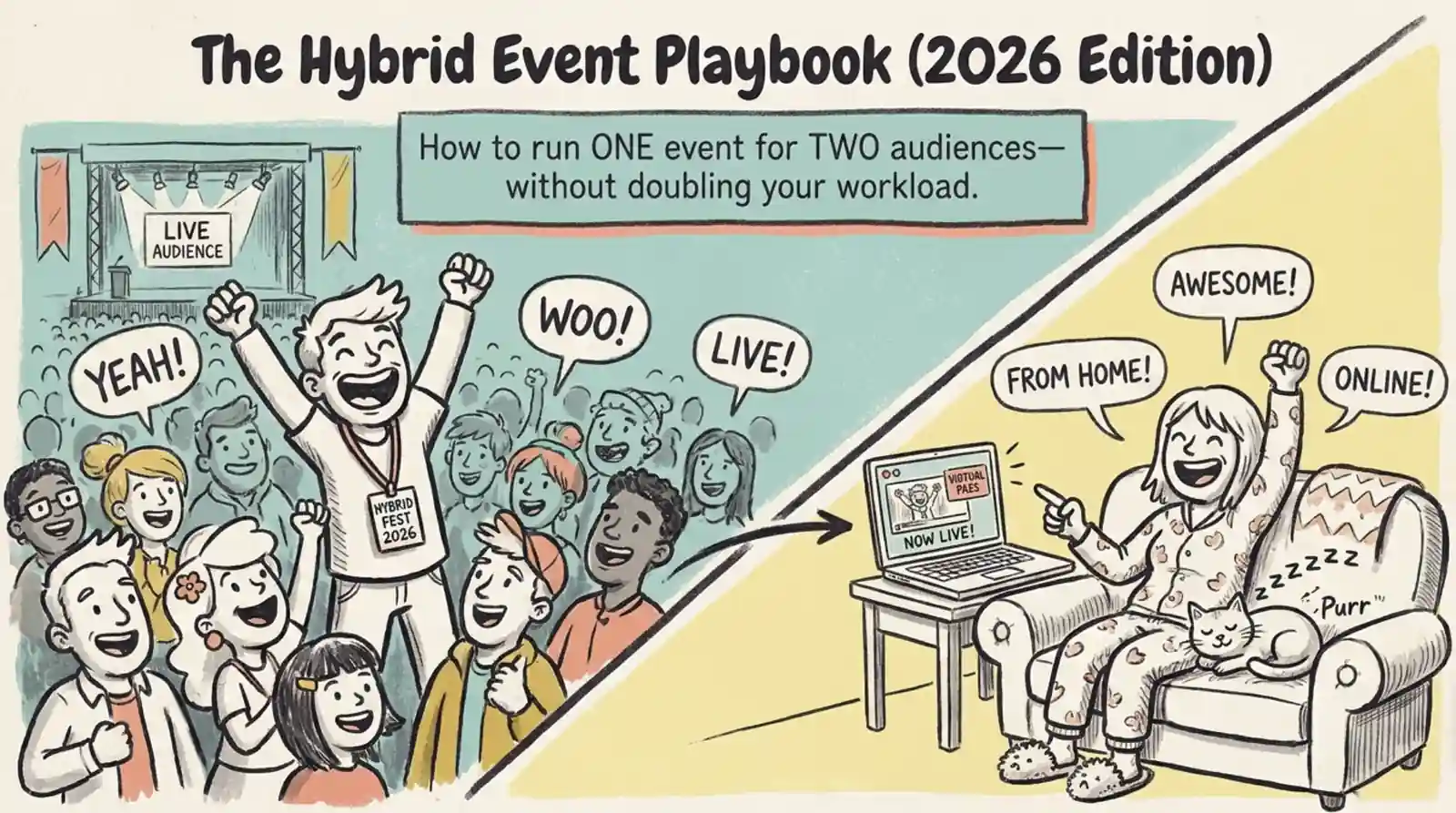
Key Takeaways:
- A hybrid events platform helps you sell tickets and manage registration for both in-person and virtual attendees.
- You need separate ticket types, clear joining instructions, and a simple way to manage access for both audiences.
- Look for ticketing, QR Code check-in, attendee tracking, and reporting in one place.
- Ticket Generator helps manage ticket sales, registration, check-in, and attendee data for hybrid events.
- You can use a dedicated ticketing platform alongside your preferred streaming tool instead of paying for an all-in-one event suite.
You are organizing a conference. Some people will attend in person. Others will join online. You need to sell tickets to both groups, send the right instructions, and make sure everyone can access the event.
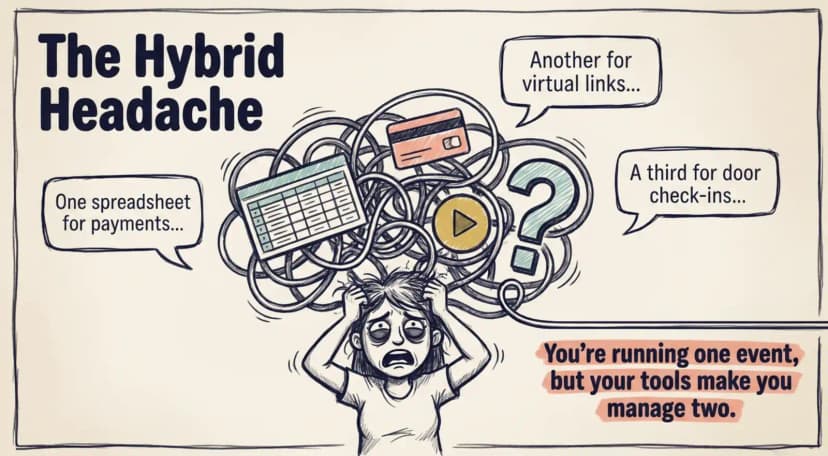
Managing this through separate tools can quickly become messy. You might have one spreadsheet for registrations, another for payments, and a separate platform for the live stream. Keeping everything in sync takes time and creates room for mistakes.
That's why choosing the right hybrid events platform matters. You need one place to manage ticket sales, registration, and attendee access for both audiences. In-person guests need a smooth check-in process. Virtual guests need clear instructions on how to join. Your team needs an easy way to track registrations and attendance.
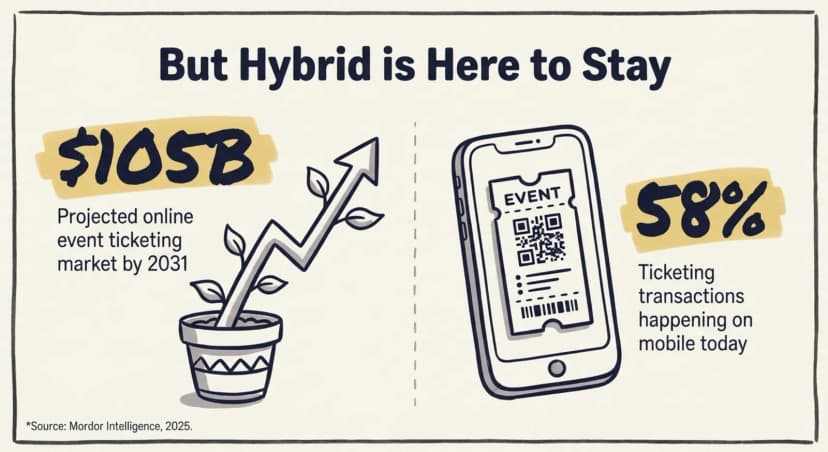
For context, the online event ticketing market is projected to grow from approximately $85 billion in 2025 to $105 billion by 2031, according to Mordor Intelligence.
You don't necessarily need a platform that also hosts the live stream. A dedicated ticketing platform can handle the operational side while your preferred streaming tool delivers the online experience.
In this guide, you'll learn which features to look for in a hybrid events platform, how to manage tickets for in-person and virtual attendees, and how to simplify check-in and attendance tracking without adding unnecessary tools or costs.
What is a hybrid events platform?
A hybrid events platform helps you manage ticket sales and registration for an event with both in-person and virtual attendees. It keeps the process organized, from issuing tickets to checking attendance, without making you manage two separate events.
Think of it this way. In-person attendees need tickets, venue details, and a quick way to check in. Virtual attendees need tickets, joining instructions, and access to the online event. Your team needs to manage both groups and track who attends.
Some platforms also handle live streaming, chat, and virtual networking. Others focus on ticketing and attendee management, letting you use a separate streaming tool.
For many organizers, the second option is enough. You can manage ticket sales, registration, QR Code check-in, and attendance data in one place without paying for features you don't need.
Why are more organizers choosing hybrid events?
Hybrid events let you reach people who can attend in person and those who cannot travel. You can run both experiences around the same program while opening up more ways to sell tickets and reach your audience.
The shift to mobile makes the ticketing experience even more important. According to Mordor Intelligence, mobile devices accounted for roughly 58% of online event ticketing transactions in 2025.
This matters for both audiences. In-person guests may show their tickets on their phones at the entrance. Virtual attendees may use their phones to access event links and joining instructions. Your ticketing process should work smoothly on both.
Hybrid events also give organizers more flexibility. In-person attendees get face-to-face interaction, while virtual attendees can join from anywhere. You can offer different ticket types for each audience and track registrations without maintaining separate spreadsheets.
The key is to keep the process simple. Choose a platform that lets you manage ticket sales, attendee details, and access in one place. Then connect your preferred streaming tool for the virtual experience.
What should a hybrid events platform actually do?
A good hybrid events platform should make it easy to manage tickets, registration, and access for both in-person and virtual attendees. You don't necessarily need one tool to handle everything. You can use a dedicated ticketing platform for event operations and a separate tool for live streaming.
Here are the features that matter most:
- One registration process for both audiences: Let attendees choose whether they'll join in person or online, instead of making them complete separate forms.
- Ticket types for each audience: Issue QR Code tickets for in-person guests and virtual tickets with clear joining instructions for online attendees.
- Reliable ticket delivery: Send tickets and event details by email, SMS, or WhatsApp, depending on the channels your platform supports.
- Quick on-site check-in: Scan QR Code tickets and flag duplicates to keep queues moving and prevent the same ticket from being used twice.
- Controlled access to virtual events: Share stream links securely and use attendee-specific access controls where available. A unique ticket alone does not prevent someone from forwarding a shared link.
- Attendance reports in one place: Track registrations, check-ins, virtual attendance where supported, and no-shows without manually combining spreadsheets.
- Your branding and attendee data: Use event pages and tickets that reflect your brand, and check how you can access and export attendee information.
Pro Tip: Add a “How will you attend?” field to your registration form. Use separate ticket types for in-person and virtual attendees. With Ticket Generator, you can manage ticket sales and registration, issue QR Code tickets, and include joining instructions for virtual guests. Make sure your chosen streaming tool handles the actual broadcast and any stream-level access restrictions.
How do you ticket and register two audiences at once?
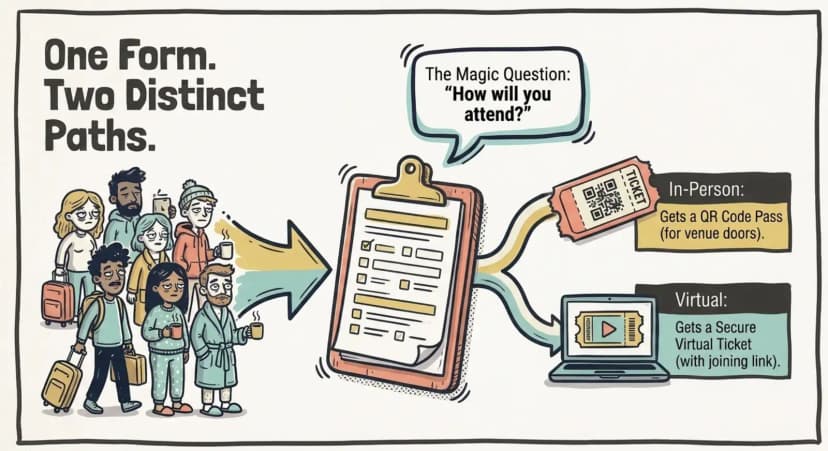
You can manage both audiences through one event registration process, with separate ticket types for in-person and virtual attendees. In-person guests receive a QR Code ticket for entry. Online guests receive a virtual ticket with instructions for joining the event.
This keeps registration simple for guests and reduces admin work for your team. Everyone registers through the same event page, but receives the ticket and instructions that match their attendance type.
On event day, each audience follows a different check-in process. At the venue, staff scan tickets using a validator app. QR Code check-in helps identify valid, invalid, and duplicate tickets. Virtual attendees use the joining details provided with their tickets to access the stream.
You can manage ticket sales and registration in one place while using a separate streaming tool to host the online event. Just remember that sending a stream link does not automatically restrict access to ticket holders. Check whether your streaming platform supports the access controls you need.
Ready to simplify hybrid event ticketing? Try Ticket Generator to manage registration, issue tickets, and check in your in-person guests while providing virtual attendees with their joining instructions.
Choosing your setup: all-in-one vs. a ticketing + access layer
When you compare event ticketing platforms for hybrid, you're really choosing between three setups: a heavy all-in-one suite, a focused ticketing-and-access layer paired with your own streaming tool, or a do-it-yourself patchwork. Here's how they compare on the things that matter.
|
Capability |
All-in-one hybrid suite |
Ticketing + access layer (Ticket Generator + your streaming tool) |
DIY (forms + email) |
|---|---|---|---|
|
Pricing |
Subscription or per-event fees that rise with size |
Pay-per-ticket credits, no commission, plus your existing video tool |
"Free," but paid in staff hours |
|
Setup time |
Days, often with guided onboarding |
Live in minutes, self-serve |
Rebuilt by hand for each event |
|
In-person check-in |
Built in, quality varies |
QR validator app with duplicate detection |
Printed lists, manual look-ups |
|
Virtual access |
Native stream access |
Virtual ticket carries a unique access link |
Links emailed with no tracking |
|
Branding & data |
Varies, sometimes platform-branded |
Full branding, you own the attendee data |
You own the data, but no automation |
|
Best for |
Large multi-session conferences with big budgets |
Organizers who want control and predictable cost |
Tiny free events only |
For large multi-session conferences with enterprise budgets, an all-in-one suite can be worth it. For most organizers running 10 to 10,000 attendees, pairing a lean ticketing-and-access layer with a streaming tool you already use is faster to set up and far more predictable in cost.
How Ticket Generator supports hybrid events
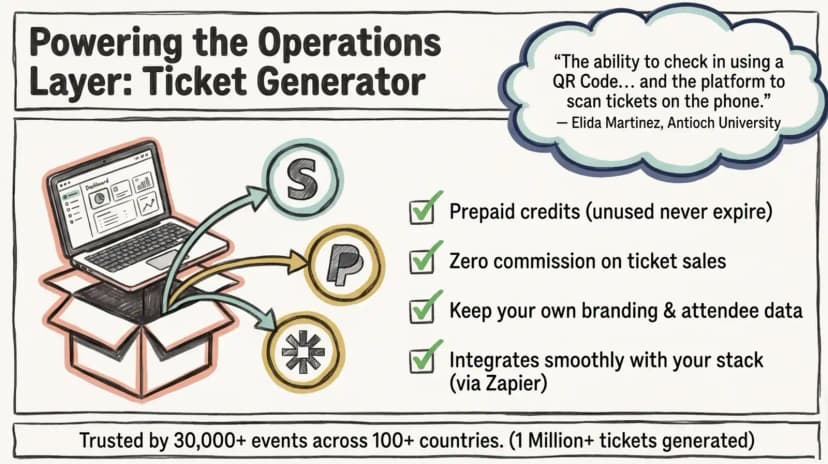
Ticket Generator helps organizers manage the ticketing and registration side of hybrid events. You can handle tickets, check-in, and attendance data while using your preferred tool to stream the event online.
Set up your event and create ticket types for in-person and virtual attendees. Use a registration field such as “How will you attend?” to collect each guest's preference. You can then provide the right ticket and instructions for each audience, rather than managing separate registration lists.
Ticket delivery is available through email, SMS, and WhatsApp. You can also schedule ticket delivery in advance. At the venue, volunteers use the Ticket Validator app on their smartphones to scan QR Code tickets and identify duplicate or invalid passes. The attendance tracking feature helps you monitor registrations and check-ins, then export the data for reporting.
Universities can use these features to manage ceremonies and other events with in-person attendance. As one Ticket Generator client shared:
"The ability to check in using a QR Code... and the platform to scan tickets on the phone."
Elida Martinez, Antioch University
Pricing is also straightforward. Ticket Generator uses prepaid credits rather than ticketing commissions, and unused credits never expire. For paid events, payments go through your own Stripe, PayPal, or Razorpay account, with payment processing fees still applying.
You can also explore integrations to connect registration workflows with other tools. For example, Zapier may help automate actions between Ticket Generator and a supported streaming platform, depending on the available integrations and setup.
Ticket Generator has powered more than 1 million tickets across 30,000+ events in 100+ countries. For hybrid events, it handles the ticketing and check-in workflow while your streaming platform delivers the online experience.
Bringing both audiences together
A hybrid event doesn't have to mean twice the admin work. The key is to manage in-person and virtual attendees through an organised registration and ticketing process.
Choose a setup that makes it easy to sell the right tickets, deliver clear instructions, check guests in, and track attendance. You may not need an all-in-one event suite if your main requirements are ticketing and attendee management.
With Ticket Generator, you can manage the operational side of your hybrid event while keeping the streaming tool that works best for you.
One event. Two audiences. One simpler workflow.
FAQs: Hybrid Events Platform
What is a hybrid events platform?
A hybrid events platform is software that runs one event for both in-person and online attendees, handling registration, ticketing, access, and analytics for each group in a single system. It saves you from managing two separate tools and two separate attendee lists. Some platforms focus on the streaming experience, while others, like Ticket Generator, focus on the operations layer of tickets and entry.
Do I need a separate tool for streaming?
Usually, yes and that's fine. Most organizers pair a dedicated streaming or video tool with a ticketing-and-access platform, rather than paying for one all-in-one suite that does both unevenly. Ticket Generator handles registration, ticketing, and check-in, and connects to your chosen streaming tool through its Zapier integration.
How do attendees get into a hybrid event?
In-person guests show a scannable QR ticket that staff validate at the door, while online guests use a virtual ticket that carries their unique stream access link. Both tickets are delivered to the same place, the attendee's phone, by email, SMS, or WhatsApp. Issuing distinct ticket types for each mode keeps entry fast and secure for both audiences.
Can I use one registration form for both in-person and virtual guests?
Yes. A good hybrid setup uses a single registration form with a field asking how the guest will attend, then issues the matching ticket automatically. With Ticket Generator, that one form can split your audiences cleanly, an in-person QR pass or a virtual ticket, so you never maintain two lists.
How much does a hybrid events platform cost?
It depends on the model. All-in-one hybrid suites often charge subscriptions or per-event fees that climb with size, while a ticketing-and-access layer like Ticket Generator uses prepaid credits, you pay per ticket generated, with no commission on sales. That keeps the cost of your hybrid event predictable whether 100 or 10,000 people attend.
About the author
Content Marketer at Ticket Generator
Ashish Chandra has spent 5+ years writing about event technology, covering topics such as ticket design, QR check-ins, attendee management, and event marketing strategy. As the Content Lead at Ticket Generator, Ashish has analyzed hundreds of real-world event workflows and ticketing setups, helping organizers across industries use QR-based tickets, event landing pages, and smarter ticketing systems to run smoother, better-attended events. His writing is shaped by real user needs and the questions organizers ask most often: How do I sell more tickets? How do I avoid chaos at the door? How do I make my next event better than my last? When he steps away from the screen, you'll likely find him hiking a quiet trail or tending his plants- his preferred way to reset.
Latest posts
Check out our latest articles on the blog
10 min readHybrid Events Platform: How to Run One Event for In-Person and Virtual Guests
A hybrid events platform lets you run one event for both in-person and virtual attendees. Here's what a good one does and how to ticket and check in both audiences without doubling your workload.
Ashish Chandra
28 Oct 2026
 17 min read
Sports Tournament Event Ticketing: What Organizers Need to Know
Sell tournament tickets online, check in every ticket on a phone, and see what each pricing model costs for one tournament.
Ashish Chandra
28 Oct 2026
 10 min read
Halloween Masquerade Ball: How to Host a Night of Masks and Mystery
From Venetian-inspired masks to QR-coded entry, here is your complete guide to planning a Halloween masquerade ball your guests will talk about for years.
Ashish Chandra
28 Oct 2026