

Eventbrite Reserved Seating: Setup, Limits, and a Better Option for Seated Events
 Written byAshish ChandraLast updatedOctober 5, 2026
Key Takeaways:
- Eventbrite reserved seating lets buyers pick exact seats from a map you build.
- It has firm rules, such as no recurring events and no donation tickets.
- Fees run 3.7% plus $1.79 per ticket, with 2.9% processing on top.
- Paid events must use Eventbrite Payment Processing.
- Ticket Generator offers reserved seating with zero commission and payments to your own gateway.
Did you know that Eventbrite lists US fees of 3.7% + $1.79 per paid ticket, plus 2.9% payment processing per order? Source: Eventbrite pricing page, 2026
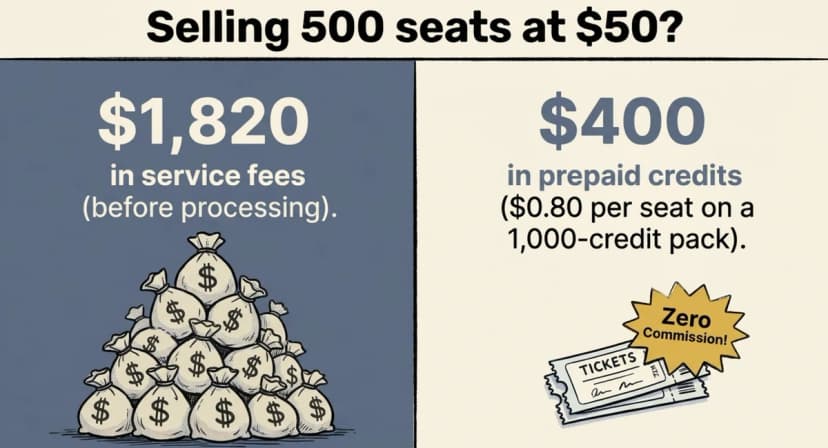
Picture 500 seats sold at $50 each, where Eventbrite's service fee alone comes to about $1,820, before payment processing. Buyers pay it by default, but you can choose to absorb it.
That is why Eventbrite reserved seating deserves a close look before you build your map. It lets buyers pick exact seats from a seating map you create. It is a solid tool with a big marketplace behind it, but it also comes with rules and costs that surprise many organizers.
In this guide, we explain how it works and what features you get. We then cover the limits and the true cost. Finally, we show what to look for in an alternative, how Ticket Generator handles reserved seating, and how to switch.
How does Eventbrite reserved seating work?
Eventbrite reserved seating lets you build a map of your venue and sell each seat on its own, and buyers choose their seats and pay.
According to Eventbrite's help center, the setup runs like this:
- Turn on reserved seating while you build your event page.
- Create a venue map, or reuse one you saved.
- Add sections, tables, or objects to the map.
- Create tiers and assign seats to them.
- Create ticket types and set a price for each tier.
- Publish the event.
You can edit seat and section labels, such as Balcony 1, Row AA, Seat 7, adjust curves and alignment, and delete unsold seats.
Setup is only half the story, so let us see what you can do once the map is live.
What features come with Eventbrite reserved seating?
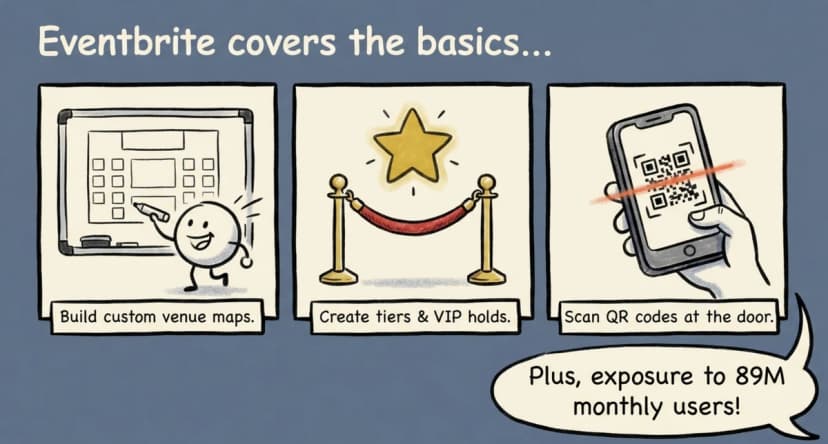
Eventbrite adds holds, tiered pricing, and check-in tools on top of the seat map.
- Holds. Block seats for VIPs, sponsors, or staff. You can add an access code so only invited guests can buy held seats.
- Tier pricing. Set a different price for each section.
- Mixed seating. Combine assigned seats with general admission areas.
- Sales analytics. Track sales by section and price tier.
- Check-in. Scan QR codes with the Eventbrite Organizer app.
Eventbrite says it has more than 89 million monthly users, which can help a new event get found. You can see the full list on its reserved seating page.
Those features cover the basics well, but the rules around them are where many organizers get stuck.
What are the limits of Eventbrite reserved seating?
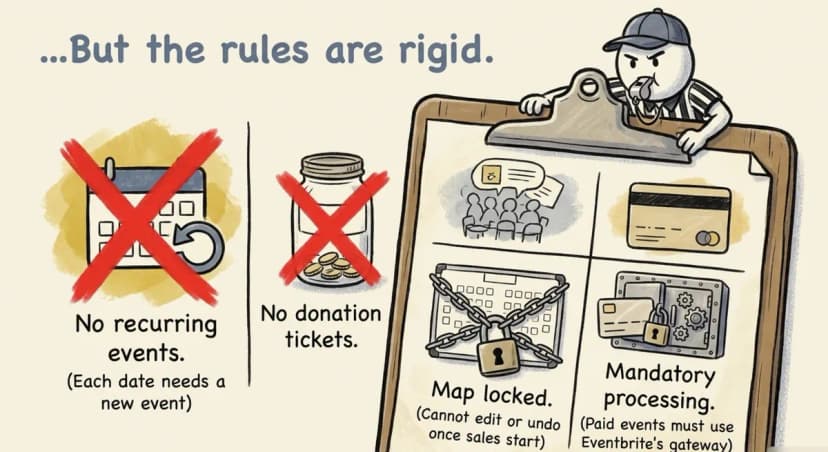
Eventbrite reserved seating has strict setup rules. You must turn it on before you create any tickets, and you cannot undo it once tickets sell.
Here are the limits listed in the help center:
- Your event needs a physical venue with an address.
- Recurring events cannot use reserved seating.
- You cannot enable it if tickets already exist.
- Events with a waitlist cannot use it.
- You cannot create or edit a seat map from a mobile device.
- Donation tickets are not available.
- Paid tickets require Eventbrite Payment Processing.
The recurring event rule hurts most. You can reuse a saved map, but you cannot run a weekly show as one recurring event.
Pro Tip: If you run repeat shows, look for a platform that clones events. Ticket Generator lets you save a venue layout and clone an event. Each new date then starts from your last setup.
Running seated shows on repeat? Try Ticket Generator to save your venue layout, clone your events, and keep 100% of your ticket revenue.
Rules aside, the other big factor is money, so let us break down what you would actually pay.
How much does Eventbrite reserved seating cost?
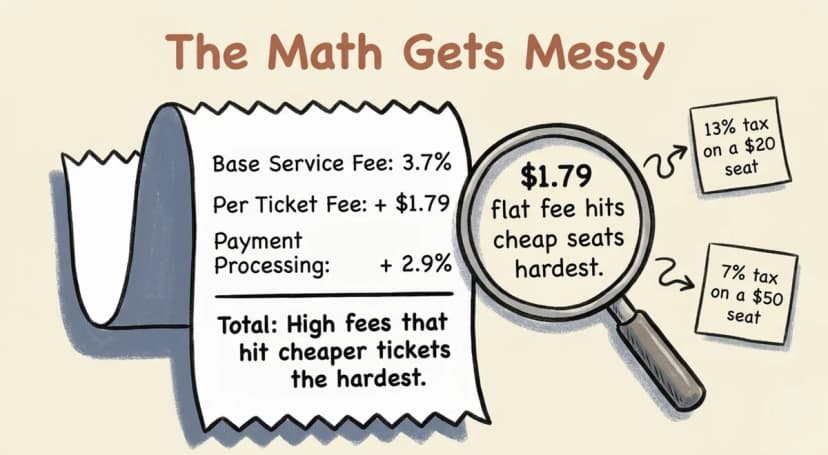
Eventbrite charges 3.7% plus $1.79 per paid ticket, and 2.9% payment processing per order, and buyers pay by default unless you choose to absorb the cost.
On a $50 seat, the service fee is $3.64, or about 7% of the price, but on a $20 seat it is $2.53, or about 13%. The flat $1.79 hits cheaper seats hardest.
The table compares Eventbrite's service fee with Ticket Generator's credits for the same number of $50 seated tickets.
|
Seats sold |
Eventbrite service fee |
Ticket Generator credits |
|---|---|---|
|
100 |
$364 |
$100 (200 credits) |
|
500 |
$1,820 |
$400 (1,000 credits) |
|
2,000 |
$7,280 |
$1,600 (4,000 credits) |
Payment processing applies on both sides. Eventbrite's 2.9% is part of its fees. With Ticket Generator, your own gateway, such as Stripe, charges its own rate. Eventbrite figures use its 2026 US rates.
Numbers like these push many organizers to ask what else is out there and what to look for.
What should you look for in an Eventbrite alternative for seated events?
Look for flat pricing, support for repeat shows, payment control, and your own branding.
- Flat, simple pricing. Your cost should not climb with every ticket price.
- Repeat shows. You should reuse your layout and clone events.
- Payment control. Ticket money should land in your own account.
- Your brand. Buyers should see your event, not a page full of other events.
- Your data. You should own the attendee list.
Here is how the two platforms compare on those points.
|
Feature |
Eventbrite |
Ticket Generator |
|---|---|---|
|
Fee model |
3.7% + $1.79 per ticket, plus 2.9% processing |
Prepaid credits, 2 per seated ticket, no commission |
|
Seating on recurring events |
Not supported |
Clone events and reuse saved venue layouts |
|
Payments |
Eventbrite Payment Processing required for paid tickets |
Your own Stripe, PayPal, or Razorpay account |
|
Branding |
Eventbrite marketplace branding |
Full control, custom domain, no platform logos |
|
Attendee data |
Held on Eventbrite's platform |
Owned by you |
|
Entry scanning |
Organizer app QR scan |
Validator app with Valid, Duplicate, and Invalid results |
Eventbrite's marketplace can help a brand-new event find buyers. If you already have an audience, you may not need it.
Now let us look at how Ticket Generator delivers on that list.
How does Ticket Generator handle reserved seating?
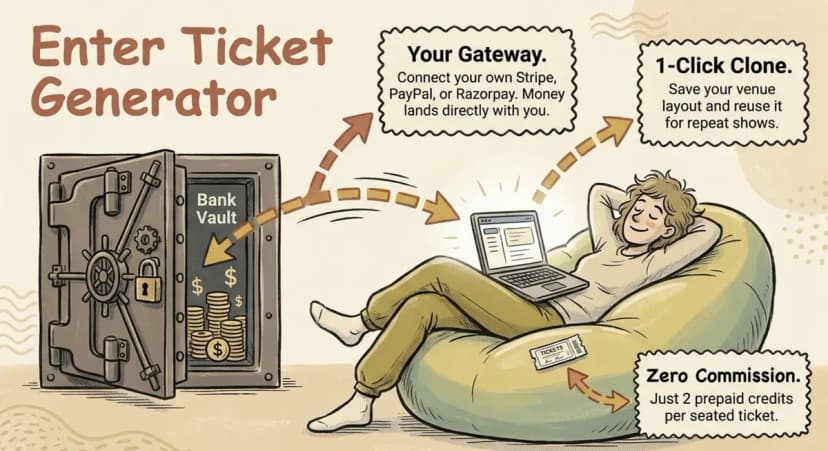
Ticket Generator is built for organizers who want control over pricing and payments. You turn a floor plan into a live seating map and sell from your own page, with no commission on sales.
Here is the flow:
- Open Settings > Venue Layout and upload your floor plan.
- Mark your sections, such as VIP, Premium, General, Balcony, or Tables, and link each one to a ticket price.
- Ticket Generator turns the plan into a live seating map where every seat is clickable. A one-time setup fee applies.
- Guests zoom in, pick a seat, and pay. The seat is held during checkout, so two people cannot book the same chair.
- Each ticket carries the seat number, section name, a unique ticket ID, and a QR code.
- Staff scan the code at the door and see Valid, Duplicate, or Invalid.
Pricing stays simple, since venue layout events use 2 credits per ticket. On the 100-credit pack at $50, a seat costs $1.00. On the 1,000-credit pack at $400, it costs $0.80. Credits do not expire.
Your layout is saved, so a repeat show starts from your last setup. Payments go straight to your own gateway, so you are not tied to one payment processor. More than 1,000,000 tickets have been generated on Ticket Generator for 30,000+ events in 100+ countries.
Pro Tip: Match your tickets to your show. Ticket Generator has an AI designer that returns four ticket designs per request. Seat, row, and section fields drop in on their own, and you can fine tune any design in Canva.
One honest note on entry. The Ticket Validator app needs an internet connection, so test your venue signal before doors open. To go deeper, see our guides to assigned seating and the interactive seating chart.
Knowing the tool is one thing, but moving a real show is another, so here is a safe way to switch.
How do you switch from Eventbrite reserved seating?
Let your current Eventbrite shows run, then build your next event on the new platform. Eventbrite does not let you remove reserved seating once tickets sell.
- Let events with sales finish on Eventbrite.
- List your upcoming dates and mark which ones repeat.
- Save your floor plan, section names, and price tiers.
- Build the seat map in Ticket Generator and book one test seat yourself.
- Connect your Stripe, PayPal, or Razorpay account so payments go straight to you.
- Add past guests who agreed to hear from you to a Campaigns subscriber list, then email them the new link.
Start small, learn the flow, and move your full season once the first show runs well. For a wider view, read our guides to Eventbrite alternatives and Eventbrite pricing.
Conclusion
Eventbrite reserved seating gives you a clear seat map, holds, and a large marketplace. But it comes with strict rules, a flat fee on every ticket, and required payment processing.
If you run repeat shows or want to keep more of each sale, a simpler setup may fit better. Ticket Generator gives you a live seating map, zero commission, and payments to your own gateway, and you keep your brand and your data.
Turn your floor plan into a live seating map and sell on your own page. Try Ticket Generator and keep 100% of your ticket revenue. Your event. Your revenue. Your rules.
FAQs: Eventbrite Reserved Seating
1. How does Eventbrite reserved seating work?
You build a venue map, assign seats to tiers, and set a price for each tier. Buyers then pick their exact seats and pay. You must turn it on before you create tickets.
2. Can you use Eventbrite reserved seating for recurring events?
No. Eventbrite does not allow reserved seating on recurring events. You can reuse a saved venue map, but each date needs its own event.
3. How much does Eventbrite charge for reserved seating?
Eventbrite's pricing page lists 3.7% + $1.79 per paid ticket plus 2.9% processing per order for US events. Confirm the latest rates in your account before you plan your budget.
4. What is the best Eventbrite alternative for reserved seating?
Ticket Generator is a good fit for events of 10 to 10,000 guests. It turns your floor plan into a live seating map, charges no commission, and sends payments to your own gateway.
5. Does Ticket Generator charge a commission on reserved seats?
No. Venue layout events use 2 credits per ticket, which is $0.80 per seat on the 1,000-credit pack. Your payment gateway charges its own processing fee on top.
About the author
Content Marketer at Ticket Generator
Ashish Chandra has spent 5+ years writing about event technology, covering topics such as ticket design, QR check-ins, attendee management, and event marketing strategy. As the Content Lead at Ticket Generator, Ashish has analyzed hundreds of real-world event workflows and ticketing setups, helping organizers across industries use QR-based tickets, event landing pages, and smarter ticketing systems to run smoother, better-attended events. His writing is shaped by real user needs and the questions organizers ask most often: How do I sell more tickets? How do I avoid chaos at the door? How do I make my next event better than my last? When he steps away from the screen, you'll likely find him hiking a quiet trail or tending his plants- his preferred way to reset.
Latest posts
Check out our latest articles on the blog
 12 min read
Email Marketing for Events and Webinars: What to Send, When to Send It, and How to Automate It
A step-by-step playbook for email marketing for events and webinars. Learn what to send, when to send it, and how to automate every email for in person and virtual events.
Ashish Chandra
18 Oct 2026
 10 min read
Halloween Masquerade Ball: How to Host a Night of Masks and Mystery
From Venetian-inspired masks to QR-coded entry, here is your complete guide to planning a Halloween masquerade ball your guests will talk about for years.
Ashish Chandra
18 Oct 2026
 9 min read
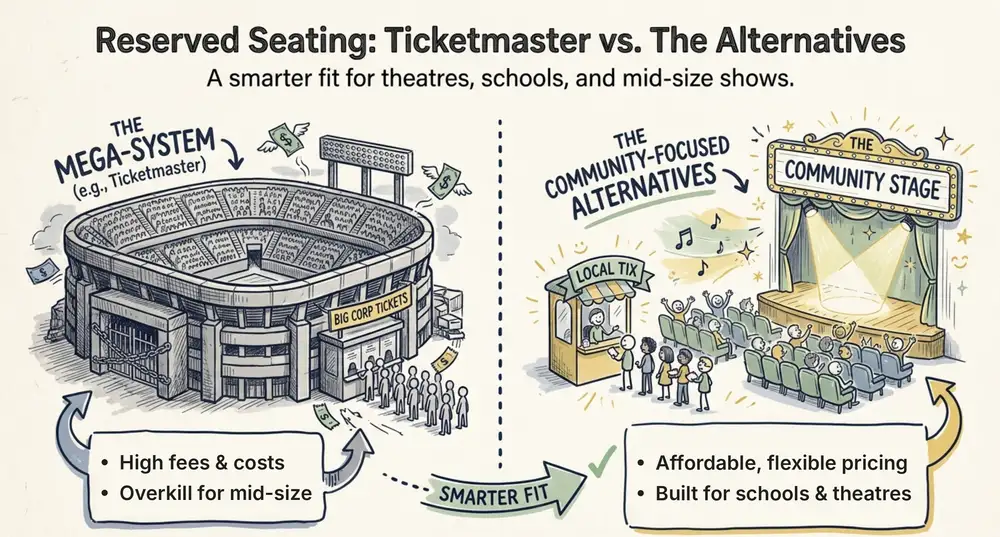
Ticketmaster Reserved Seating: How It Works and a Better Fit for Smaller Events
Ticketmaster reserved seating works well for arenas. If you run a theatre, gala, or mid-size show, see how it works, what it costs, and how to switch.
Ashish Chandra
16 Oct 2026